The PC Card Director is some software and drivers for using the two PCMCIA card slots in a Thinkpad and a bunch of drivers to detect and run a bunch of cards that were around at the time. A Kind of early plug and play.
Inside the readme file is a reference to this:
PCMCIA.CRD : PC Card Support List
And in that list is all the PC cards which had been tested. I was using the PC Card Director for later 755 models.
PC Cards for IBM(*) ThinkPad(*) systems
The following PC Cards have been tested successfully on the IBM
ThinkPad systems. For detailed information, contact each card
manufacturer.
Tested ThinkPad system:
ThinkPad 750 Family
[ Communication Cards ]
Card Type Company Support
PCMCIA Card Product Name Level
------------------------------------------------------------------------
Modem
Apex(**) Data,Inc.
Apex Data, data/fax modem, Model IBP-1414 AA
Apex Data, data/fax modem, Model IBP-2496 AA
Apex Data, data/fax modem, Model PCR-9696 AA
Apex Data, data/fax modem, Model PCR-1414 AA
AT&T Paradyne
KeepIntouch Card(**) Modem 24/96 AA
KeepIntouch Card(**) Modem 14.4/14.4 AA
Complus Inc.
FaXXpress 942 AA
COM1 SA
MC215 Pcmcia Card COM1 AA
MC216 Pcmcia Card COM1 AA
Communicate(**)
PCMCIA 14400 Fax & Data Modem AA
DATA RACE (**)
RediCARD (**) PCMCIA Data/FAX Modem AA
RediCARD High Speed PCMCIA Data/FAX Modem AA
Dr. Neuhaus Mikroelektronik GmbH
Fury card(**) 2400 AA
ELSA GmbH (Germany)
MicroLink(**) 2460MC FullFax-Modem AA
E-TECH Inc.
PCMCIA Data/Fax Modem Model C9624RX AA
Ericsson(**)
Mobidem(**) M2100 Radio Data Modem AA
EXP Computer, Inc.
THINFAX fax/data modem AA
Fujitsu(**)
PCMCIA Data/Fax modem card MBH10213 AA
PCMCIA Data/Fax modem card MBH10217 AA
Hayes
OPTIMA(**) Data/Fax 144 for PCMCIA AA
Intel(**)
Cellular Faxmodem for PCMCIA AA
PCMCIA Faxmodem 14.4/14.4 (U.S.version) AA
PCMCIA Faxmodem 9600/9600 (U.S.version) AA
PCMCIA Faxmodem 2400/9600 (U.S.version) AA
LIGHTSPED(**), Inc.
PCMCIA Faxmodem LIGHTFAX(**) 1414CA AA
LONGSHINE(**) Electronics Corp.
LCS-8591 PCMCIA 96/24 Fax/Modem Crad AA
MagicRAM(**)
Mercury 9624(**) Voice/Fax/Modem card AA
MX MACRONIX(**)
MaxCard 144 AA
Megahertz(**)
Data/Fax Modem with XJACK(**) Model #XJ124FM AA
Data/Fax Modem with XJACK(**) Model #XJ1144 AA
NTT DoCoMo(**)
Digital DATA/FAX Card AA
OMRON(**)
data/fax modem MD24XCA AA
OKI(**)
Modem Card MTC112116E2-00A1-01 AA
Fax/Data Modem Card MTC112118C2-00A1-01 AA
Psion Dacom PLC(**)
Gold Card(**) PCMCIA Modem AA
RATOC SYSTEM Inc.
REX-5565 DATA/FAX MODEM Card AA
SCM(**) Microsystems Europe
SCM_FAX 2400/9600 A
SMART(**) Moduler Technologies
SmartExchange(**) 9624 AA
TDK(**)
Data/Fax Modem Card AA
TEXAS(**) INSTRUMENTS
2400+ Send Fax Modem A
IBM
PCMCIA Data/FAX Modem AA
High Speed PCMCIA Data/FAX Modem AA
2400bps Data Modem PCMCIA Adapter Card AA
Data/Fax PCMCIA Modem Card AA
Push-Pop Modem Data/Fax 14.4K AA
IBM Microelectronics
2.4/9.6 Data/FAX Modem AA
14.4/14.4 Data/FAX Modem AA
2.4/9.6 Data/FAX Modem with Integrated DAA AA
14.4/14.4 Data/FAX Modem with Integrated DAA AA
Serial
Socket(**) Communications.Inc
Socket I/O credit card serial adapter AA
IBM Microelectronics
RS232 Serial Card AA
SDLC
IBM
SDLC PCMCIA Adapter Card B
SDLC PCMCIA Modem Card B
Ethernet
3Com(**)
EtherLink(**) III B
ACCTON(**)
Ethernet PCMCIA Card EN2212-1 B
Ethernet PCMCIA Card EN2212-2 B
AMP(**) Incorporated
Smart Connector Systems LAN 10Base-T B
CardWell(**) International Corp.
PCMCIA Ethernet LAN Card 10Base-T B
PCMCIA Ethernet LAN Card 10Base-2 B
CONTEC Co.,Ltd
LAN-HELPER C-NET(PM)C series 10 Base-T B
LAN-HELPER C-NET(PM)C series 10 Base-2 B
Fujitsu
Ethernet Card MBH10302 B
LONGSHINE(**)
Ethernet Card LCS-8534 B
MagicRAM
Ethernet 10 Base-T Credit Card Adapter B
Ethernet 10 Base-2 Credit Card Adapter B
MARCESS
LAN Card MAR-ET2-T2 B
New Media corporation
PCMCIA LAN Adapter Card 10 Base-T B
PCMCIA LAN Adapter Card 10 Base-2 B
RATOC SYSTEM Inc.
REX-5585 10Base-T Ethernet card B
RIOS
IC card Ethernet 10BaseT B
IC card Ethernet 10Base2 B
Socket Communications.Inc
EA+(**) PCMCIA LAN adapter B
EA PCMCIA LAN adapter B
SCM Microsystems Europe
SCM_EC (10 Base 2) B
SCM_ET (10 Base T) B
SMC(**)
EliteCard(**) PCMCIA Ethernet Adapter B
TDK
Ethernet 10BASE-T LAC-CD011 B
Ungermann-Bass
Access/CARD B
Xircom(**)
CreditCard Ethernet Adapter B
IBM
Ethernet Credit Card Adapter 10BaseT B
Ethernet Credit Card Adapter 10Base2 B
Ethernet PCMCIA Card II 10BaseT B
Ethernet PCMCIA Card II 10Base2 B
Token-Ring
RIOS
IC card Token-Ring B
Madge(**)
Smart 16/4 PCMCIA Ringnode B
MagicRAM
16/4 Token-Ring Credit Card Adapter B
SCM Microsystems Europe
SCM_TR Token-Ring card B
IBM
Token-Ring 16/4 Credit Card Adapter B
Token-Ring 16/4 Credit Card Adapter II B
3270
IBM
3270 EMULATION CREDIT CARD ADAPTER A
5250
IBM
5250 PCMCIA Adapter Card B
5250 EMULATION PCMCIA ADAPTER B
Infrared
IBM Microelectronics
PCMCIA Infrared Wireless Adapter B
PCMCIA Infrared Wireless Adapter with integrated transceiver
B
ATA
CardWell International Corp.
PCMCIA ATA Hard Disk Drives A1
EPSON(**)
Flash Packer(**) A1
Maxtor(**)
MobileMax(**) Hard Drive Model MXL-105-III A1
SunDisk(**)
SDP-xx series A1
Integral(**) peripherals
Model 1841PA A1
IBM
Solid State Mass Storage Card (5M/10M/15M) A1
PCMCIA Hard Disk Drive (40M/105M) A1
IBM Microelectronics
PCMCIA Solid State File Card (5M/10M/20M/30M/40M) A1
External PCMCIA Drive (364MB/527MB) A1
Flash
AMP Incorporated
PCMCIA Flash-12 Memory Card A2
AMI(**) American Microsystems,Inc.
ASIS(**), memory cards A2
Fujisoku(**)
J-series memory card A2
Fujitsu(**)
Flash card A2
MagicRAM
Flash memory card A2
Maxell(**)
EF-TB series A2
OKI
memory card series A2
SCM micro system Europe
FCxxxMB flash card (256KB -- 20MB) A2
Seiko EPSON(**) corp.
IC Memory Card A2
SMART Moduler Technologies
SM9FL1MP3200 A2
Sony(**)
IMF series A2
IBM Microelectronics
PCMCIA Memory Card 2MB, 4MB A2
SRAM
ADTEC System Science
AXS series SRAM card A1
AMI American Microsystems,Inc.
ASIS, memory cards A1
ASCII
SRAM card A1
Fujisoku
J-series memory card A1
Fujitsu(**)
SRAM card A1
IBM
PCMCIA Memory Cards 1M, 2M A1
MagicRAM
Dual battery SRAM card A1
MELCO
RJB-512/1000/2000 SRAM card (Japan) A1
Maxell
Maxell ML-TB A1
Mitsubishi(**)
MELCARD(**) SRAM A1
NEC(**)
SRAM card A1
OKI
memory card series A1
Panasonic(**)
Memory card SRAM-BN-xxxHMC (64KB -- 4MB) A1
SCM micro system Europe
SCxxxxMB SRAM card (128KB -- 2MB) A1
Seiko EPSON(**) corp.
IC Memory Card A1
SMART Moduler Technologies
SM9SRD1MP3200 A1
Sony
IMS series A1
Toshiba(**)
MCM33 series A1
GPS
Socket Communications.Inc
PCMCIA Global Positioning System B
SCSI
AMP Incorporated
PCMCIA SCSI Adapter B
Caravelle Data Systems
PSC-SCSI SCSI-II interface Card B
Fujitsu
PCMCIA SCSI card B
Panasonic
PCMCIA SCSI I/F card LK-RJ100A B
Trantor Systems Ltd.
SlimSCSI(**) 16-bit PCMCIA-to-SCSI Adapter B
New Media Corporation
Visual Media(**) SCSI adapter B
Bus Toaster(**) High Performance SCSI adapter B
RATOC SYSTEM Inc.
REX-5535 SCSI PC card B
IBM
PCMCIA SCSI Card A
Audio
New Media Corporation
.WAVjammer PCMCIA Sound card B
Panasonic
Sound Card CF-VEW211 B
IBM
PCMCIA 16-bit Audio Adapter B
Combo
Xircom
CreditCard Ethernet + Modem B
[ Support Level ]
A Tested successfully with IBM Auto Configurator.(AUTODRV.SYS).
AA Tested successfully with IBM Auto Configurator.(AUTODRV.SYS).
and OS/2 Auto Configurator (AUTODRV2.SYS)
A1 Tested Read/Write successfully with IBM SRAM/ATA Driver.(DISKDRV.SYS)
A2 Tested Read successfully with IBM SRAM/ATA Driver.(DISKDRV.SYS)
B Tested successfully with the device driver or utility program supplied
with the PC card.
You must specify the device statement of this client device driver
before the device statement of Auto Configurator (AUTODRV.SYS).
This list does not include all of the products that may run on the
ThinkPad systems. IBM has not evaluated these products and makes no
comments or judgements about their functions, quality or performance
or country certification requirements. Listed products may not be
available in all countries.
This page gives a very brief 'headline' summary of the main issues with each machine.
Early (755C & Cs)
Lots of leaking capacitors.
The design of the LCD against the list gets brittle and snaps.The Lid needs to be reinforced to retain it's shape and strength in old age.
This picture has been going around 'the internet' for the last few days...:

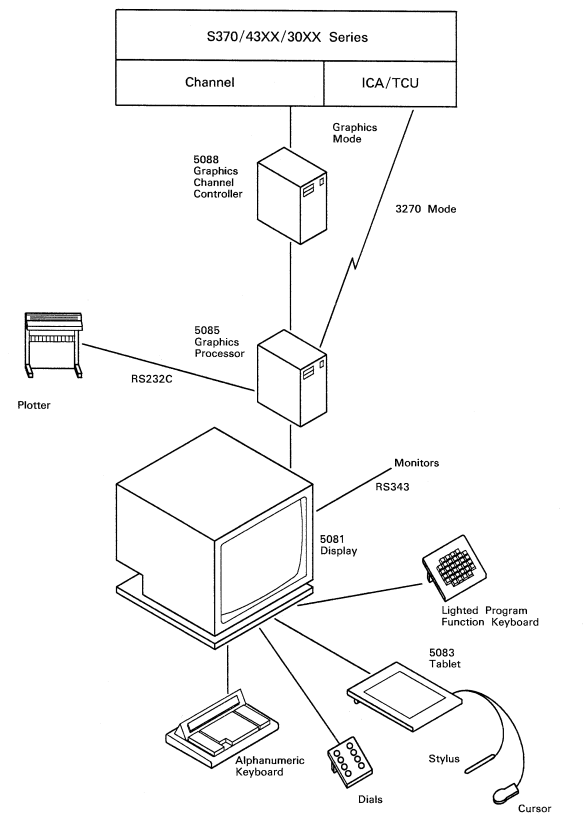
What the photo is showing is a line from IBM under the banner of 5080 and was a graphics system or CAD (computer aided design) system known as either CADAM or CATIA, designed to be attached to a powerful mainframe.
The 5080 was made up of the 5081 Display, the 5085 Graphics Processor Unit (which also handled 3270 control to the mainframe) and 5088 Graphic Channel Control Unit ('channel' from the mainframe). Obviously the mainframe itself did all the hard computing whilst turning those sums into graphics were handled by the 5085. Optional user-controlled extras were the lighted Programmable Function (PF) key unit, graphics tablet & puck, mouse, dials, light pen and plotter. This was highly specialised hardware and very expensive, in a world where computers barely had graphics and nobody knew what a GUI or a mouse was. These workstations predated the 1984 Apple Macintosh 128k and by far other GUIs like OS/2, Windows, Workbench or X Windows for Unix systems.
Here is a doc outlining some of these input devices.
It was succeeded by the IBM 6090 but soon after workstations such as the RS/6000 could do all this and more, as well as x86 Intellistations.
There is another picture of one of these being marketed at the time, about 35% into this article.
So, what is the arrow pointing to? Well it's something I couldn't help picking up a few months back from Japan.
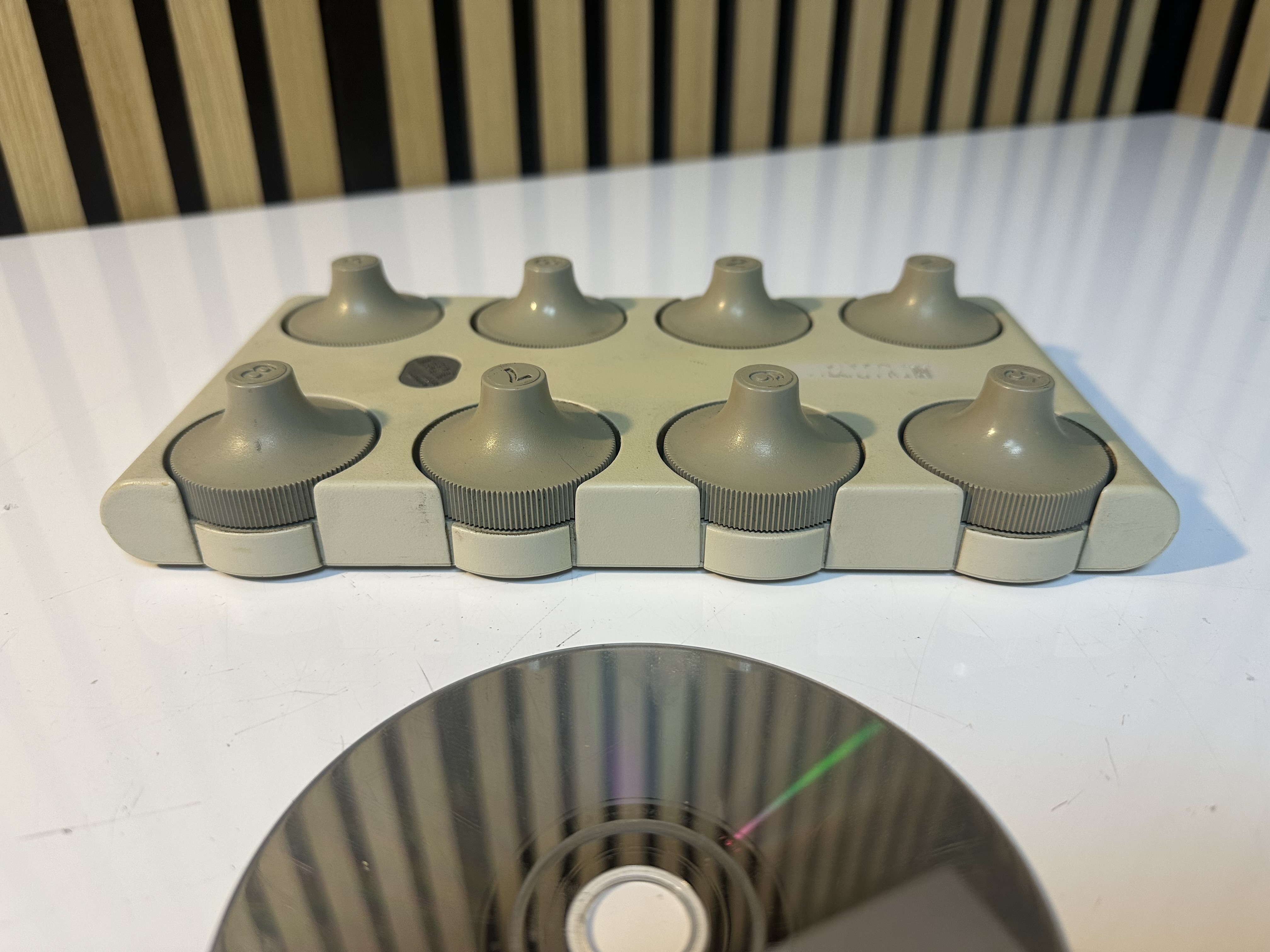
Well it was IBM Dials, used as a bunch of 8 configurable rotation wheels which could be used to manage CAD workstations. Each one could be assigned a function like roll, rotate, zoom, pan, tilt and so on. It was programmable by the software which was running on the machine and the dials don't have any labels, so really the 8 dials can do whatever the software is programmed to make them do!
I did see there were various similar 'dial' peripherals made by a variety of companies of the time - I think including HP and SGI.
The reason I was interested in this picture is because I already own a set of Dials from the later 6090 and I've included some close-up gallery pics below. My set are cream but they did also come in black. It's interesting how this design allows you to either twizzle the dials using your thumb and forefinger or use just a forefinger to run up and down the outer serrated edge of each dial.
This official description of the slightly earlier 5085 dials does a good job at describing them:
The IBM 5085 Dials Feature is a desktop unit with eight dials arranged in two rows of four dials. The Dials Feature is used to input analog positional information. The dials can turn completely around without any stops. The software uses the information provided by the Dials Feature.
The RT PC 5080 Peripheral Cable Kit is required to attach the Dials Feature to the IBM RT PC System Unit. The cable from the Peripheral Cable Kit attaches to the end of the Dials Feature cable. The Peripheral Cable Kit also includes a clamping device that encloses the connectors.



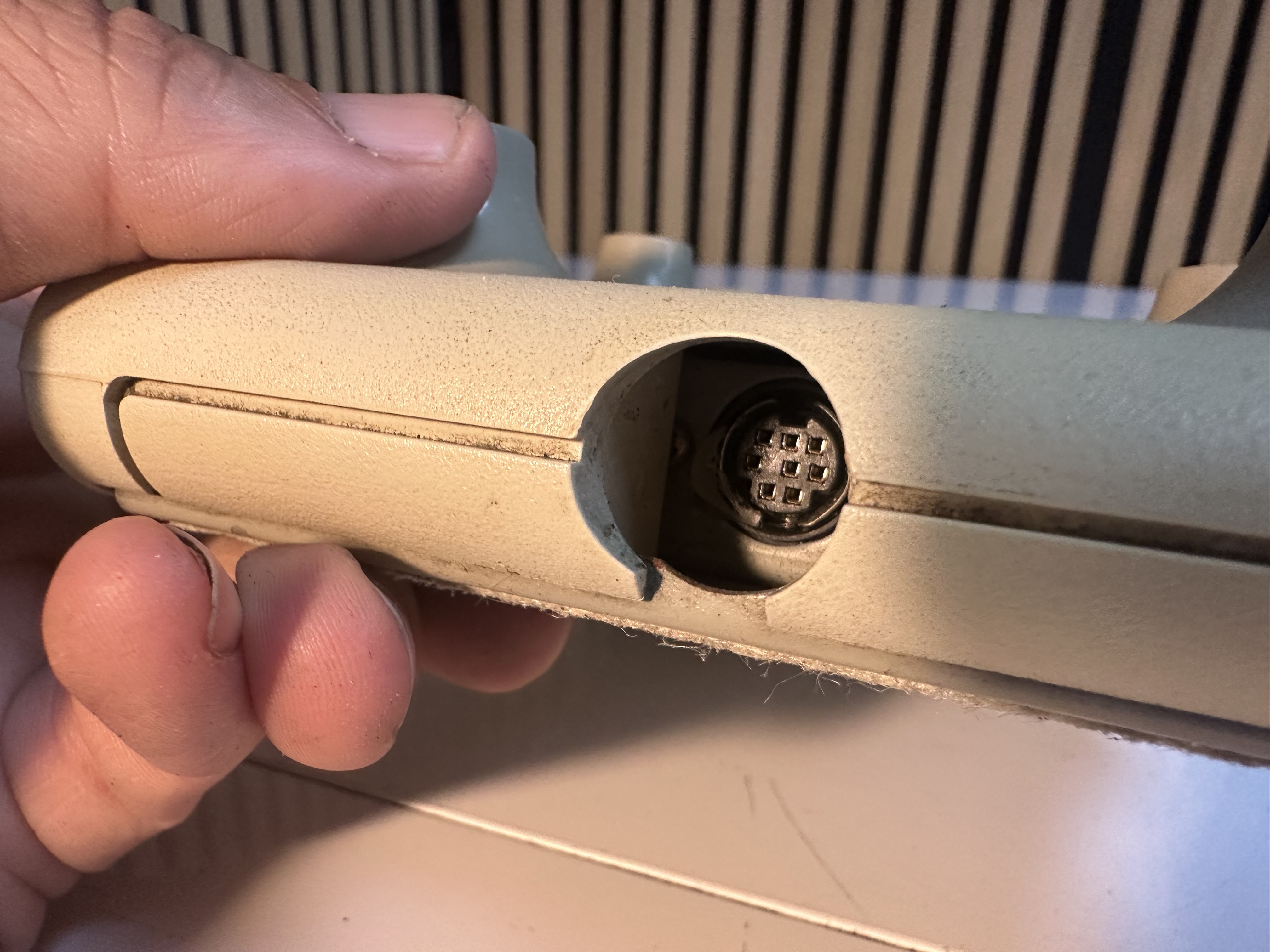

Note that on the label it does say "Manufacturered FOR IBM" which generally means they had lots of outside help manufacturing it.
Here is an older reddit post with some decent close-ups of some of these input devices. And another here where some clever guy has them working on a modern computer.
Due to the different IBM labs and companies developing IBM portables and the time period over which they existed before USB, there are a lot of different types of IBM floppy drive.
Whilst we're only covering external here, there are at least 3 types of connector:
26mm / fattest: Found on the 701c
21mm: Found on the PS/notes, 850, 7xx tablets. 360, 365
17mm / Thinnest: Found on the later models which favoured optical drives built-in such as the 755CD, 760, 600 and various 3xx series. Ultraslim floppy drive.
21mm
This early floppy drive 66G5069, also known as "UltraBay Diskette Drive enclosure" actually contains the original multibay floppy within it's large outer shell. There are also fixed standard external 21mm drives.
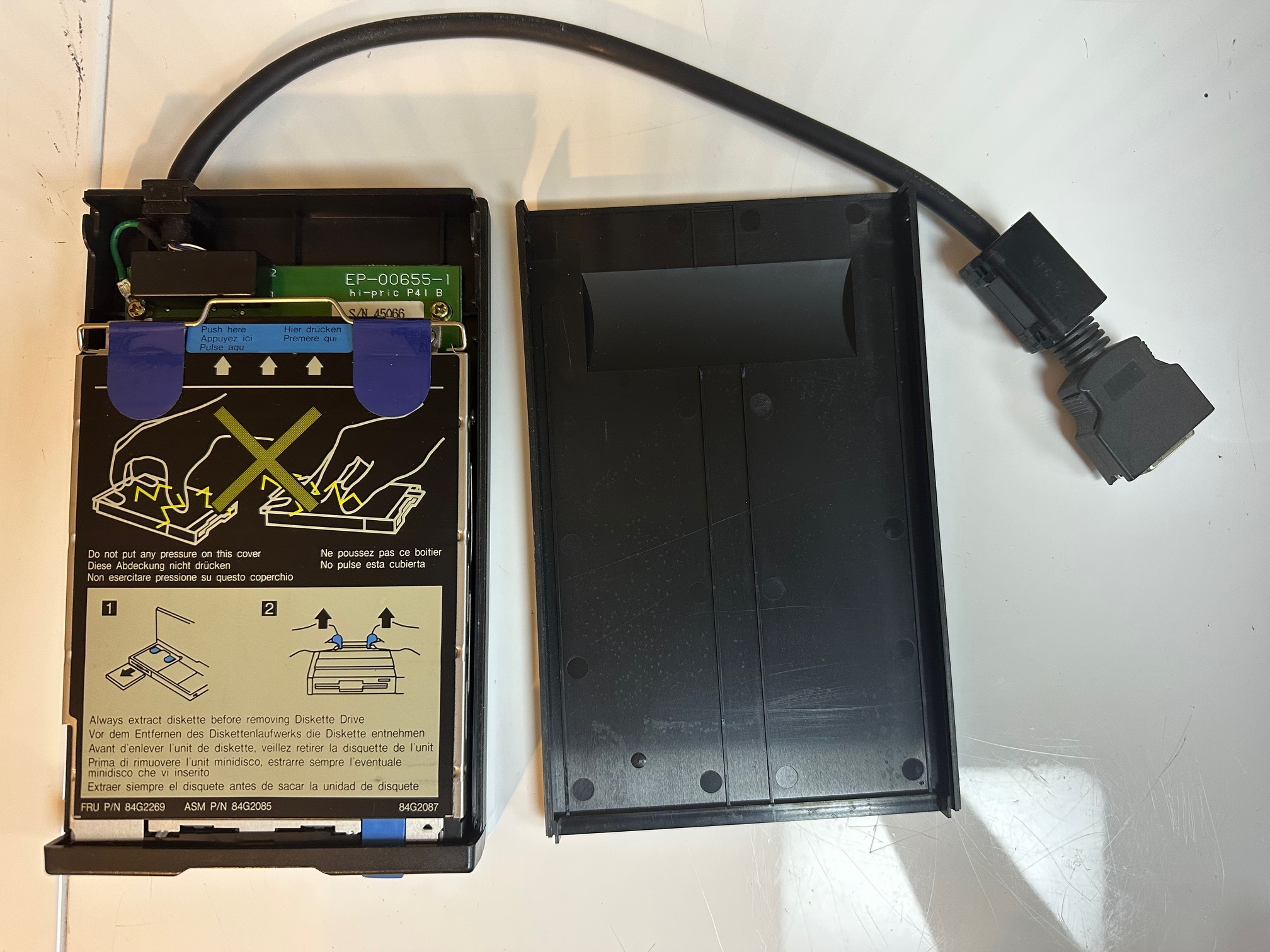
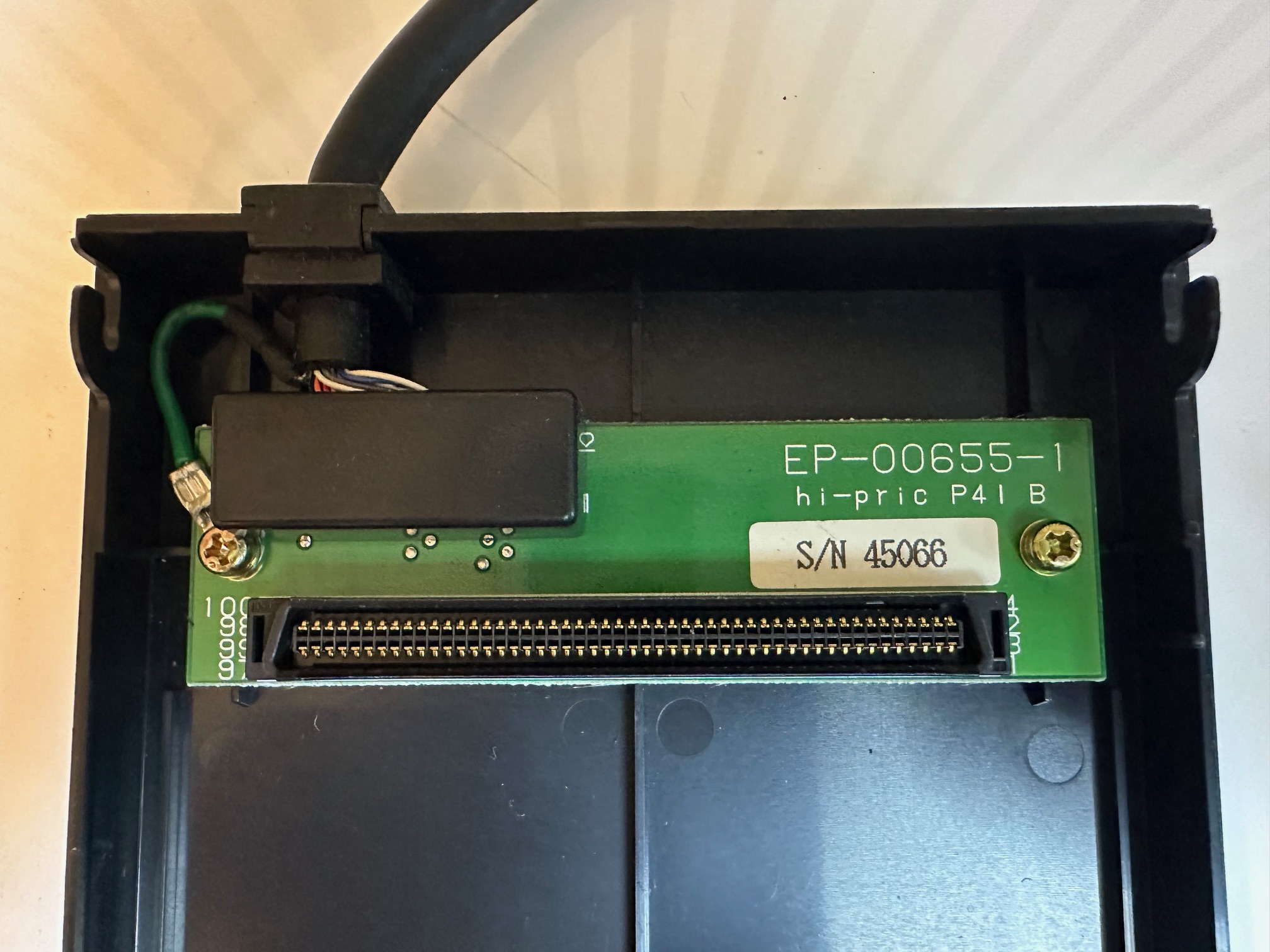
These ultrabay floppy drives came in various models from various manufacturers, so externally each 66G5069 drive may look the same, but internally it could be totally different.
TEAC FD-05HG
Here we have a TEAC FD-05HG drive, which has one eletrolytic cap, which as far as I know should only be replaced with an electrolytic. I have had drive read issues by replacing these with a solid capactor. It's a 100u / 10v capacitor seen below:
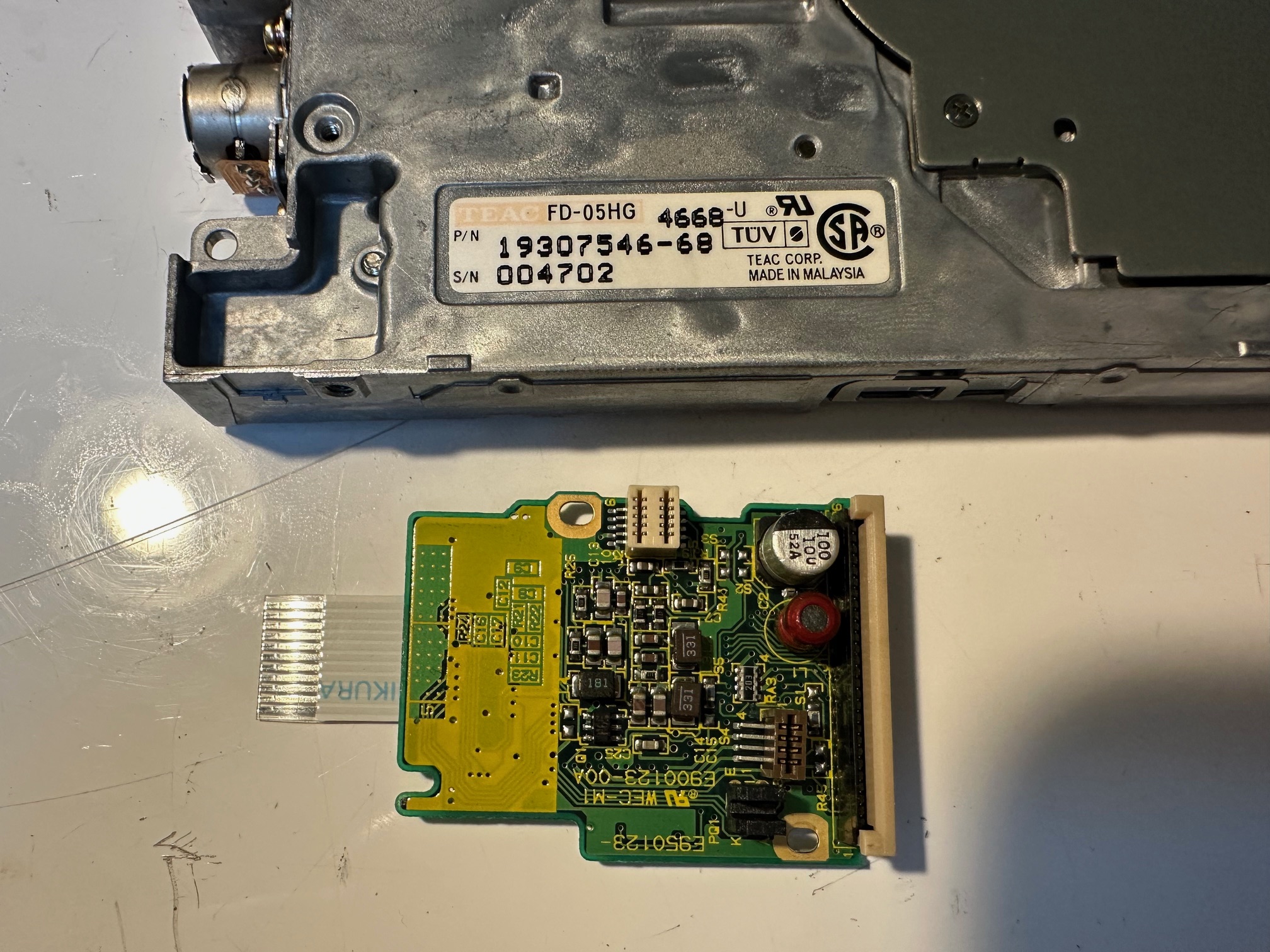
You can get away, like I did with a 7.7m through-hole capacitor with the legs splayed outwards:
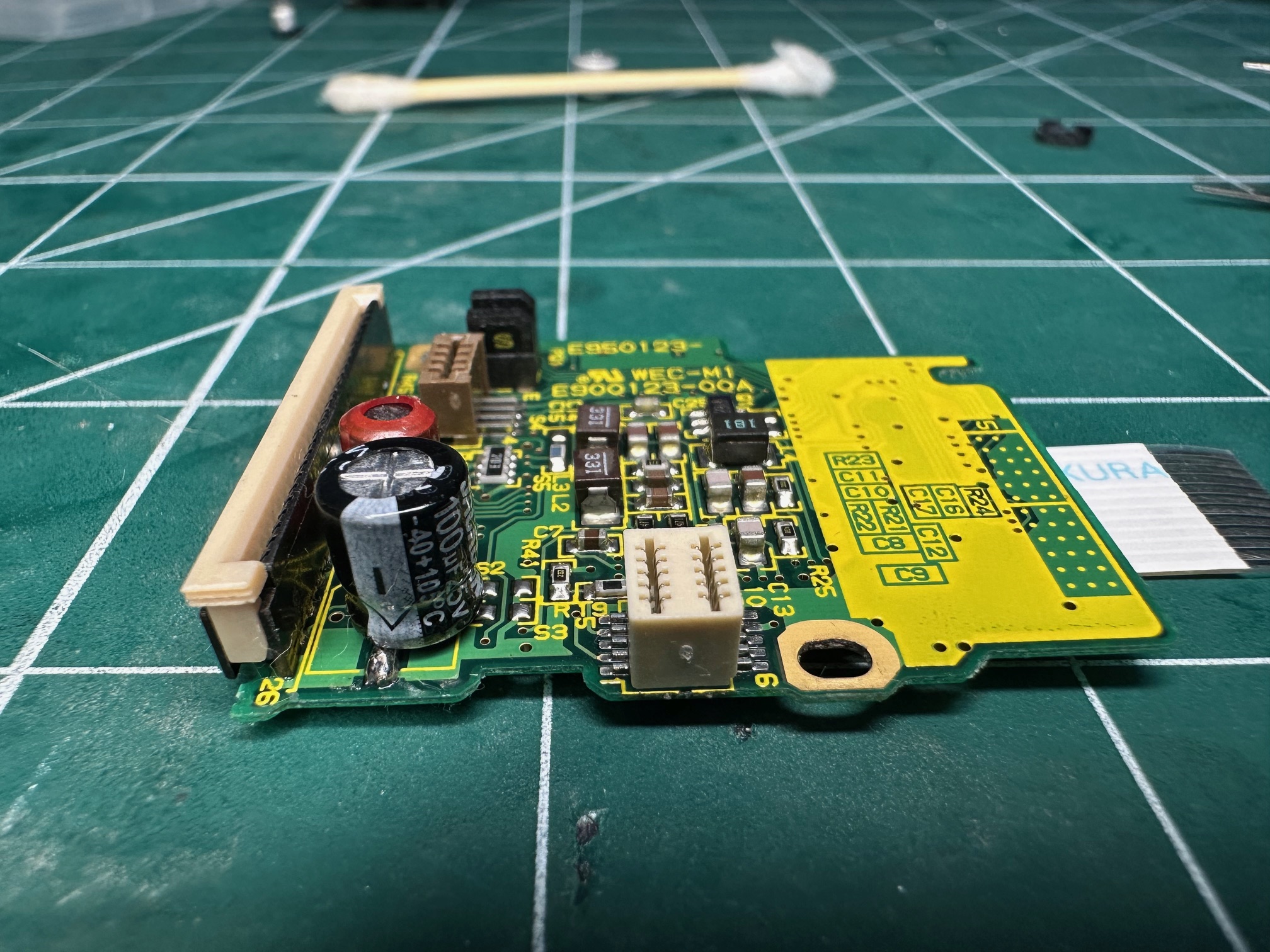
Whilst it's open you may (or may not) want to clean the magnetic heads with a little IPA and check the corkscrew spindle which moves the heads forward and back across the diskette is moving smoothly.
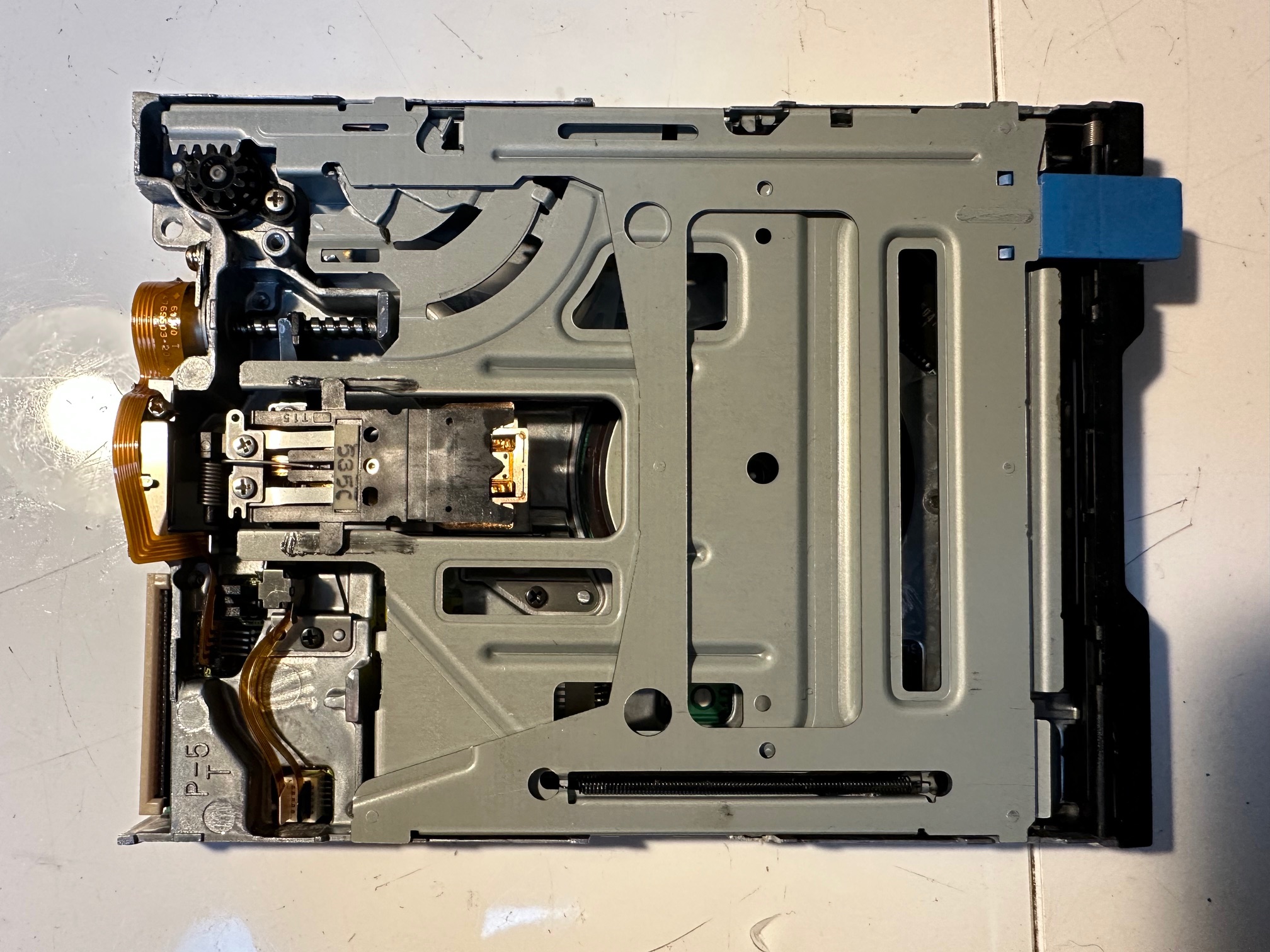
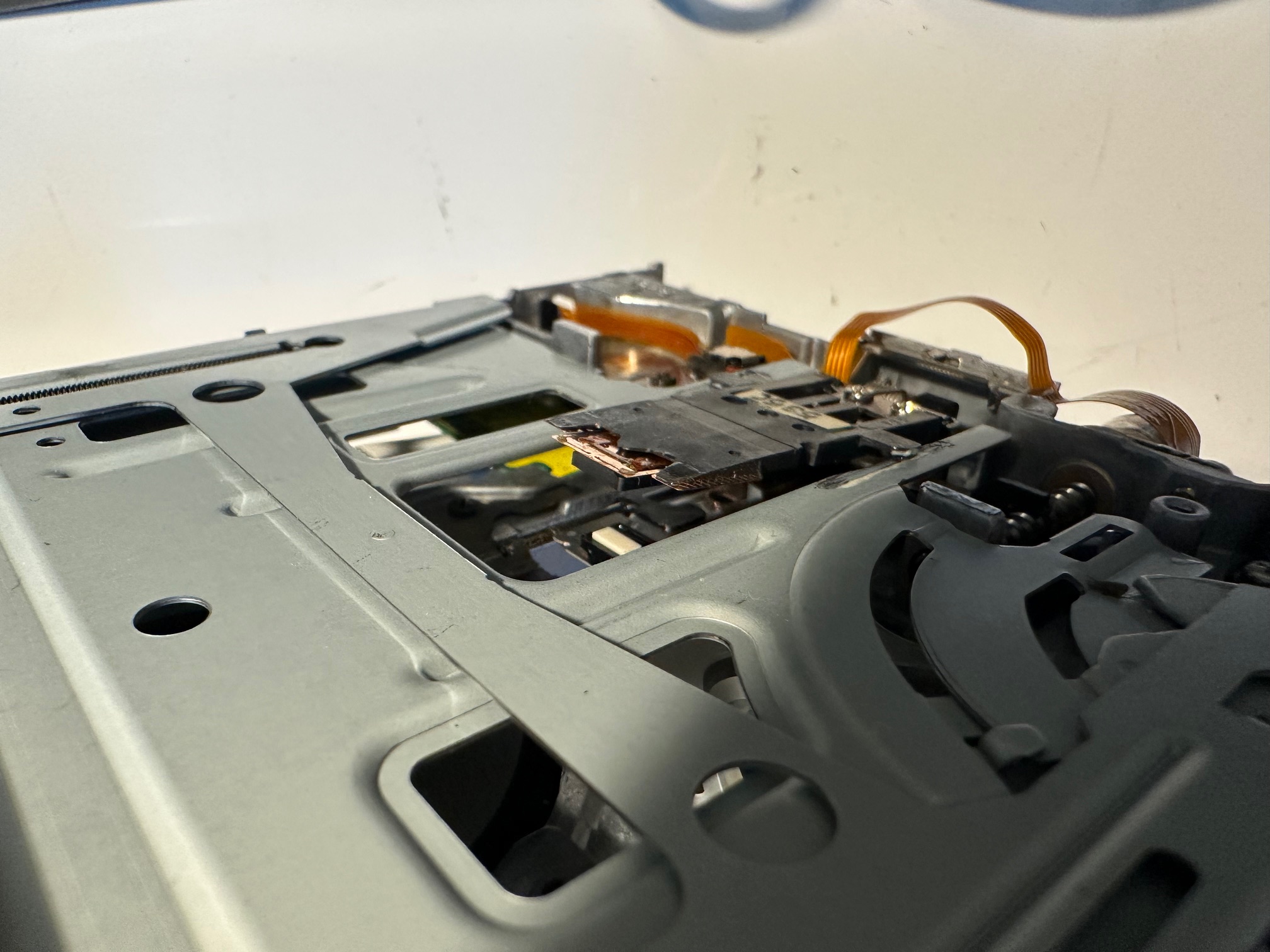
Even though this 7.7mm tall capacitor is longer than the original surface mounted cap, it still just fits under the floppy drive chassis - although you cannot go any more than this.
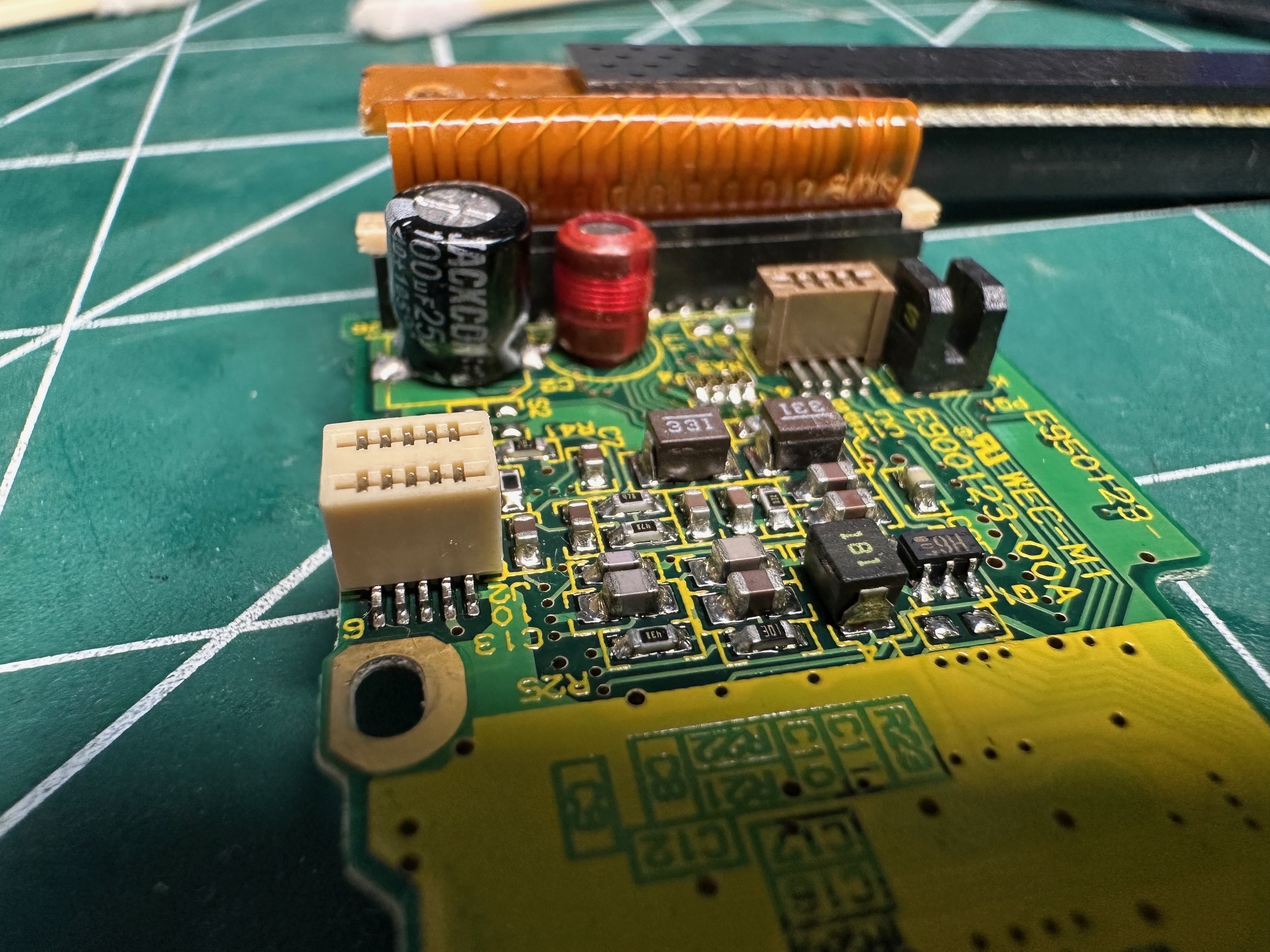
Sony MPF720-2
And here is another 1.44Mb ultrabay floppy drive - the Sony MPF720-2 (weirdly suggesting it's a 720Kb drive, but it's a 1.44Mb drive):
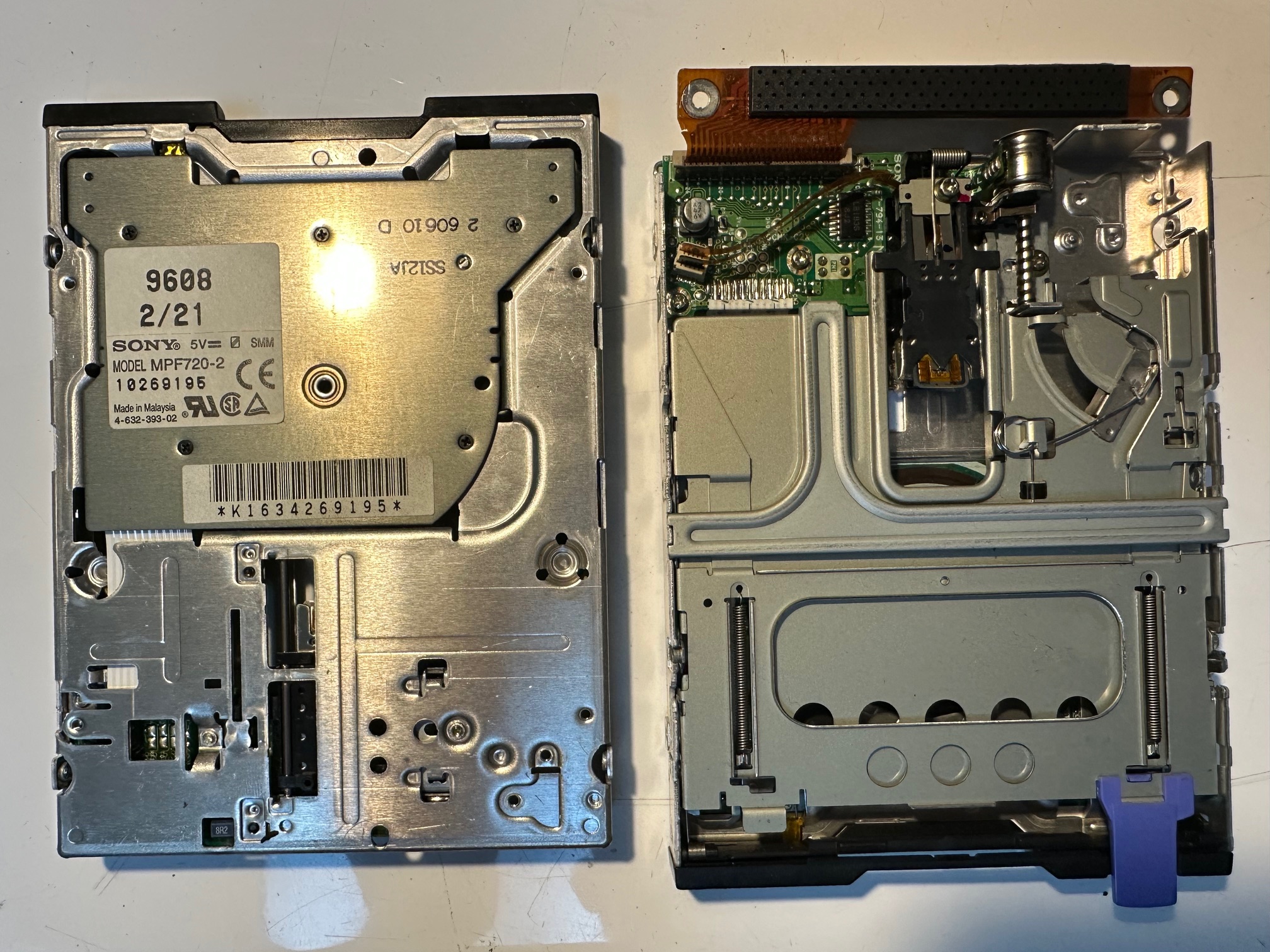
This Sony drive is similar, but you do not need to remove the little PCB in order to replace the 47uf capacitor:

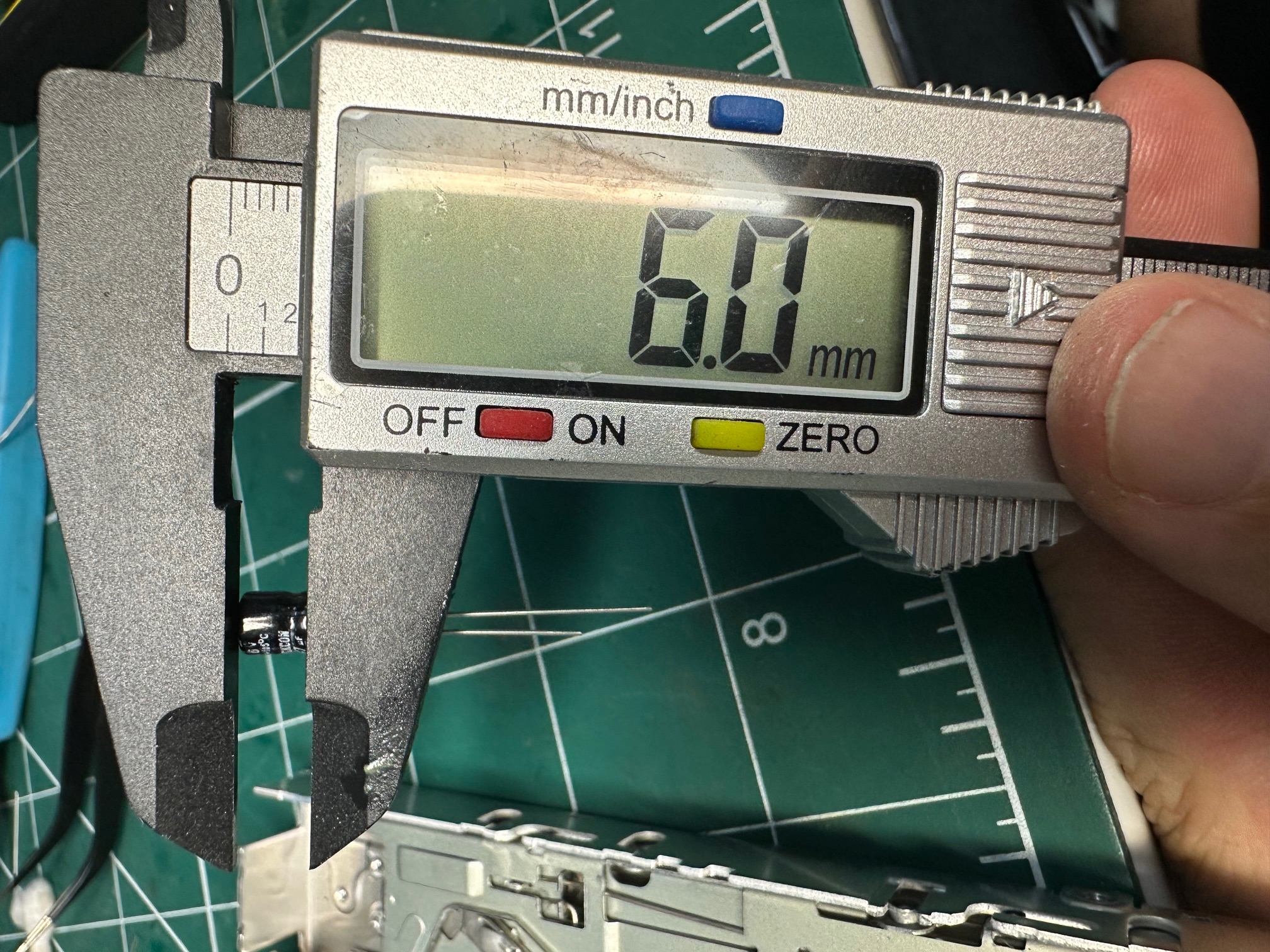
In this case, small 6mm through hole capacitors with the legs splade are a good replacement: