
N33 comes from the 8533 model type.

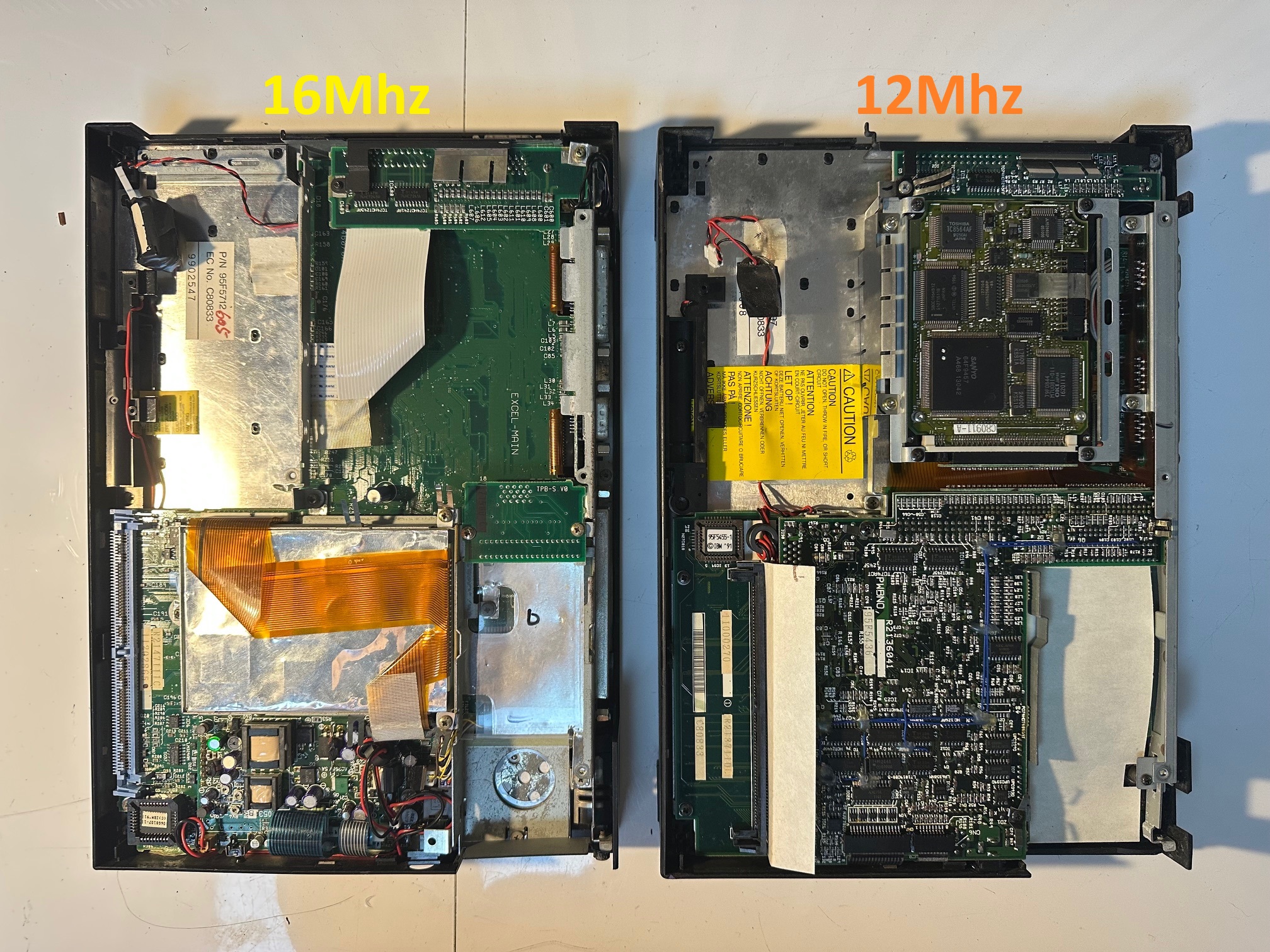
Note: this article is about the 16Mhz 386 model which was a direct relation to the Japan-only second-generation PS/55 Note - the N23 SX, minus the built-in floppy drive. It also had a Western keyboard and built-in external video display. The 12Mhz model without external video is completely different inside, made up of two main boards of equal size, whereas the 16Mhz model is one large board. The single planar motherboard is codenamed EXCEL-MAIN
The N33 machines are successors to the original note and N23 SX Japanese machines and is a precursor to the N51 and C23V Notes - which eventually became the C52 Thinkpad 700C.
| Model | IBM PS/55 note N33 SX |
| Machine Types | 5523-Sxx |
| Release Timeframe | Sold from April 1991 for around 3 years. |
| Preceded by | The Japan-only PS/55 N23 SX |
| Superceded by | N51 |
| Motherboard Specs | 16Mhz 80386 CPU, 2Mb RAM on-board |
| Display Specs | 9.5" 16-greyscale VGA LCD (640x480) |
The reference disk maker for the 16Mhz version can be found here. As the PS/notes are all ISA not MCA, I don't think any of the starter disks need to be reference disks, but for some reason I find it sometimes helps putting the refstamp onto the disk.
Here is a picture with the 16Mhz version on the left and the 12Mhz version on the right. Note that the top-right quarter of the 16Mhz model is a big empty space where the floppy ribbon connector is fed to the small board on the top-right of the machine with two chips on which has the connector for the external floppy - on the N23 SX, this big empty space is taken up by the internal floppy.
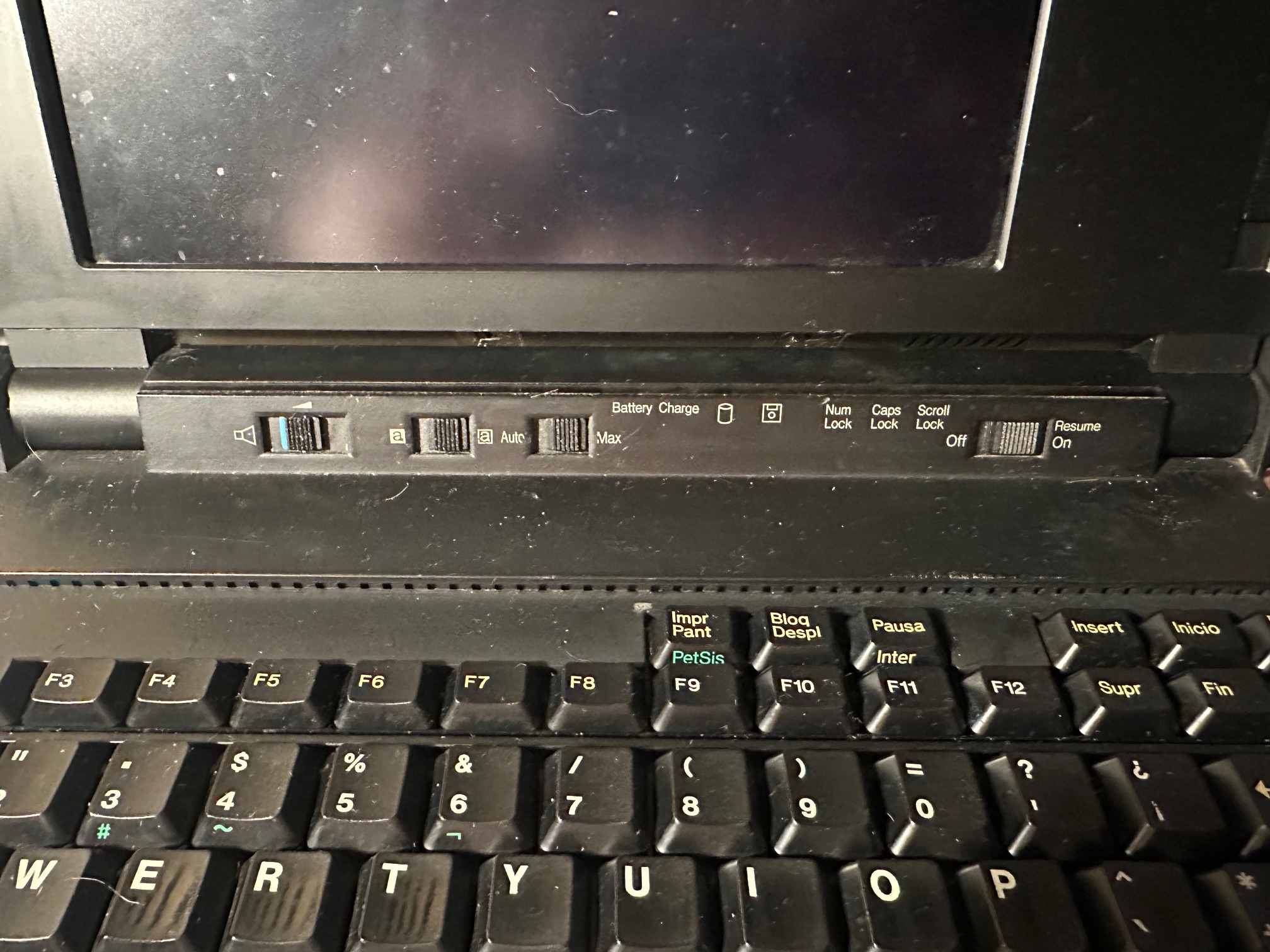
The 16Mhz model also has a display invert switch, whereas the 12Mhz one does not. Here is a picture of the 16Mhz bezel:
Here are pictures of the top and bottom of the mainboard:
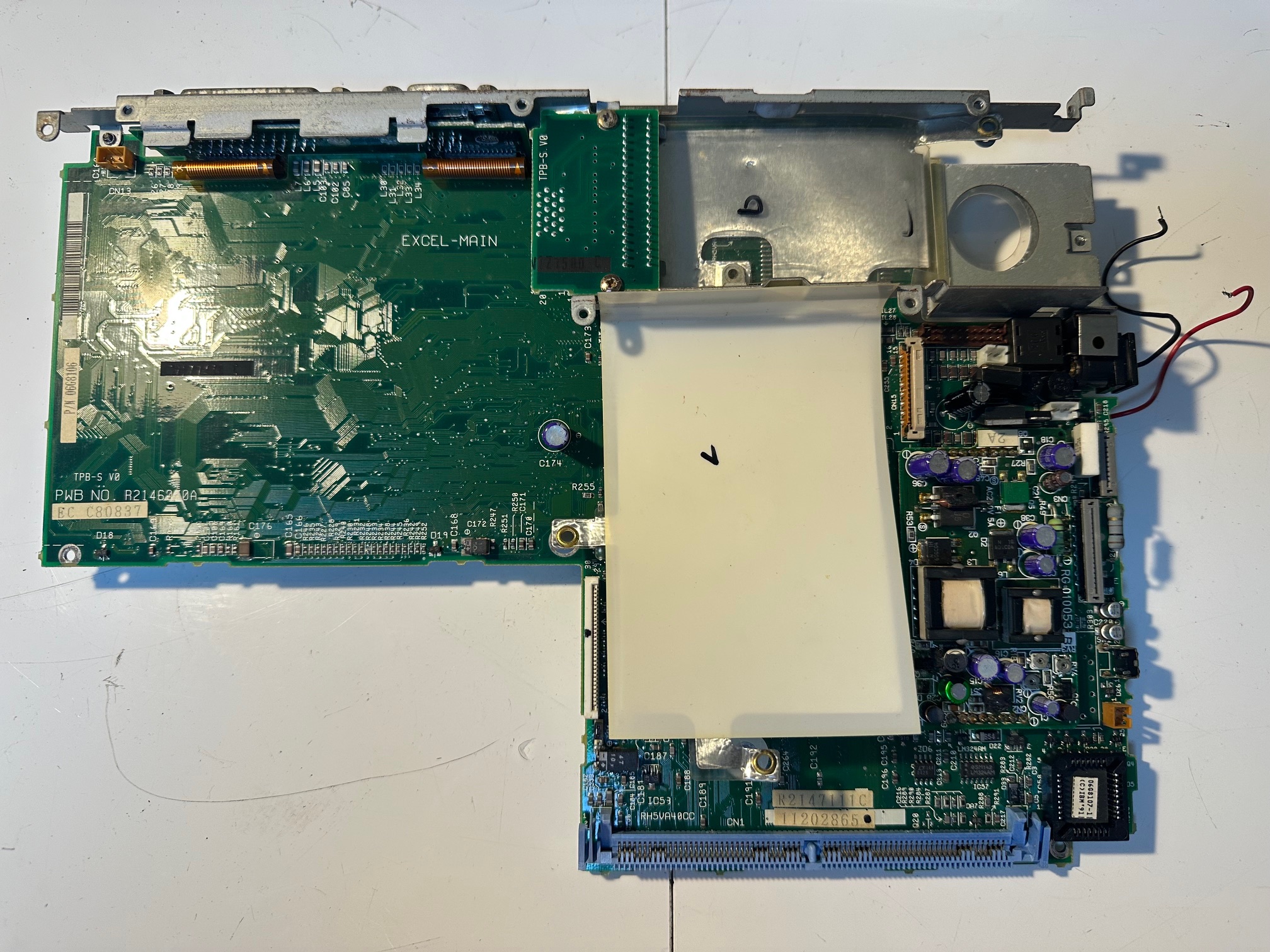
And the bottom:

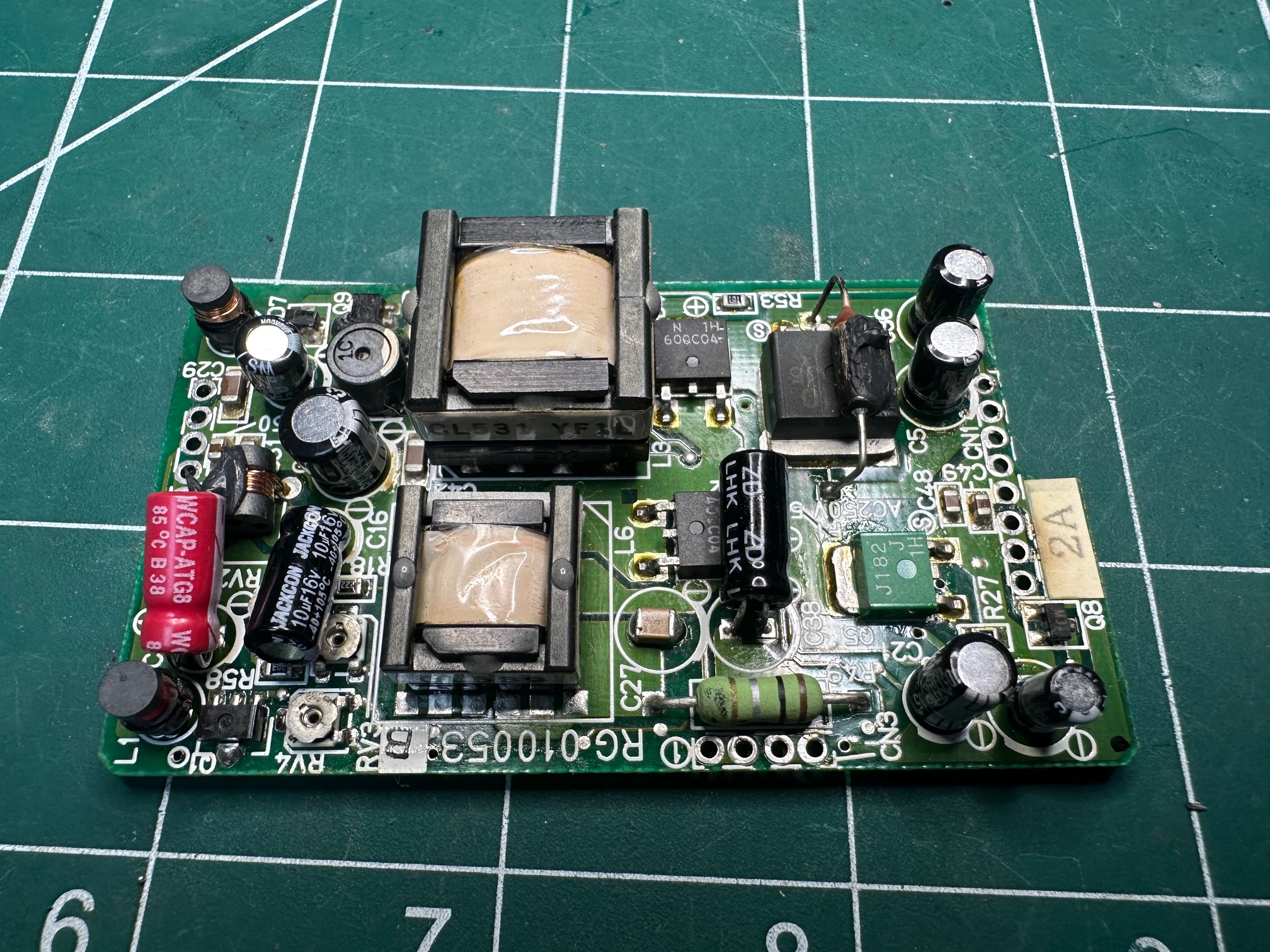
The 16Mhz model has a similar DC/DC daughterboard, soldered onto the main board:. Here is it alone, after recapping:
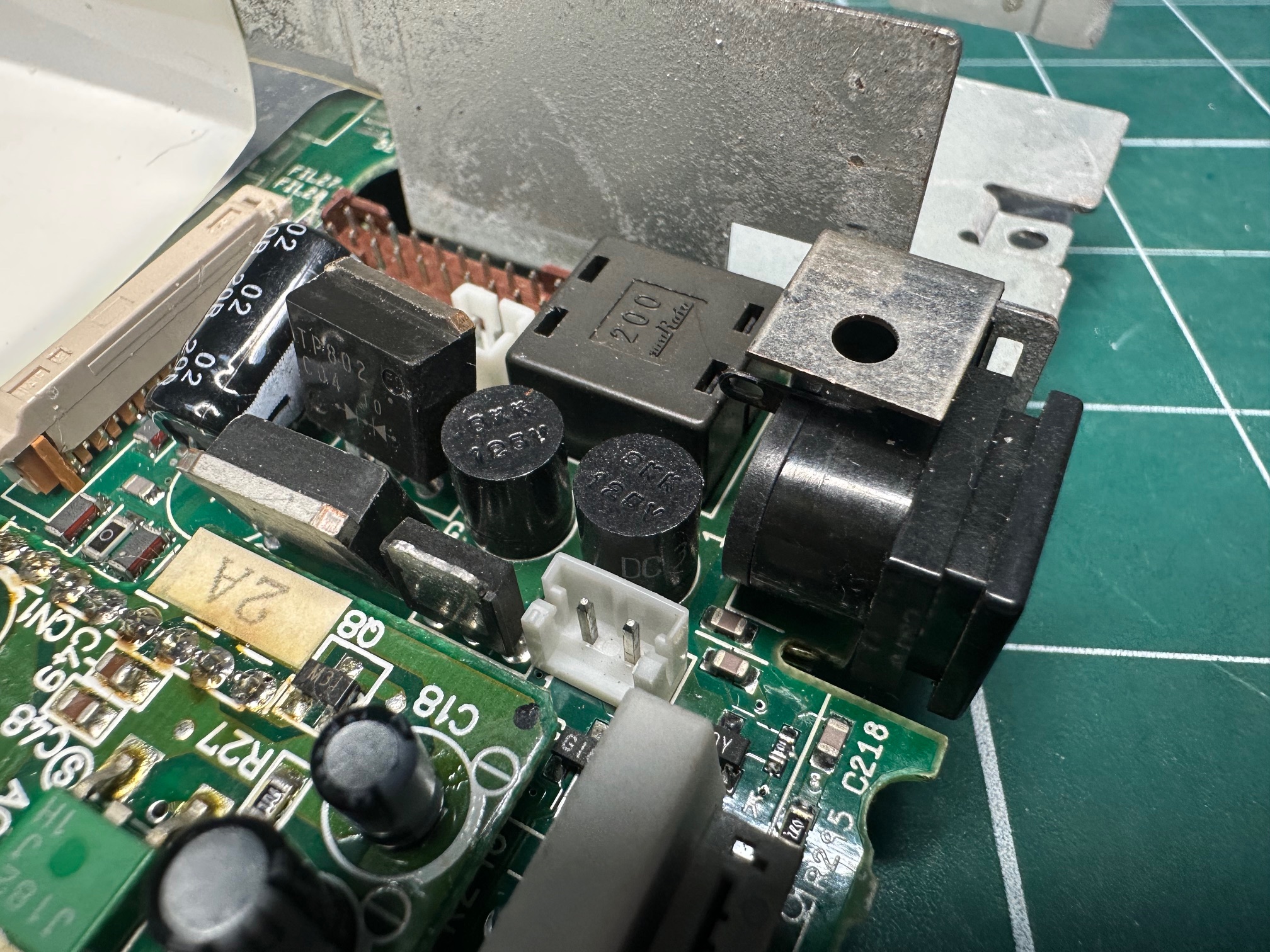
Here is a picture of the two small cylinder fuses on the mainboard - one is for the mains supply and one is for the battery. Often one or both will have blown and need replacing. These are the two little shiny cylinders in the middle of the photo. The 12Mhz version only has one cylinder fuse and a seperate through-hole fuse.
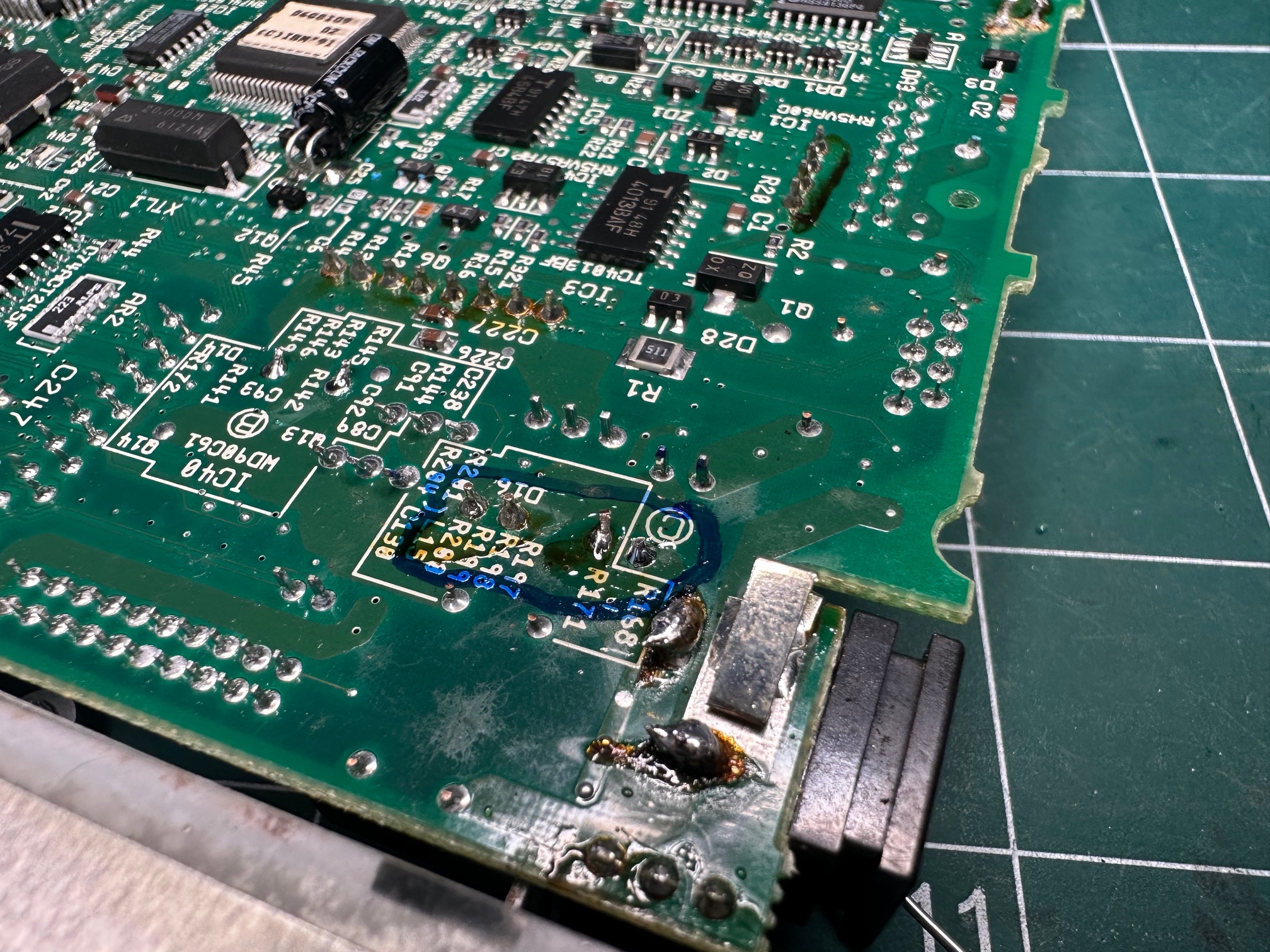
If you need to check the fuses from the rear side of the board, you can continuity test these pins:
Memory / RAM
On all the ISA notes between the very first PS/55 note through to both international N33 SX machines, these machines cam with 2Mb RAM onboard, which isn't a lot. These machine's are specified as needing official 4Mb 72-pin 80NS parity RAM sticks as an upgrade. These are hard to come by and we can do better.
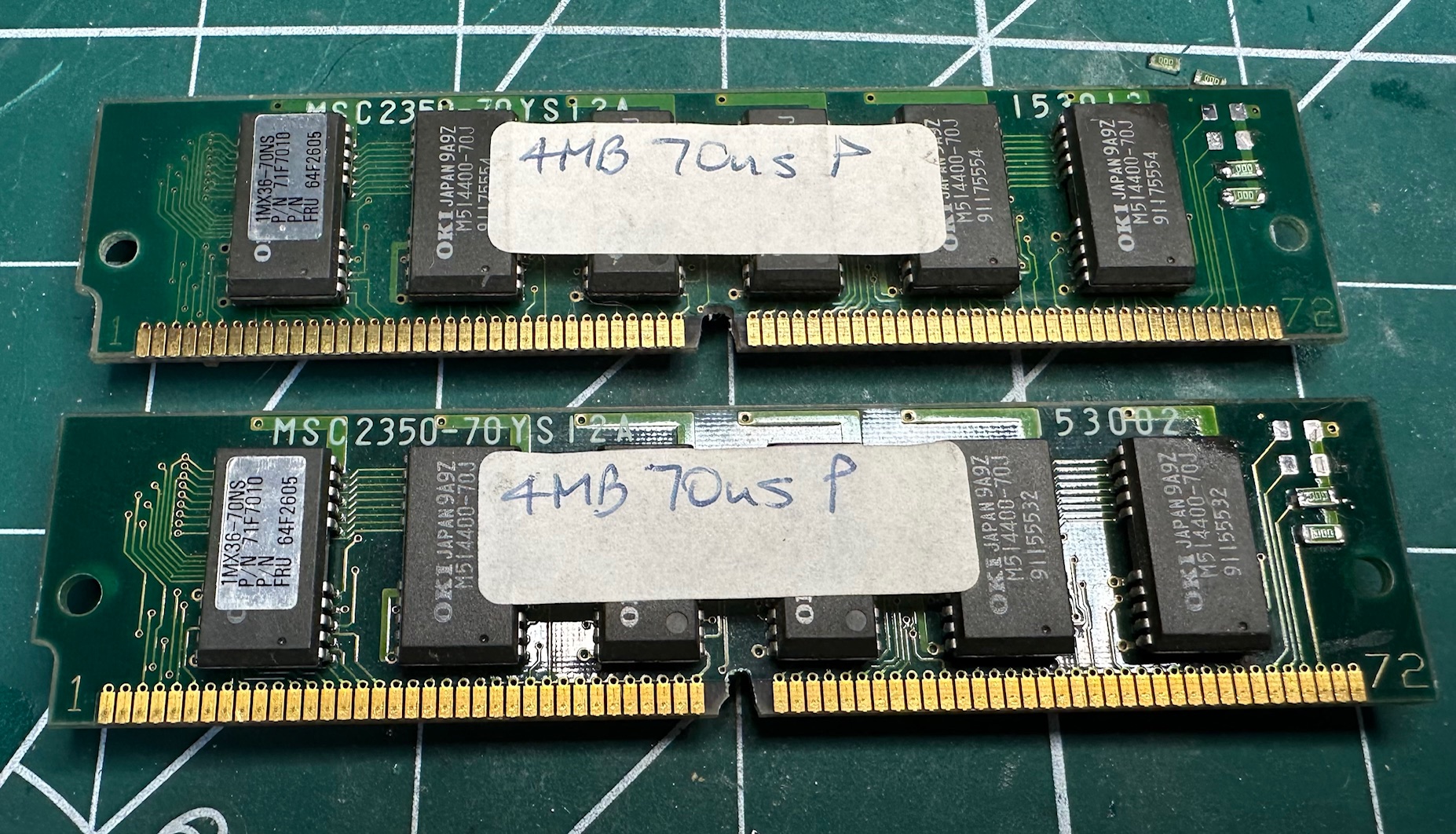
I managed to get four sticks of 4Mb 70ns parity 72pin simms which are faster than the required spec so would, in theory, run cooler and at lower power (not that it matters). They needed two modifications to make them work on all these ISA 12 and 16Mhz notes:
Increase the notch:
Annoyingly, the official 72-pin sticks had a bigger keyed notch in the middle than nearly all other sticks. So I used a dremel to very very slightly increase the notch size, avoiding any nearby traces in the PCB. Alternatively I could have snipped out the keying plastic inside the memory bay, but trying to preserve the machine simply means not damaging it when I don't have to.
Bridging Detect Pins
Pins 67, 68, 69 and 70 are some kind of detection/verification pin and they can either be connected to ground or not. Most sticks need modifying to make them work without getting a 225 "memory error" on power up.
In my case, the sticks I got had the wrong pins grounded, so I removed the necessary o-ohm resistors (which are essentially metal bridges) and moving them to ensure that pins 69 and 70 were grounded.
Here is a close-up of the pins on the top left corner, with top to bottom 67-68 grounded and 70 grounded:

And here is after modifying to have just 69 and 70 grounded:

On another set of RAM, I did the same but the pins were in different original positions:

And after:
CMOS
You need a working external floppy drive (with 23mm connector) and a bootable PS/note option disk to setup the machine with the right time and configure some necessary bits like the internal hard drive. I have noticed that replacing the CMOS battery with every kind available does not retain the settings beyond perhaps 1 hour. I have double checked this across various PS note machines and batteries and I've checked the voltage all the way back to the pins inside the motherboard and whilst the CMOS battery retains power to the CMOS, the settings invariably get lost. So my conclusion is that a) there is no point trying to replace the CMOS, b) You need a working floppy disk and drive to make the machine usable (otherwise it just sits on a 161/163 error) and c) if the day comes where it won't even retain it's setup on a soft boot, the notes will become entirely unsusable.
Capacitor Breakdown
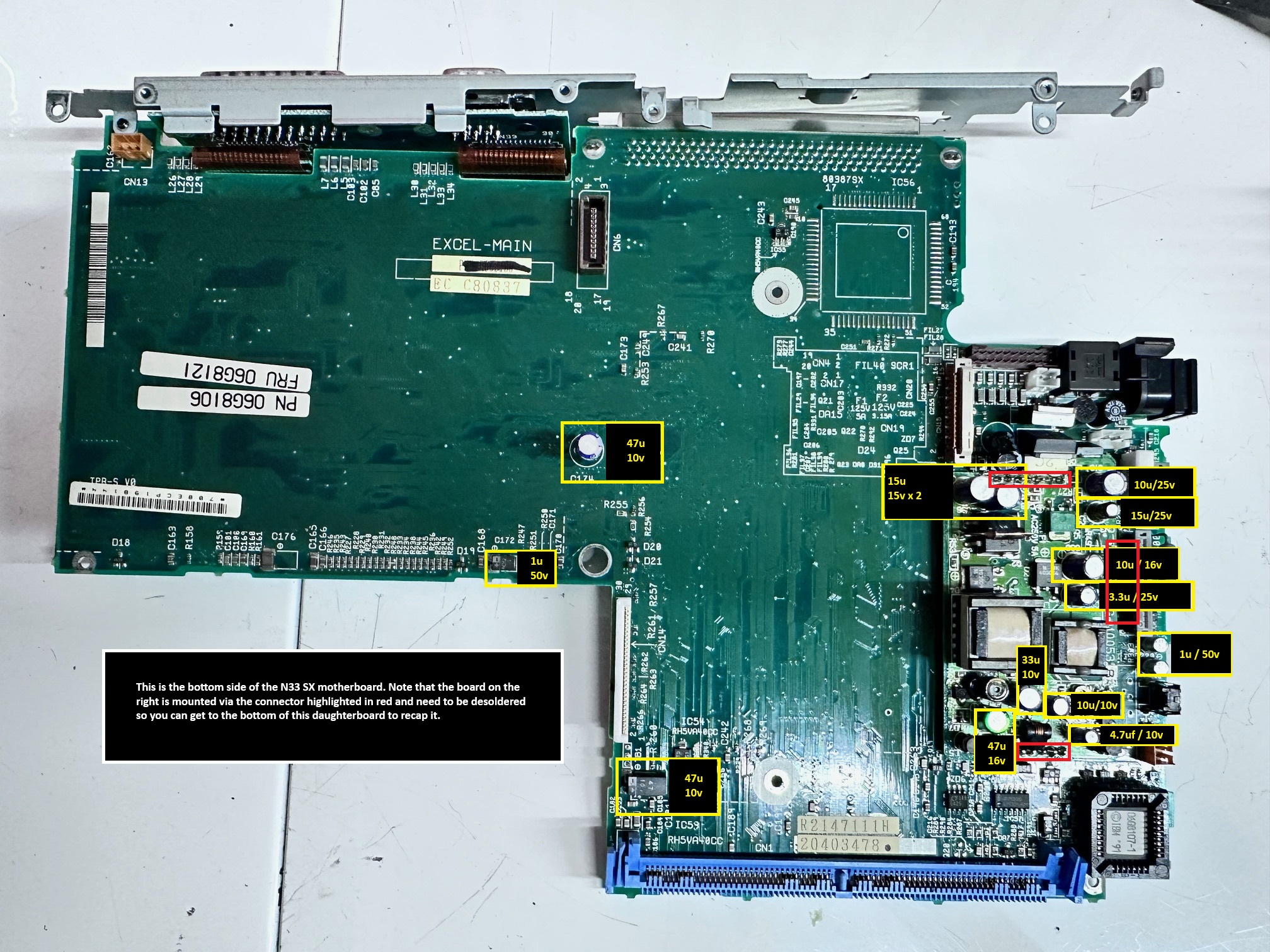
The N33 SX has only one mainboard, with 1 daughterboard compared to the earlier 12Mhz note's 2 boards and daughterboard. This does mean less caps and less time to do it all. Disassembling the base and replacing all the capacitors on the motherboard including desoldering the daughterboard took me 2 hours. It's also easier to remove the thing in the first place, as with before it's more about keeping your own breadcrumbs as you do, knowing which order it all came out and what screws went where.
This is the bottom of the motherboard:
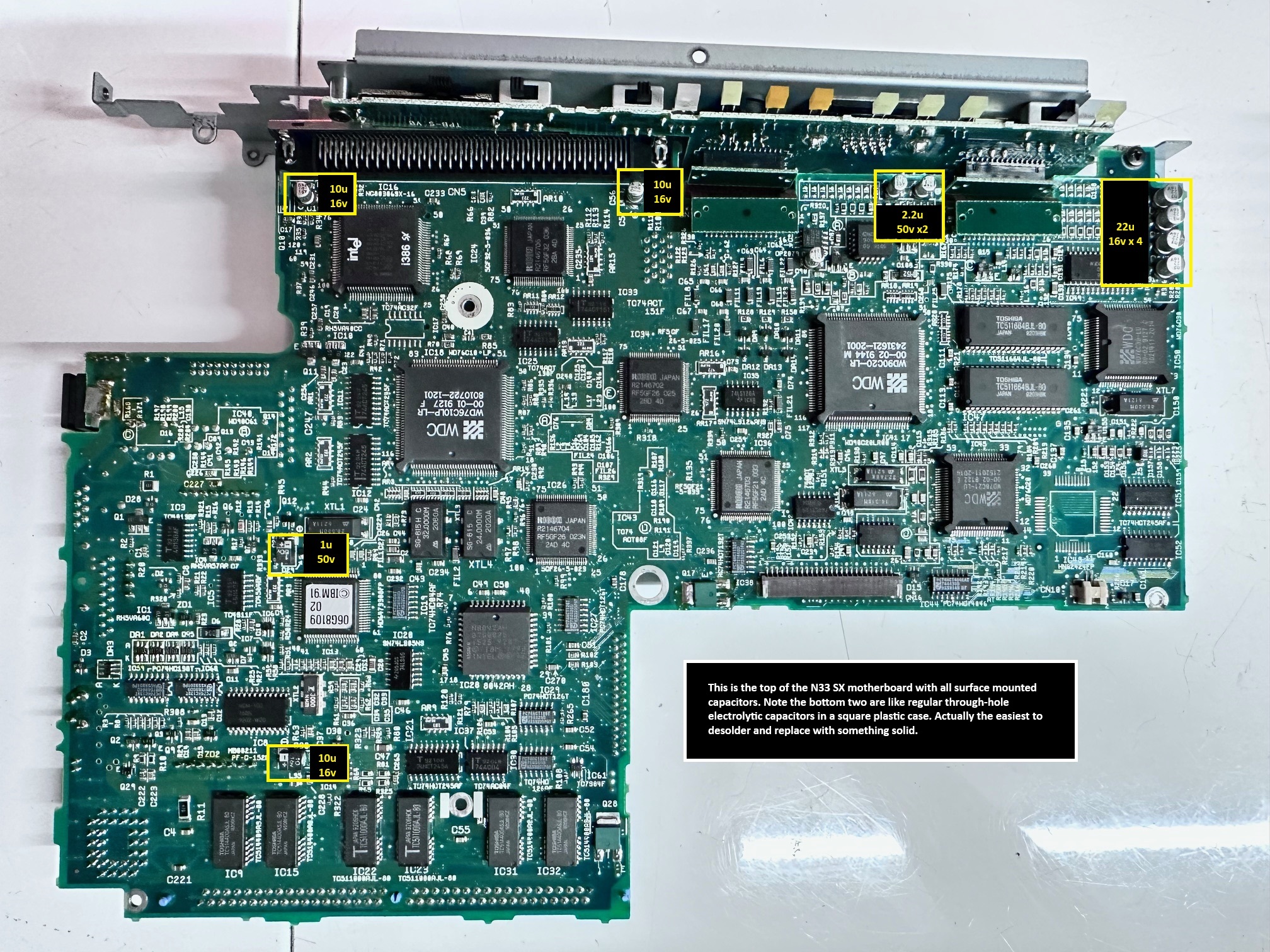
And here is the top of the motherboard:
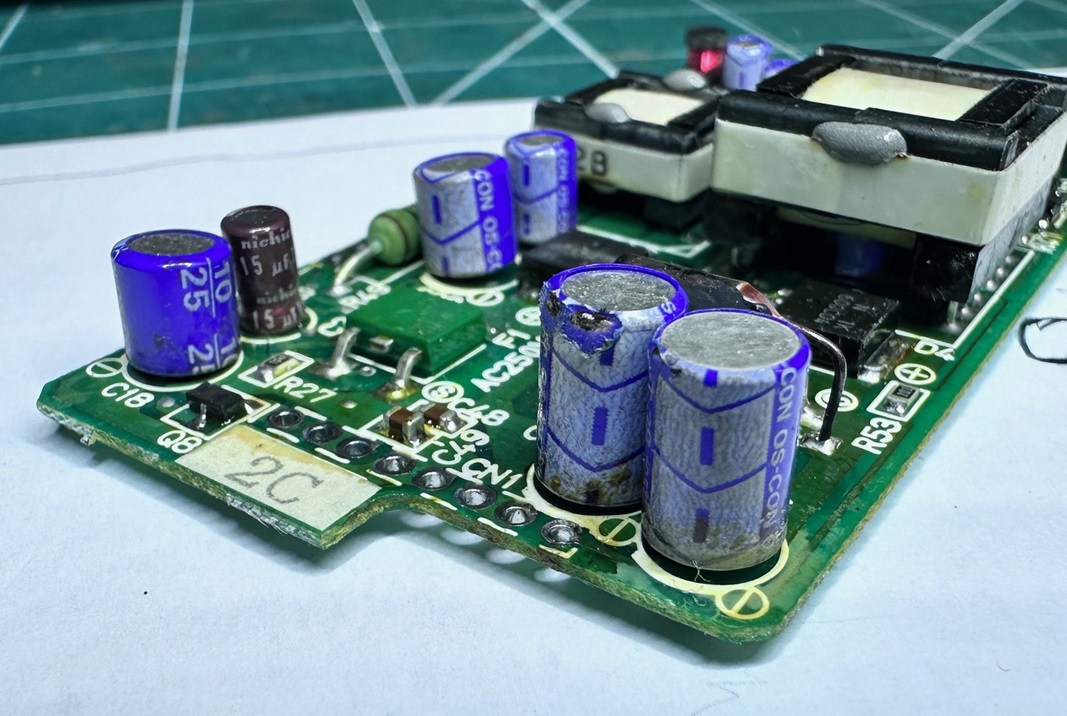
And, for fun, here is a close up of a crusty part of the daughterboard:
And here's a list in cut-and-paste form of all the caps combined:
Surface Mount:
3 x 10u / 16v
3 x 1u / 50v
2 x 2.2u / 50v
4 x 22u / 16v
1 x 47u / 10v
Through-hole:
1 x 47u / 10v
3 x 15u / 25v
3 x 10u / 25v
1 x 3.3u / 25v
2 x 1u / 50v
1 x 33u / 10v
1 x 4.7u / 10v
1 x 47u / 16v
LCD / Interter is the same as the 12Mhz version:
8 x 3.3pf / 3R3 / 35v+ surface mount
3 x 47u / 16u surface mount
1 x 6.8uf / 35v surface mount