
The PCradio was released in late 1991. Designed primarily for mobile workers such as service technicians, salespersons, public safety workers and possibly the military. The PCradio featured a ruggedized build with no internal hard disk drive and was optioned with either a cellular modem, an ARDIS RF modem or a simple built-in analogue modem via a built-in standard landline modem. It's mono display works in CGA mode with 80 column by 25 text. Storage was on SRAM instead of a hard disk drive. There was a landline and a cellular model and the cellular one could apparently have an attachable handset.
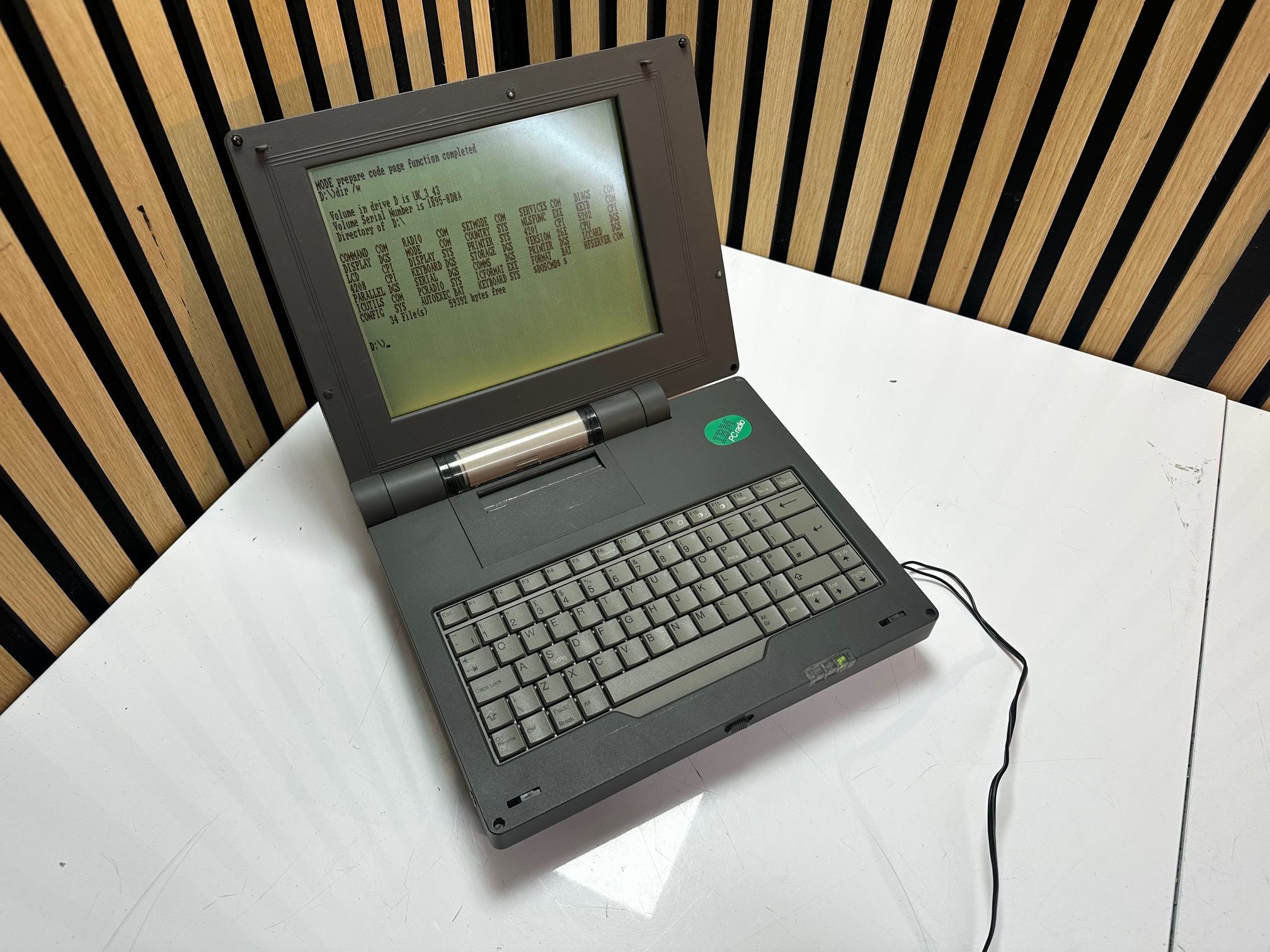
I've obtained two of these machines - one in UK/British specification and another in Italian. Both of them had the same symptom-faulty-screen and neither of them had it's original power supply.
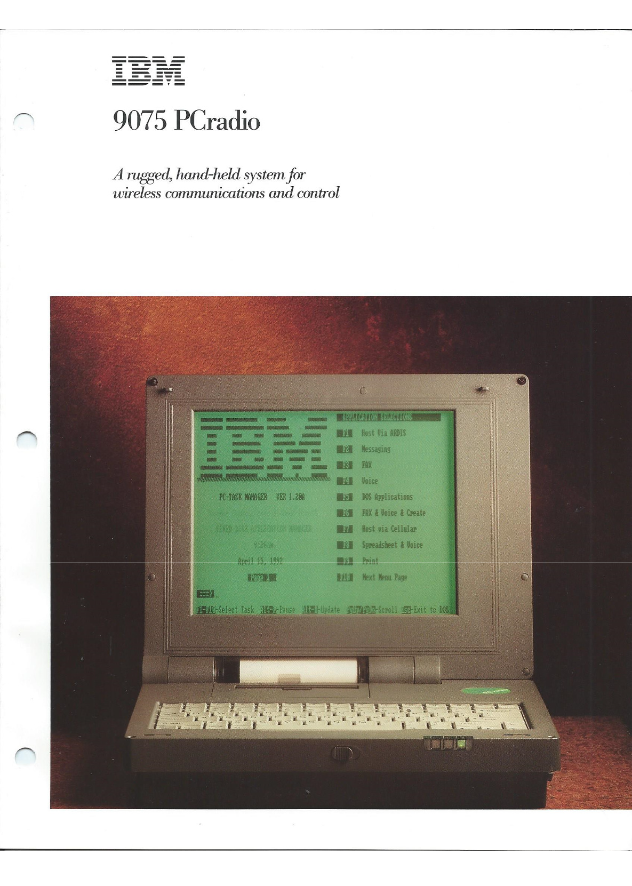
Here is the original sales brochure for the PCradio :
Here is an original newspaper article talking about the new technology.
Here is the original announcement letter.
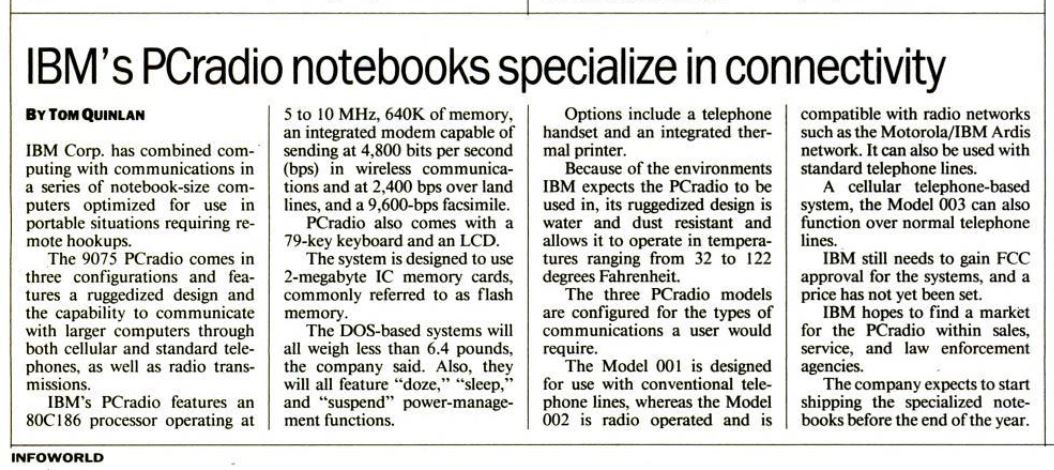
Here is an article about the machine from InfoWorld, 19th August 1991:
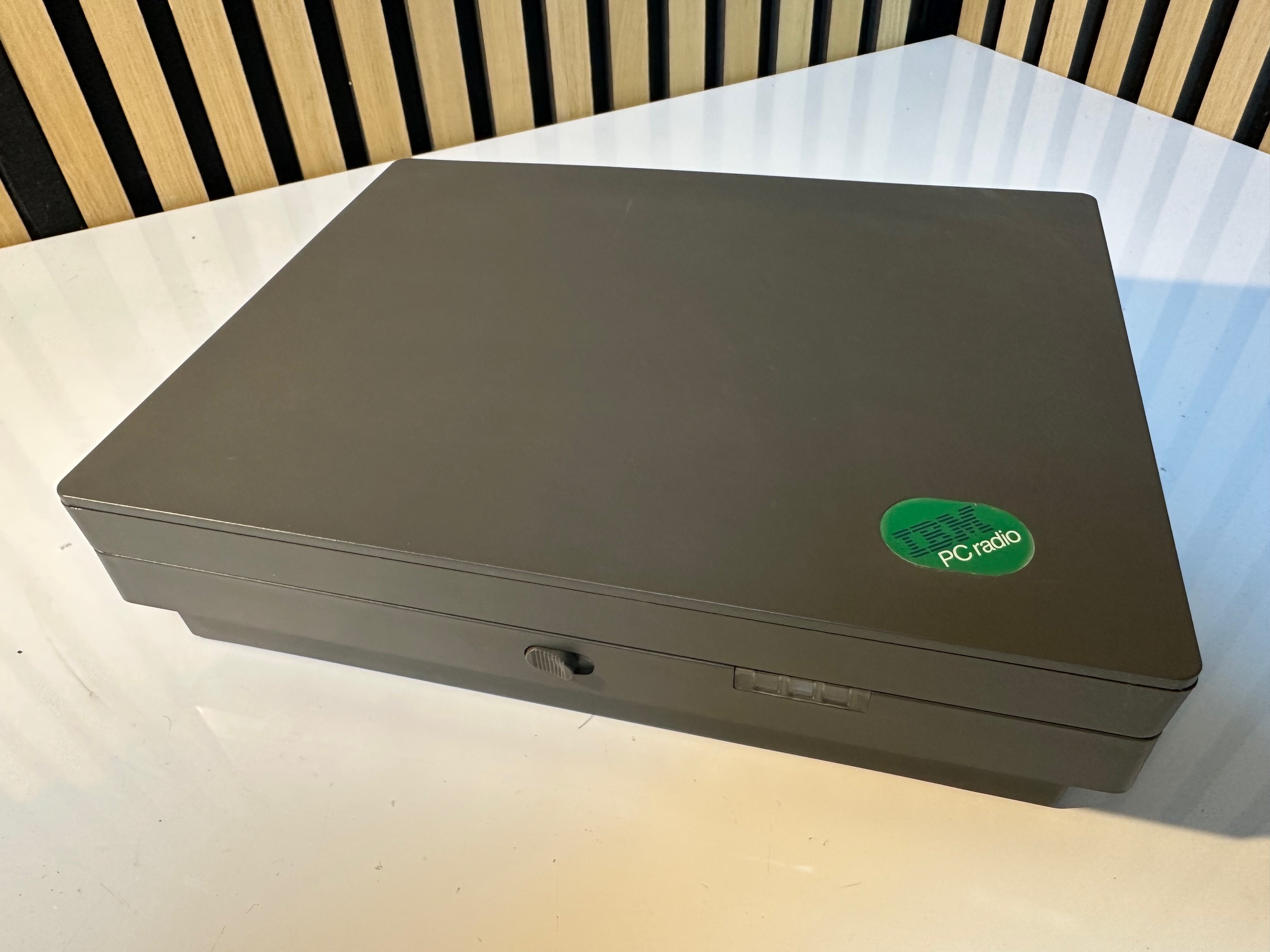
Here are a group of pictures of my Italian PCradio :
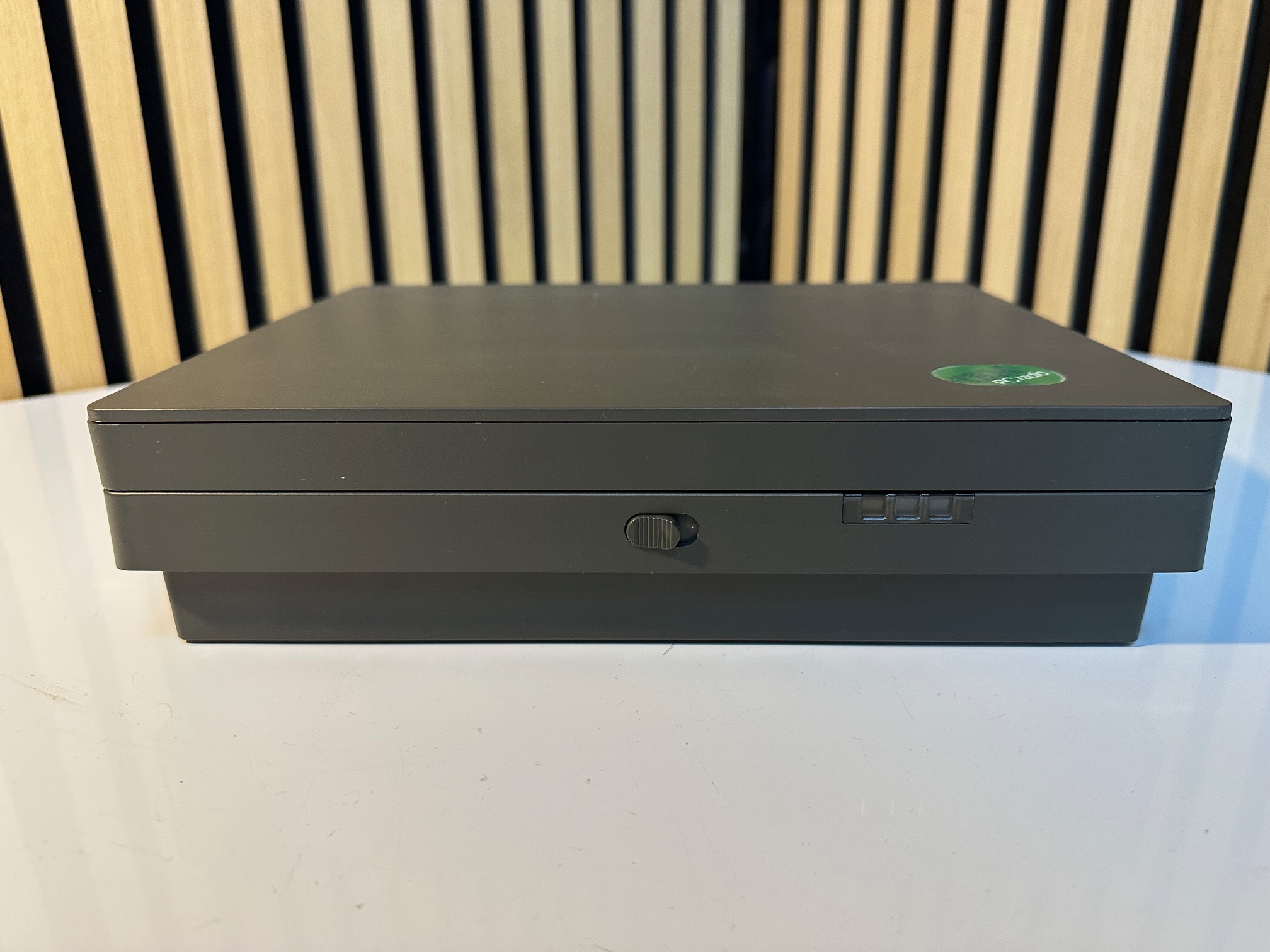
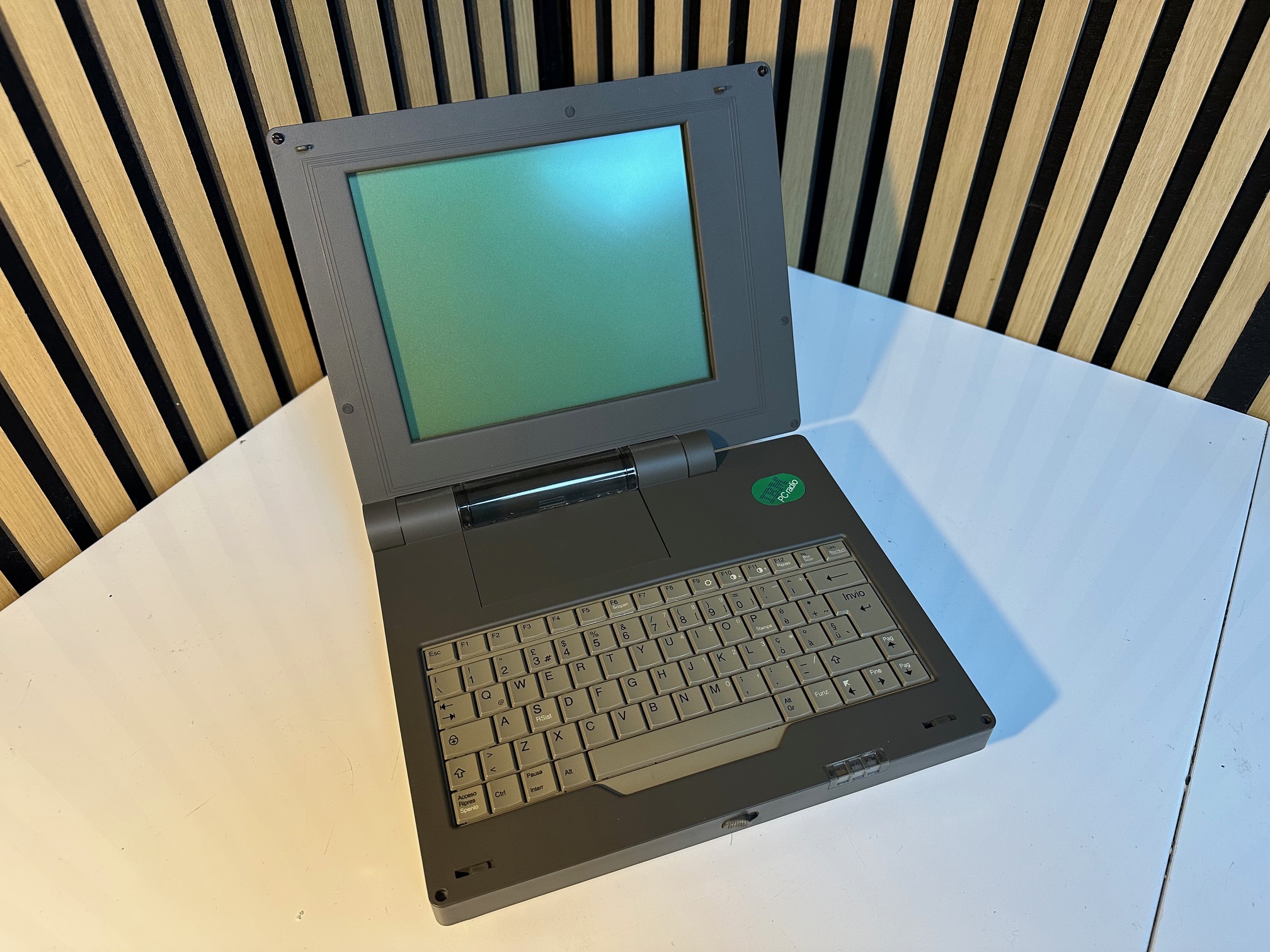
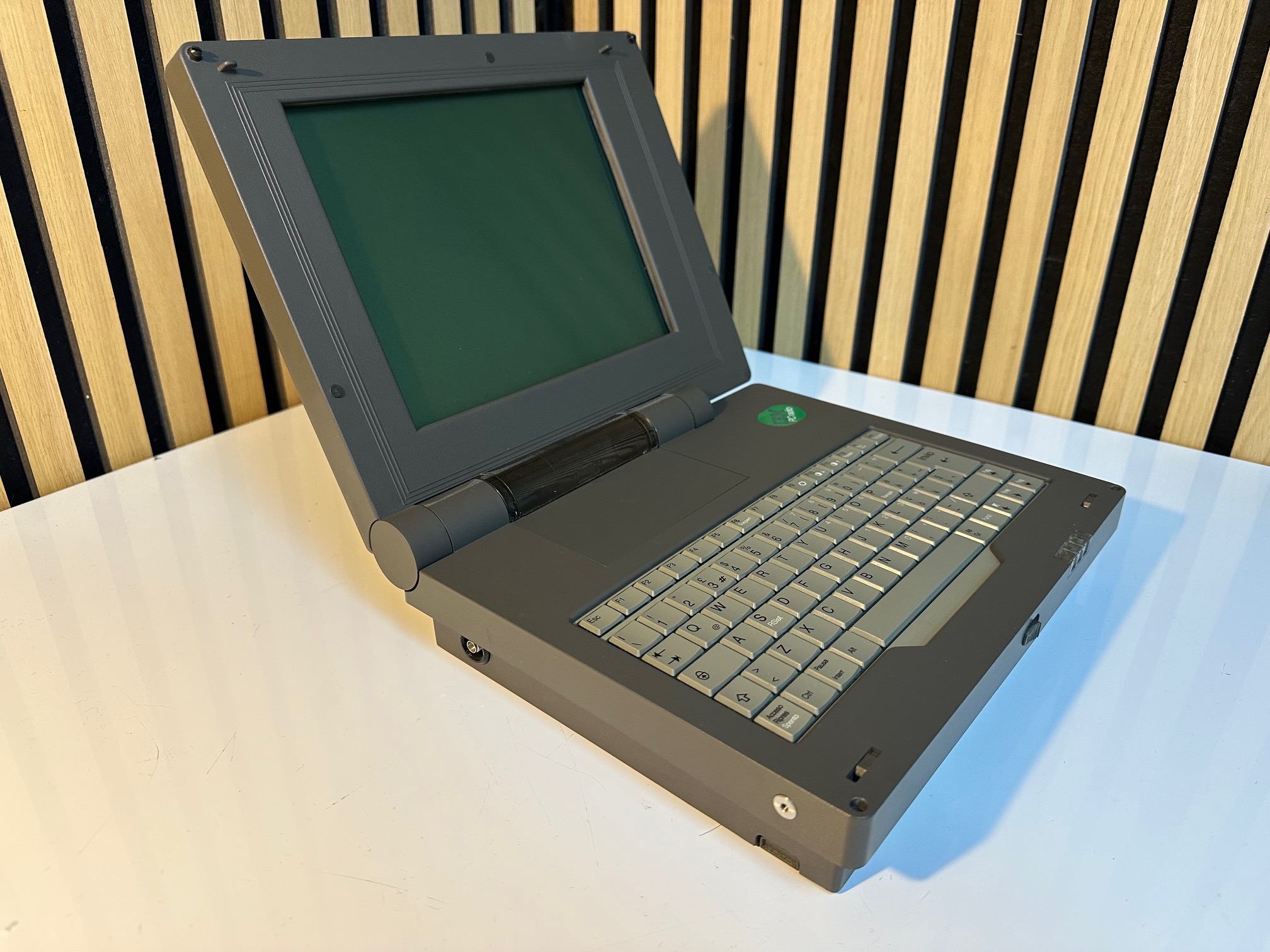
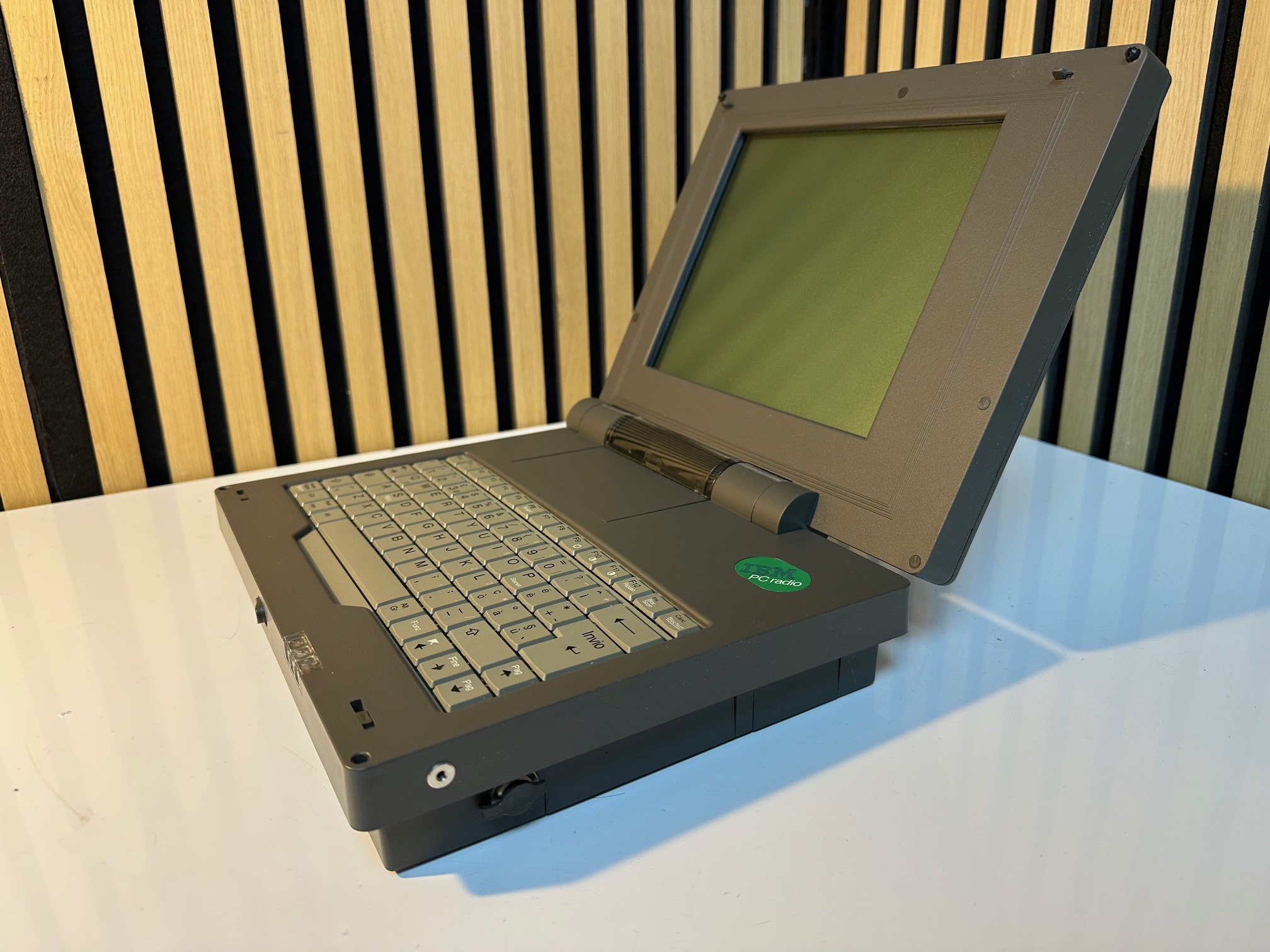
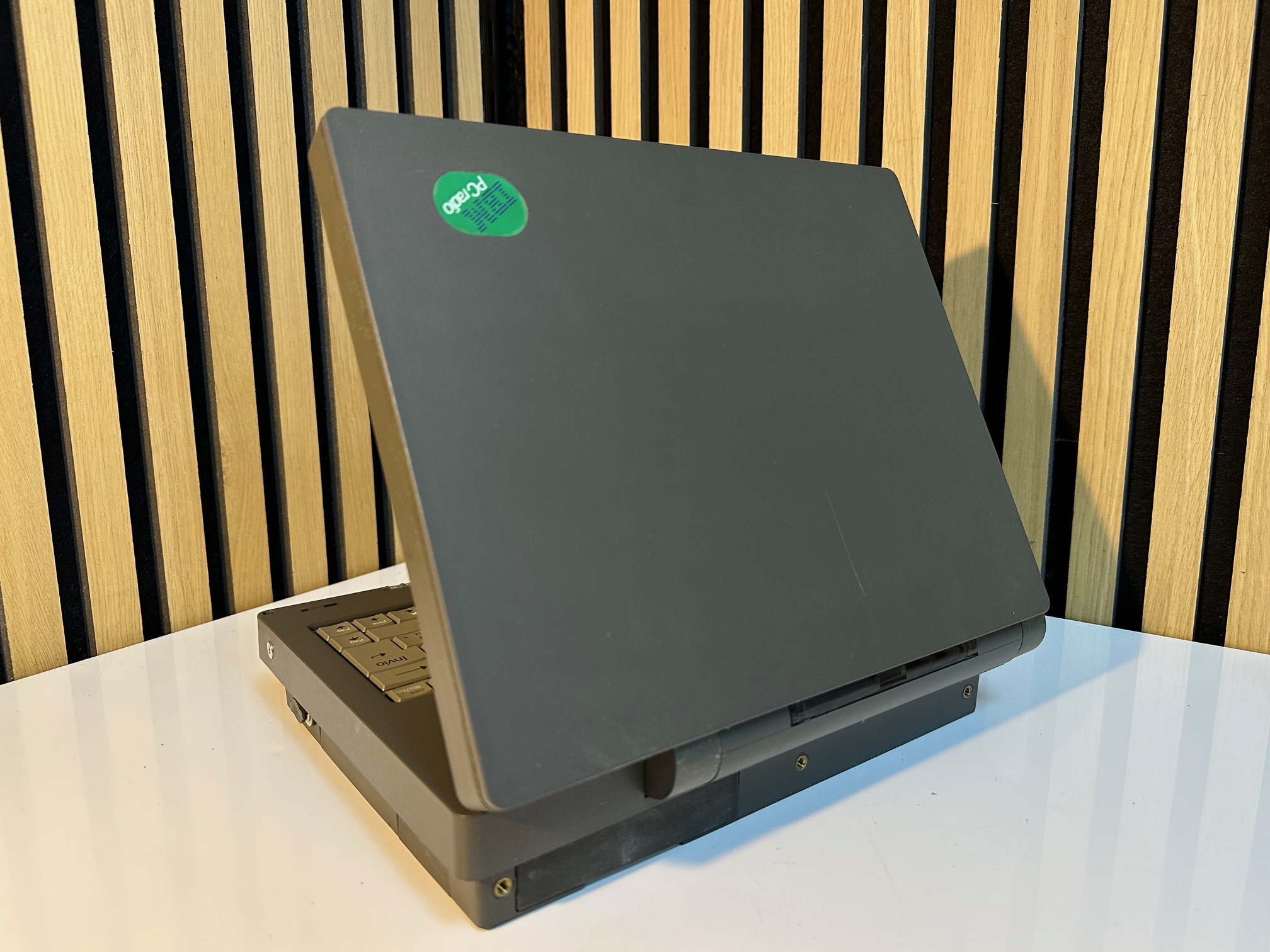
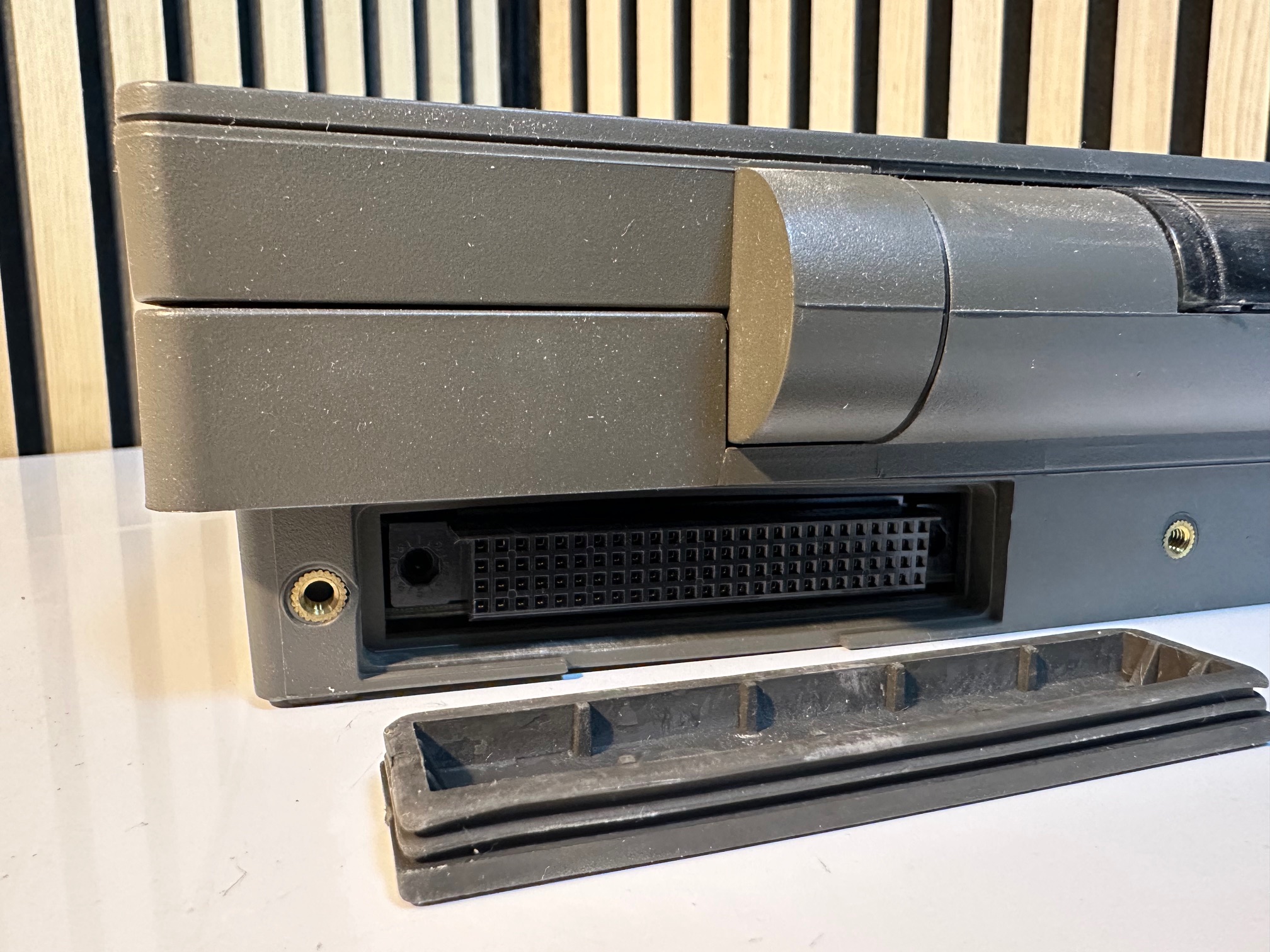
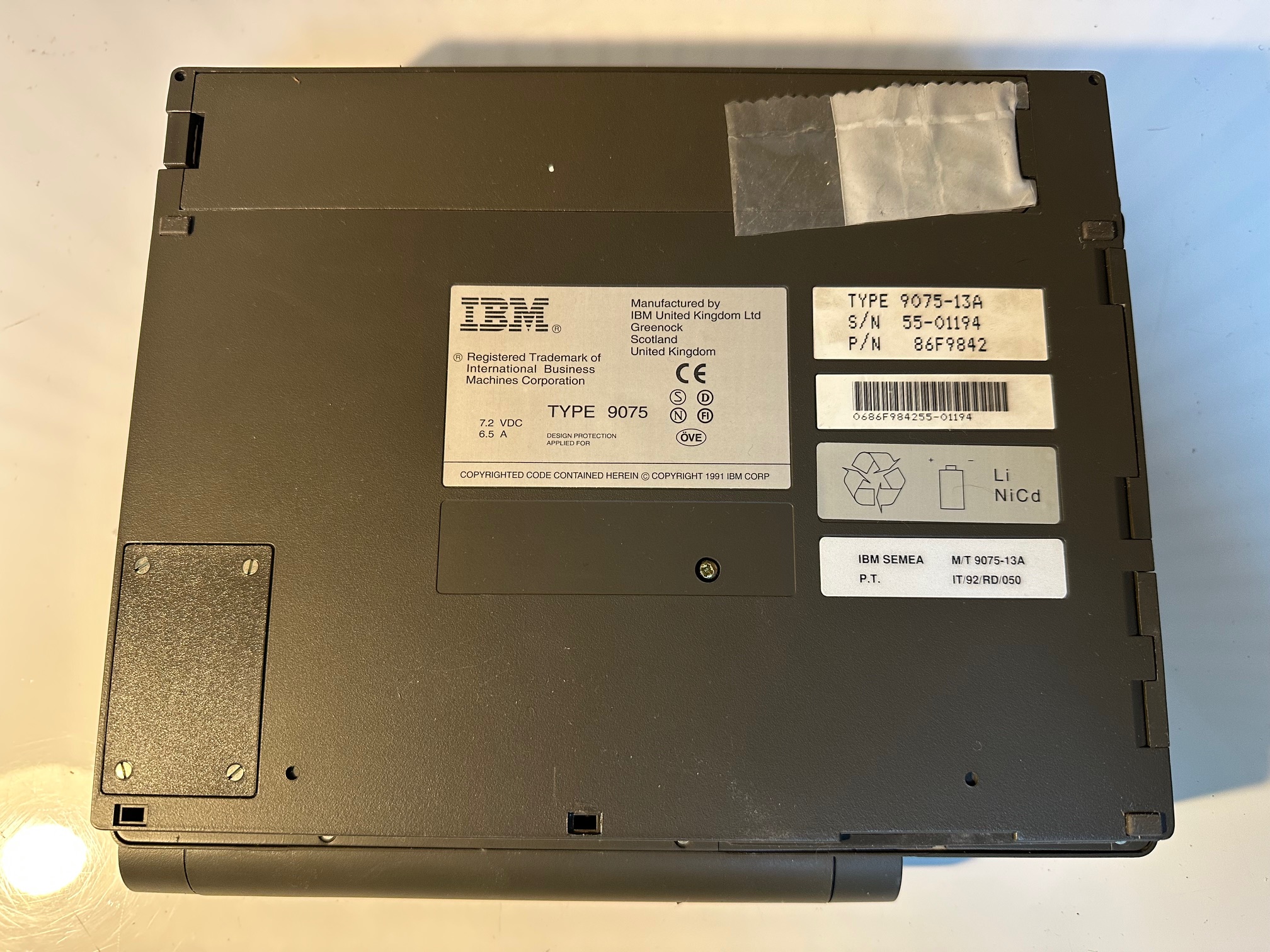
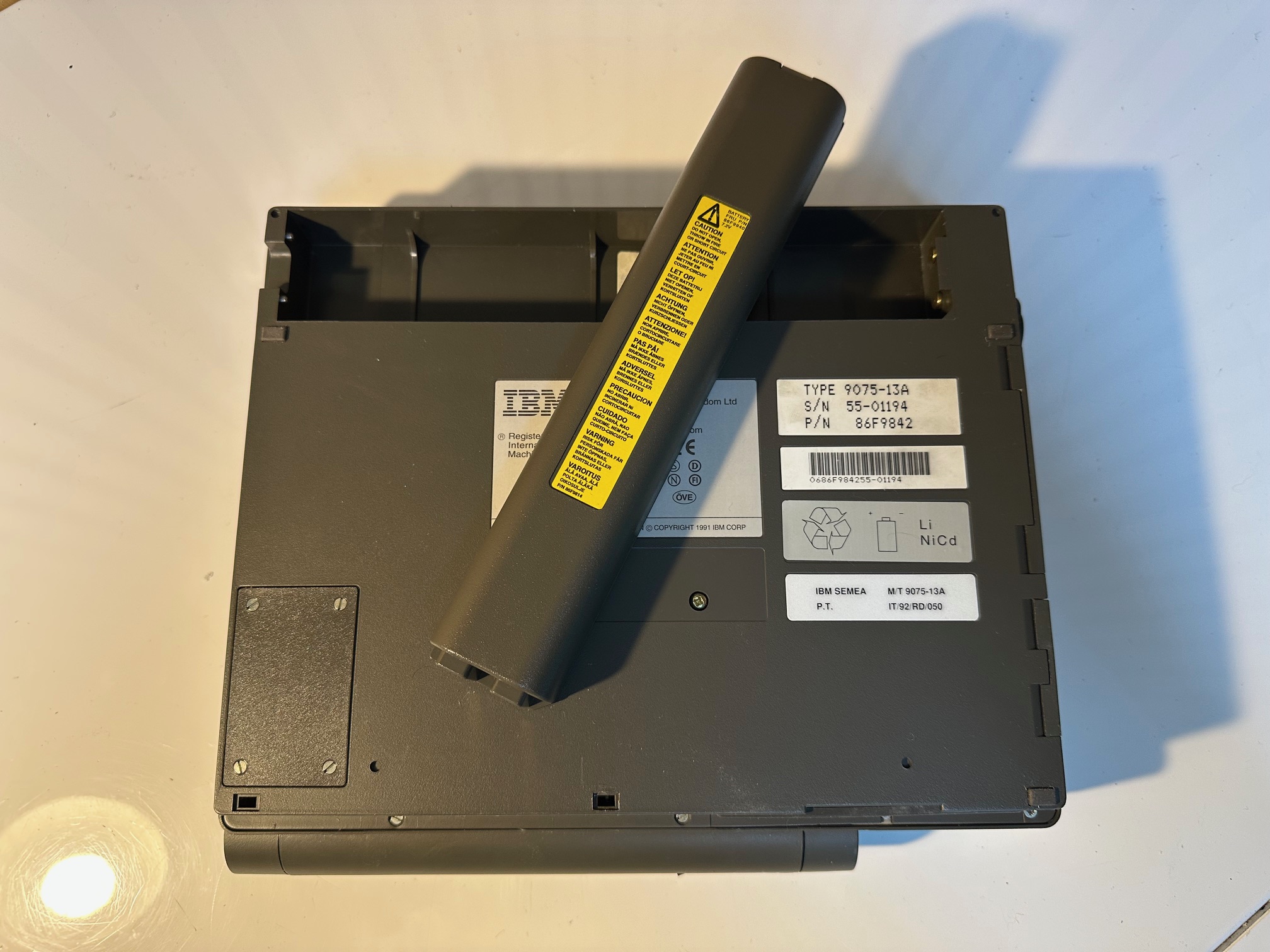
As you can see there is a big, fat connector on the back which was either never used, or connected to a 'breakout box' listed in the accessories section.
When you power the machine up, it will boot using a BIOS by 'Vadem, Inc':

The display is a green transflexive type with part number 64F5638 and the model number KL6420PSHC-FW.
We have a list of parts here from IBM's Announcement Letter Number 191-229 dated December 10, 1991:
PART PURCHASE
DESCRIPTION NUMBER PRICE
PCradio (Telephone) 92F1125 $ 3,100
9075-001
PCradio (ARDIS/RF) 92F1127 5,500
9075-002
PCradio (Cellular) 92F1129 5,500
9075-003
FEATURES FEATURE
IC MEMORY CARDS NUMBER
SRAM .5MB 04G1470 2011 $ 500
Flash ROM .5MB 04G1472 2013 330
Flash ROM 2.0MB 04G1473 2014 700
Combo .5MB Flash/.5MB 04G1474 2015 665
SRAM
Combo 1.0MB Flash/.5MB 04G1475 2016 810
SRAM
Thermal 40 Column 92F1132 2022 140
Printer
Breakout Box 92F1131 2023 200
Model Conversion
001 to 002 92F1148 2020 3,000
001 to 003 92F1149 2021 3,000
ACCESSORIES
NICAD Battery Pack 92F1135 2001 $125
AC Battery Charger 92F1145 2003 110
Telephone Cable 6-feet 92F1138 2007 10
DC Vehicle Battery 92F1146 2002 110
Charger
Carrying Case 92F1140 2004 110
Cellular Telephone 92F1134 2008 40
Handset
Carrying Strap 92F1142 2006 20
These accessories may be ordered as a feature for the PCradio
system unit for new equipment orders. If ordering for installed
units, the accessory order should be processed as a feature of
special ordering vehicle 9075-ZZZ.
PART PURCHASE
SUPPLIES NUMBER PRICE
Thermal Printer Paper 92F1139 $ 5
System Lithium Battery 92F1136 5
IC Memory Card Lithium 92F1137 5
Battery
ORDER
PUBLICATIONS NUMBER
Guide to Operation GA12-9043 $ 4.53
Hardware Maintenance SC34-3019 3.89
Library
Hardware Technical Reference SA12-9042 18.62
Bios
9075 Operating System GC34-3020 15.33
Command
Reference
User's Guide GC34-3022 3.07
Model conversions are designed to be installed by IBM-trained
personnel.
The Thermal Printer is a customer installable feature.
Inside the PCradio
The base of the PCradio is relatively easy to open. It's striking how unique this machine is - I would say besides the chassis, keyboard and display, there is little which stands out as IBM's own. Once you've removed a dozen-or-so screws from around the base, here is what you see:
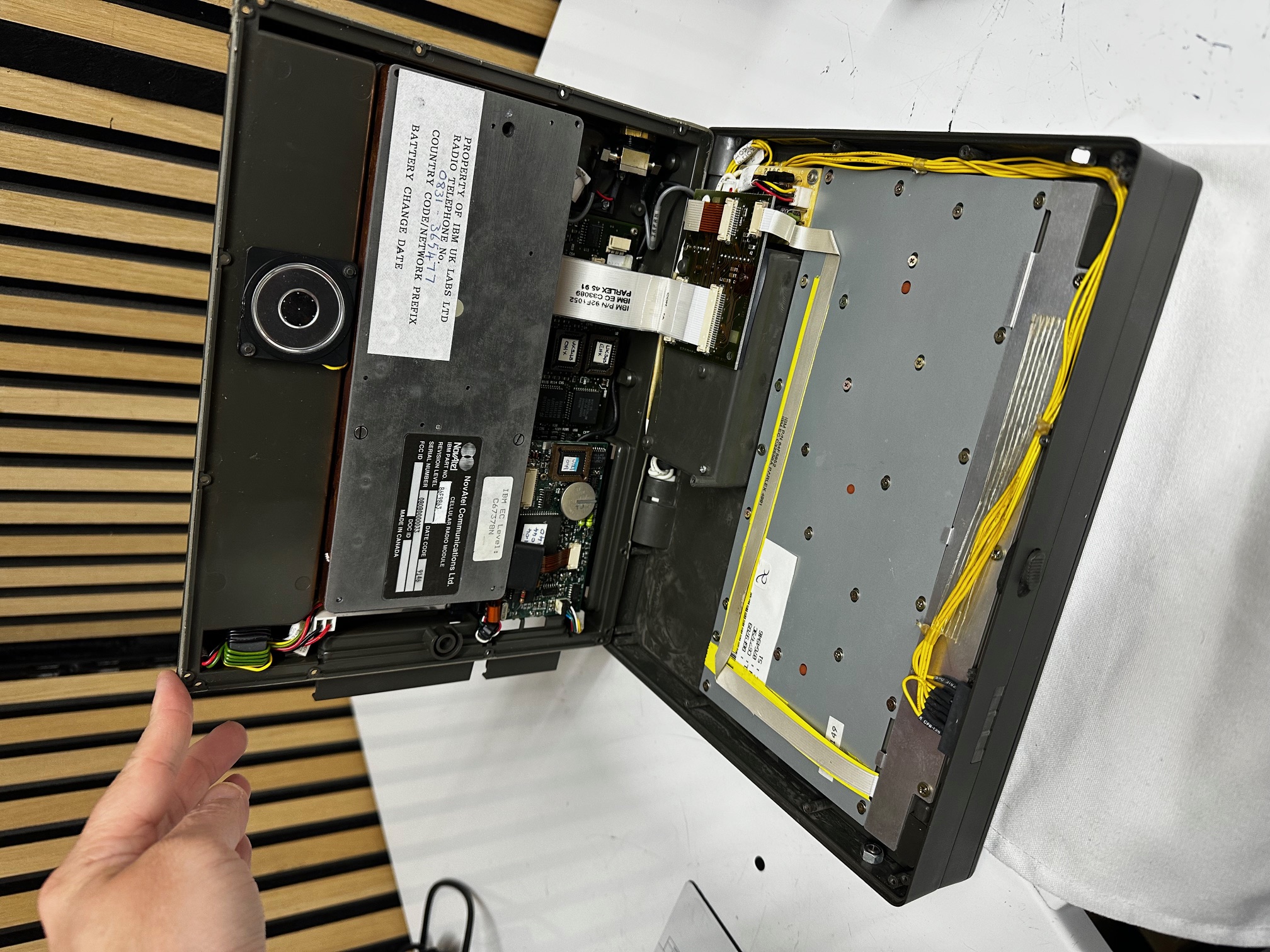
And here are some close-ups of the keyboard:
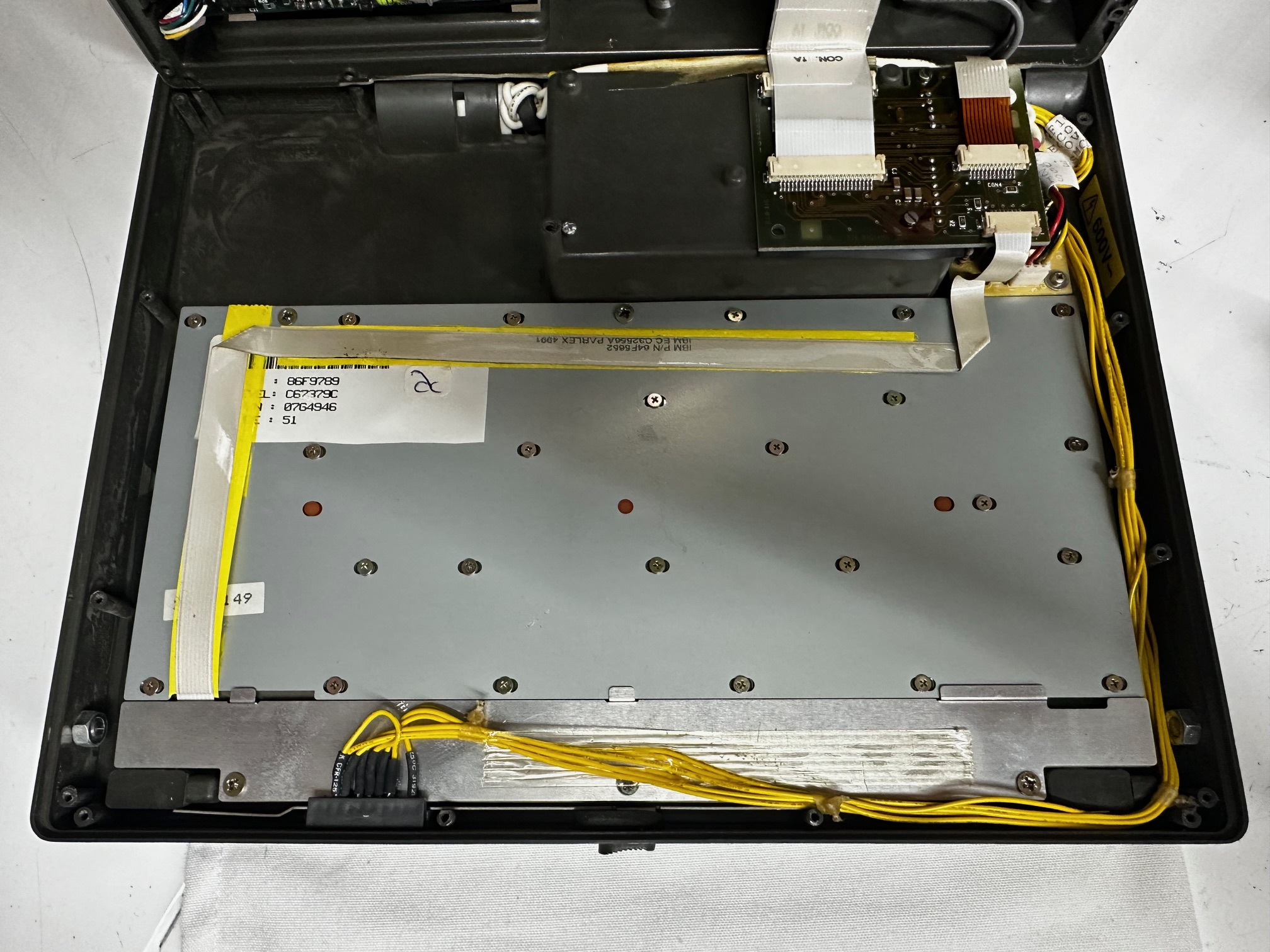
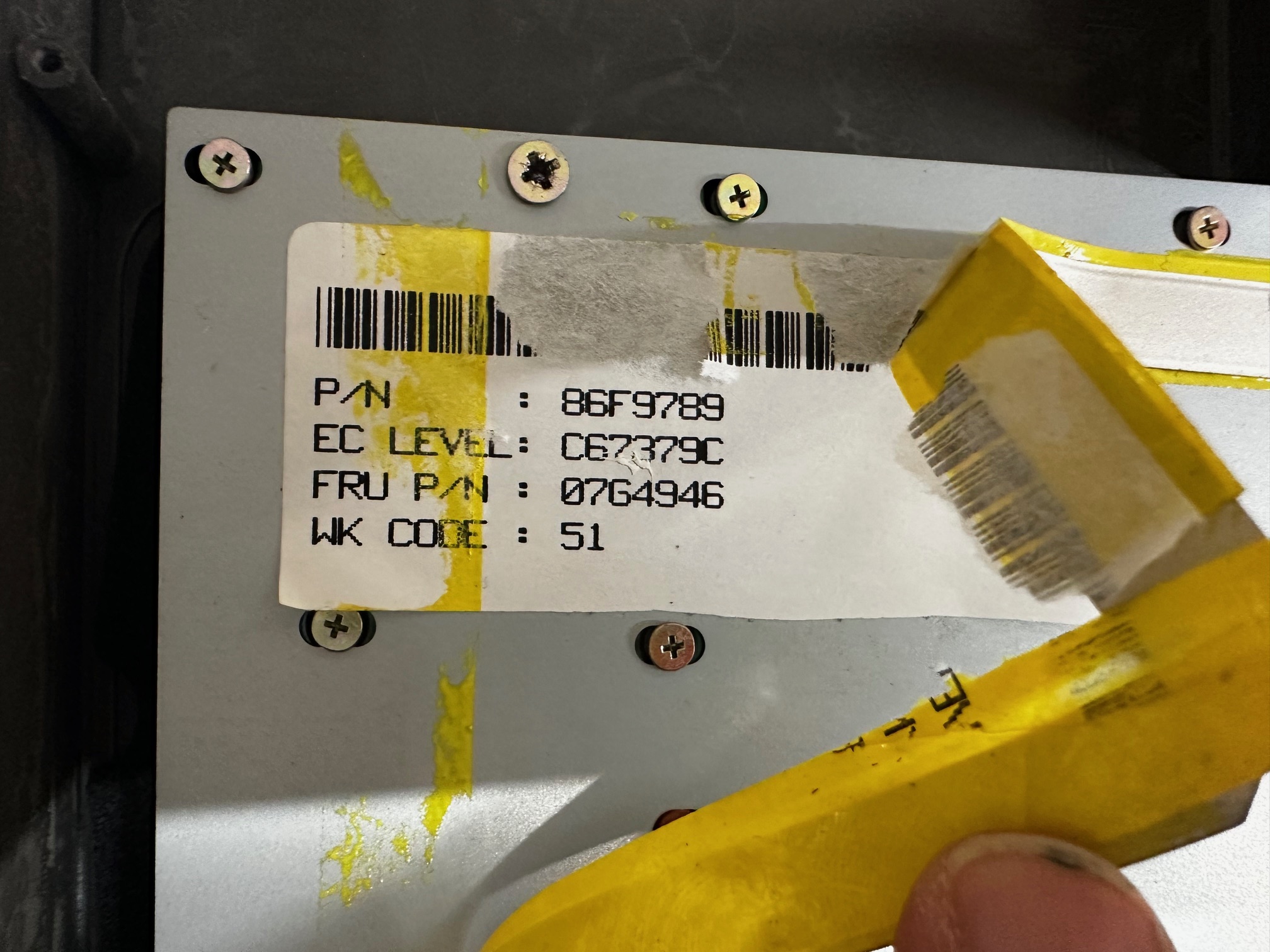
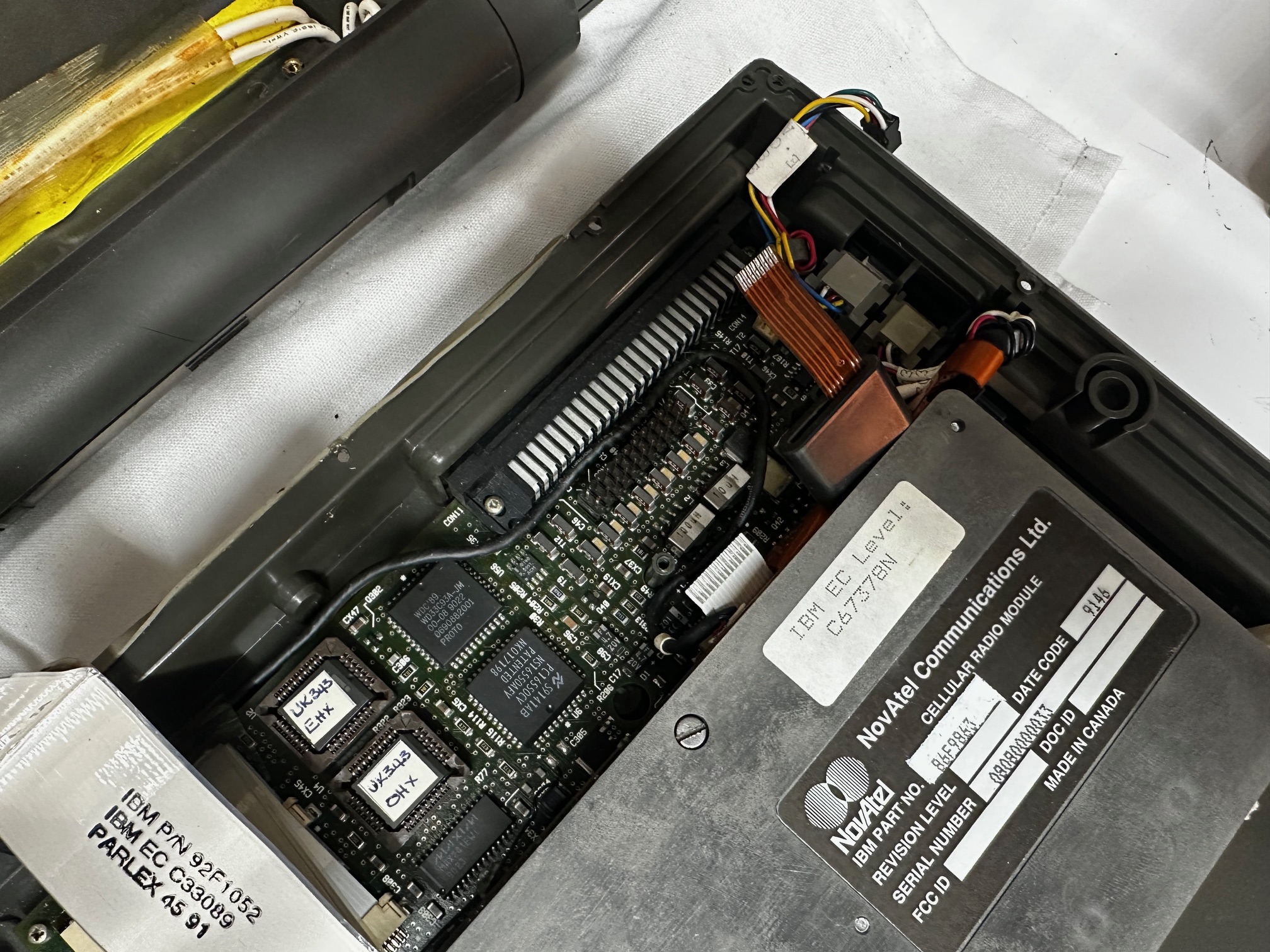
Here is the base, with it's NovAtel cellular modem sitting slap, bang in the middle of the unit. It's interesting that this UK version of the PCradio has an 0831 telephone number for this specific analogue mobile:

And as a slight segue, here is the antenna which is contained within the lid that connects to the cellular mobile:
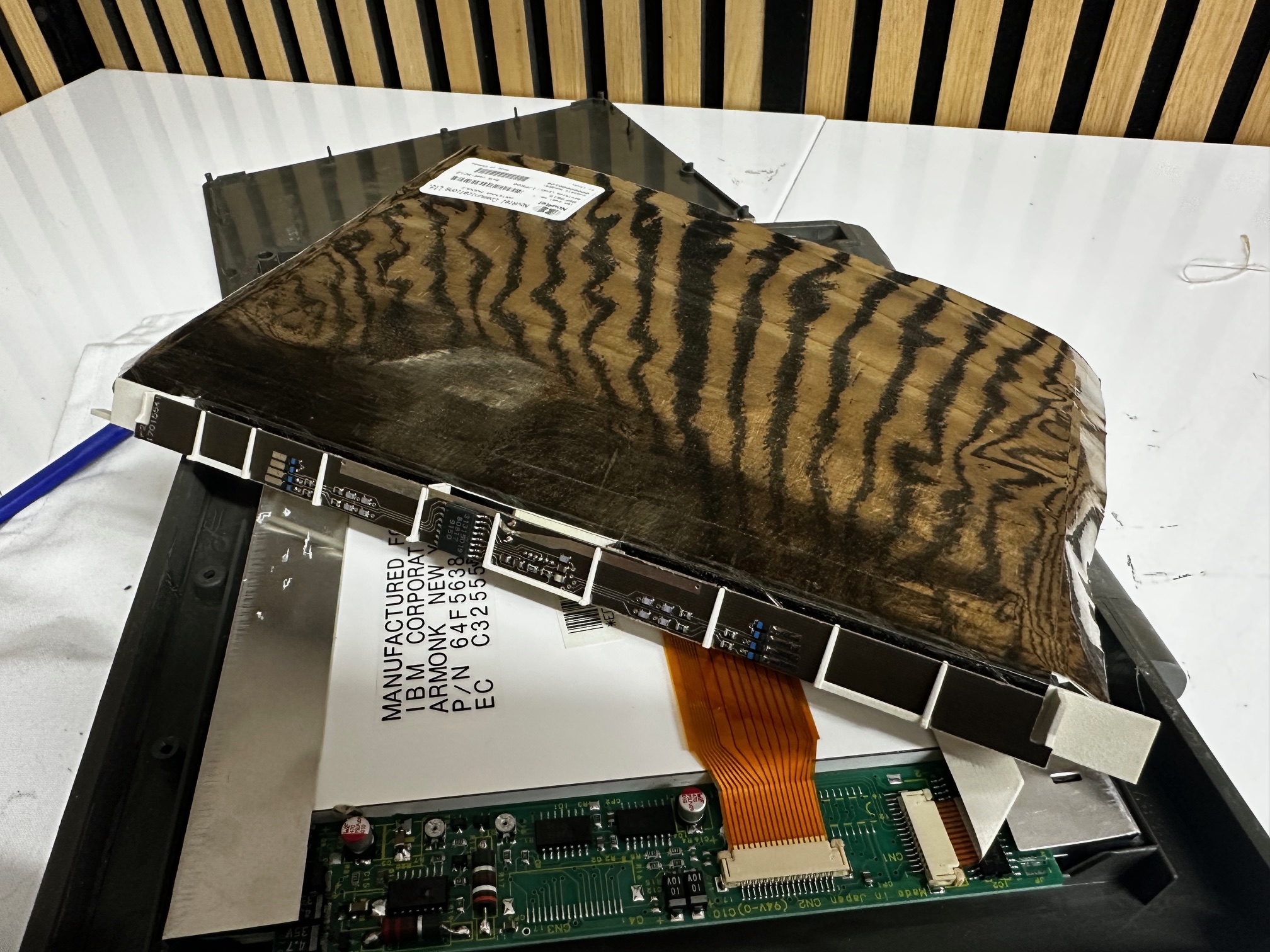
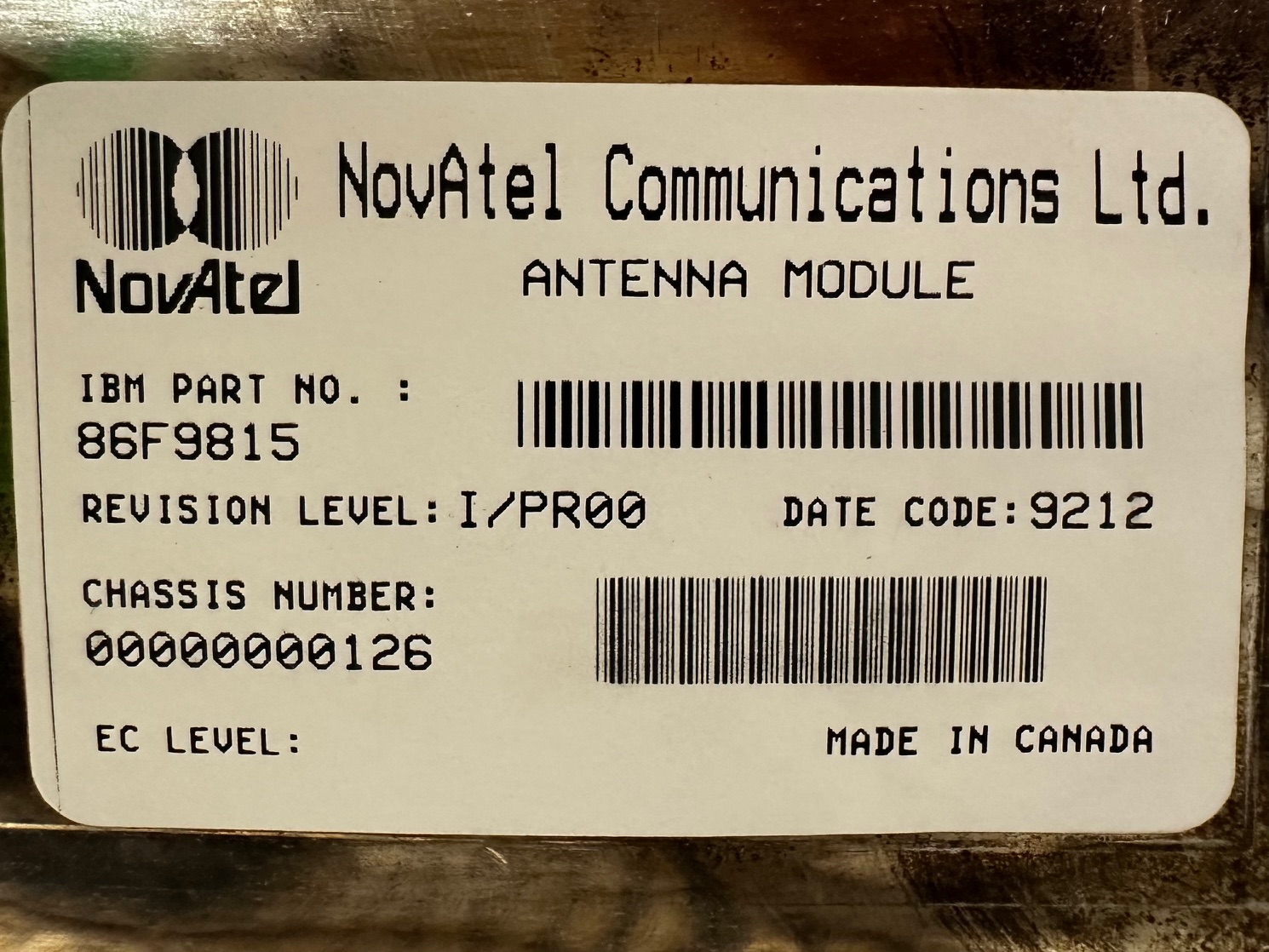
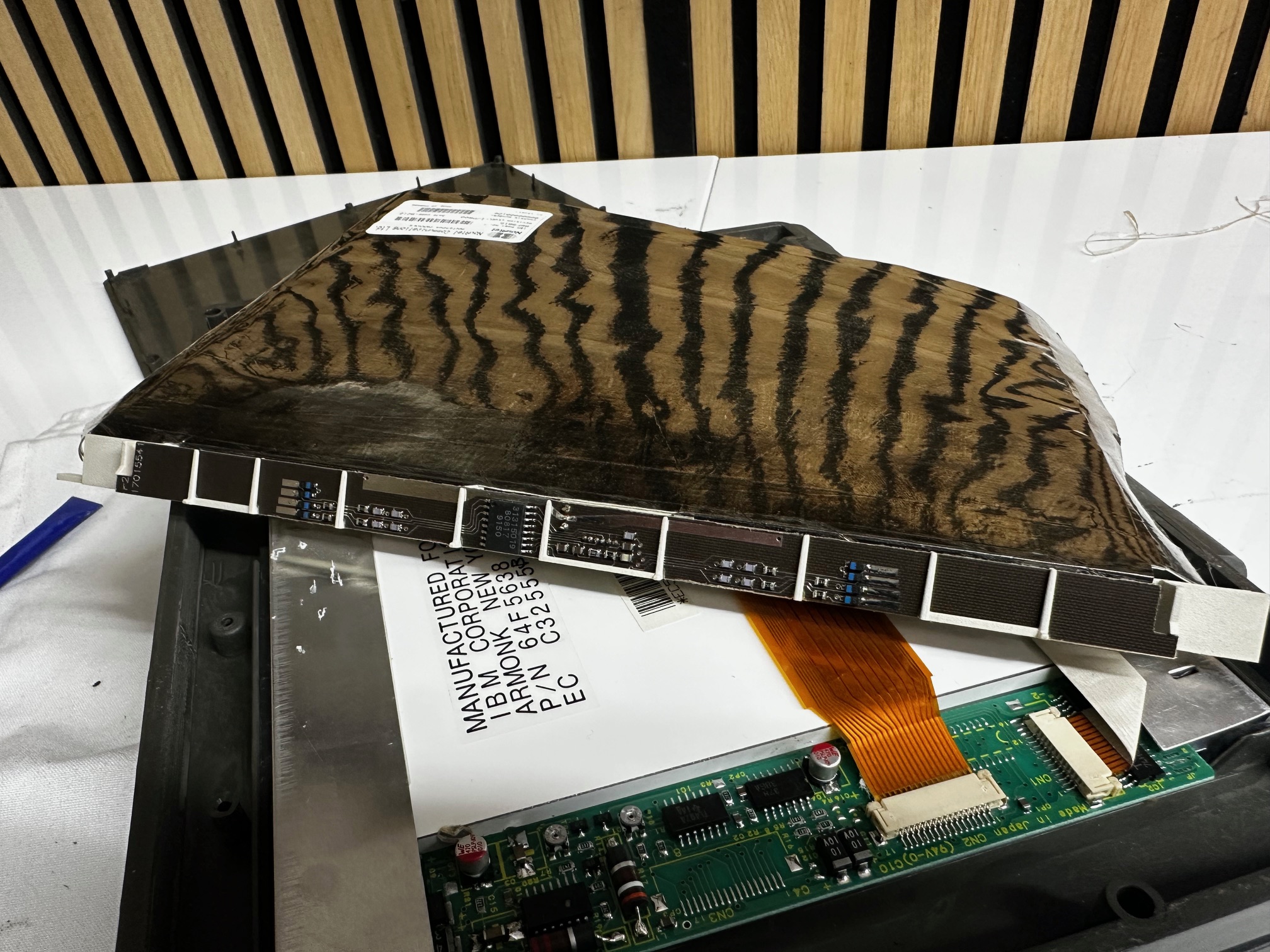
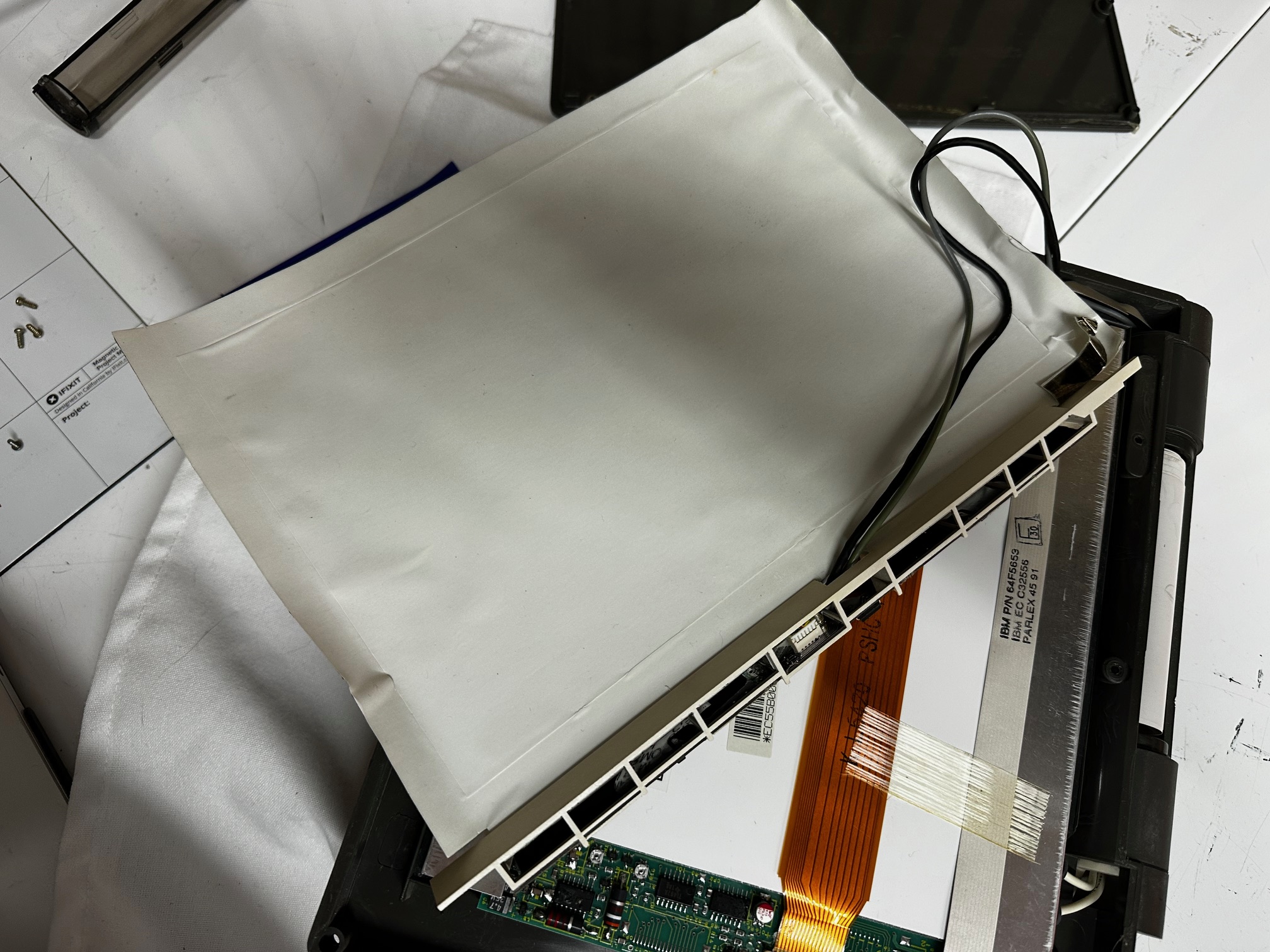
Back to inside the base, we have two small daughterboards - one has the CMOS battery attached, which I replaced:

Then we have this small power-related board which has one 47u through-hole capacitor on it:
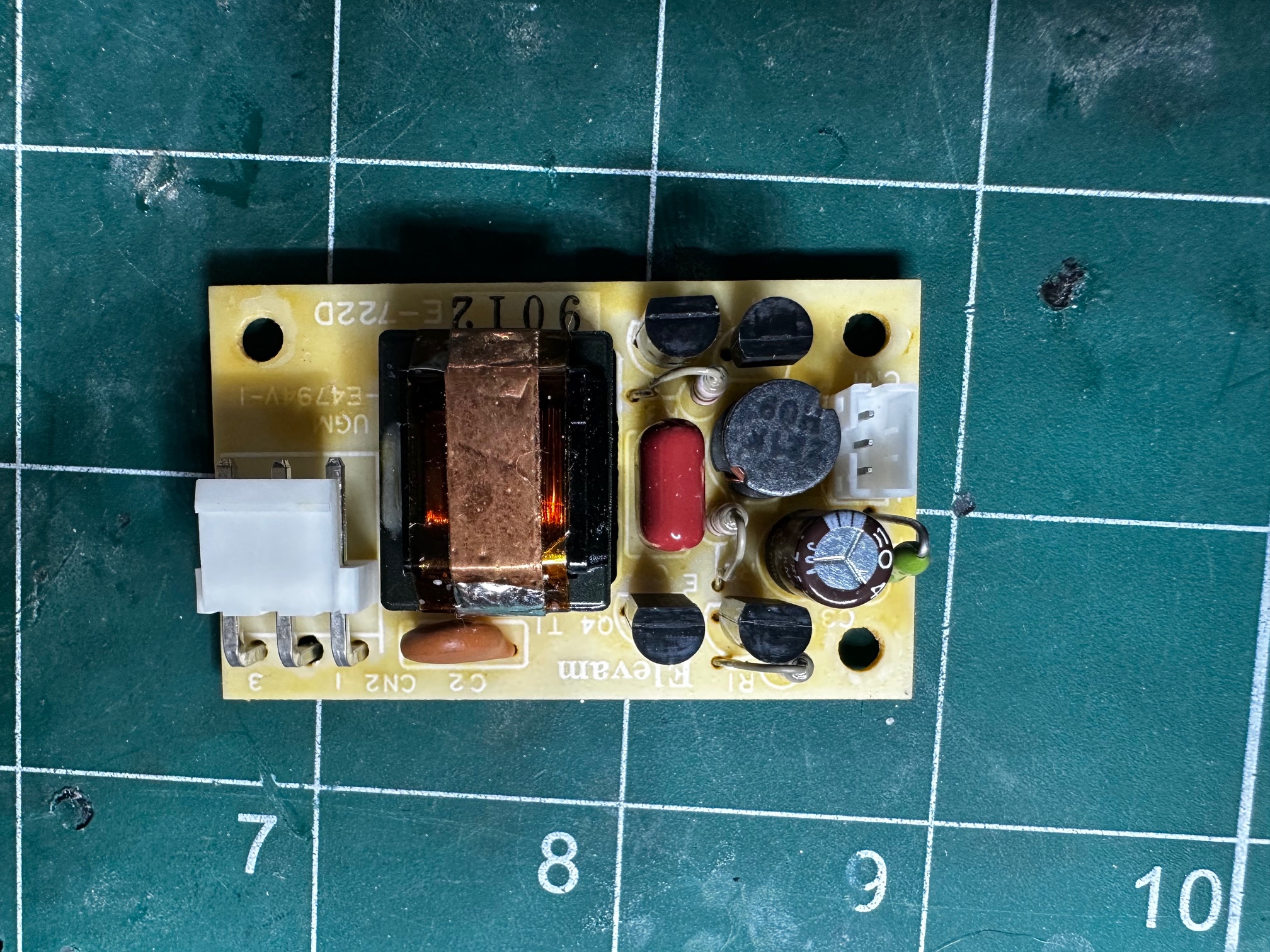
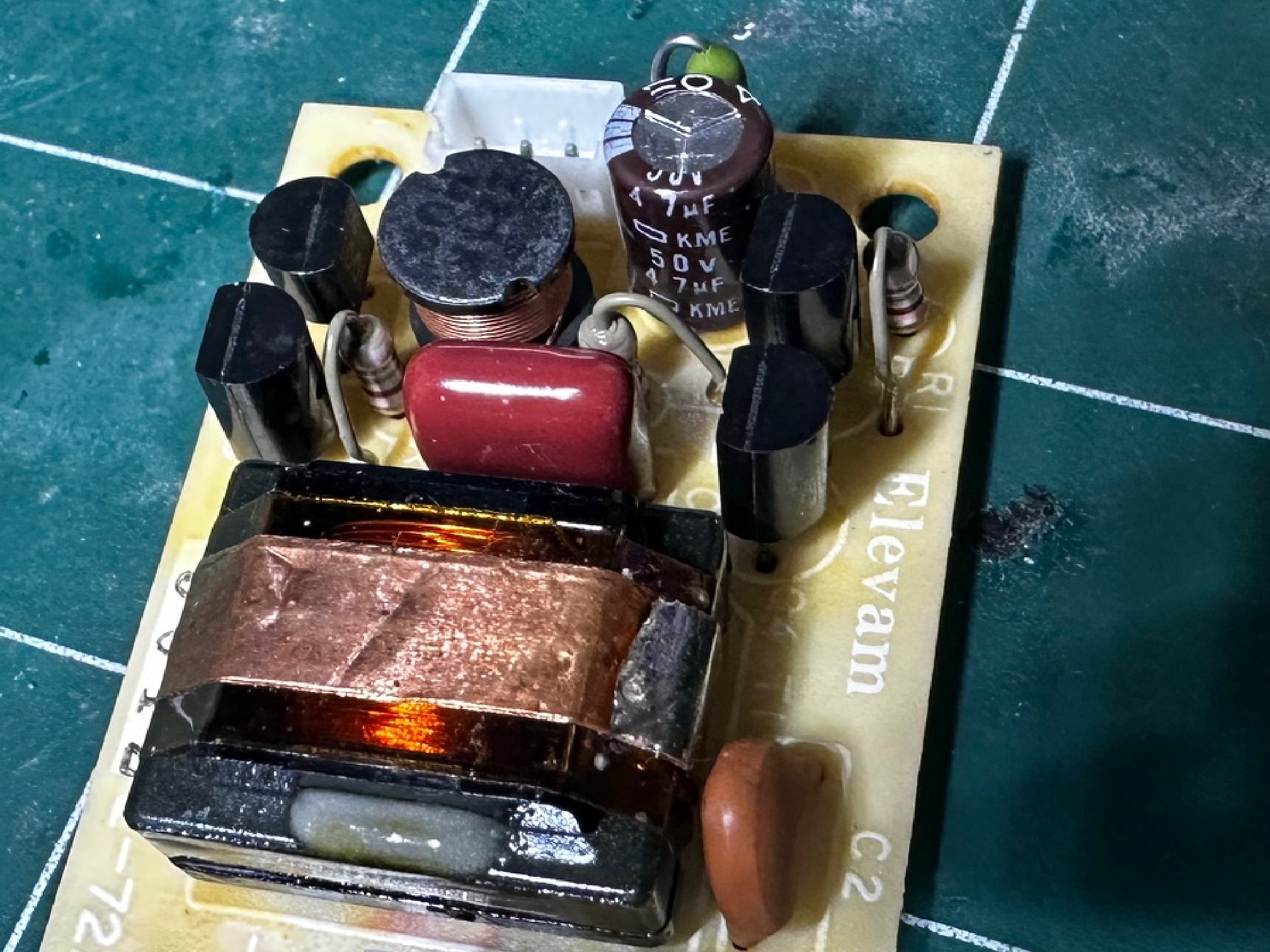
Power Supply Pinout
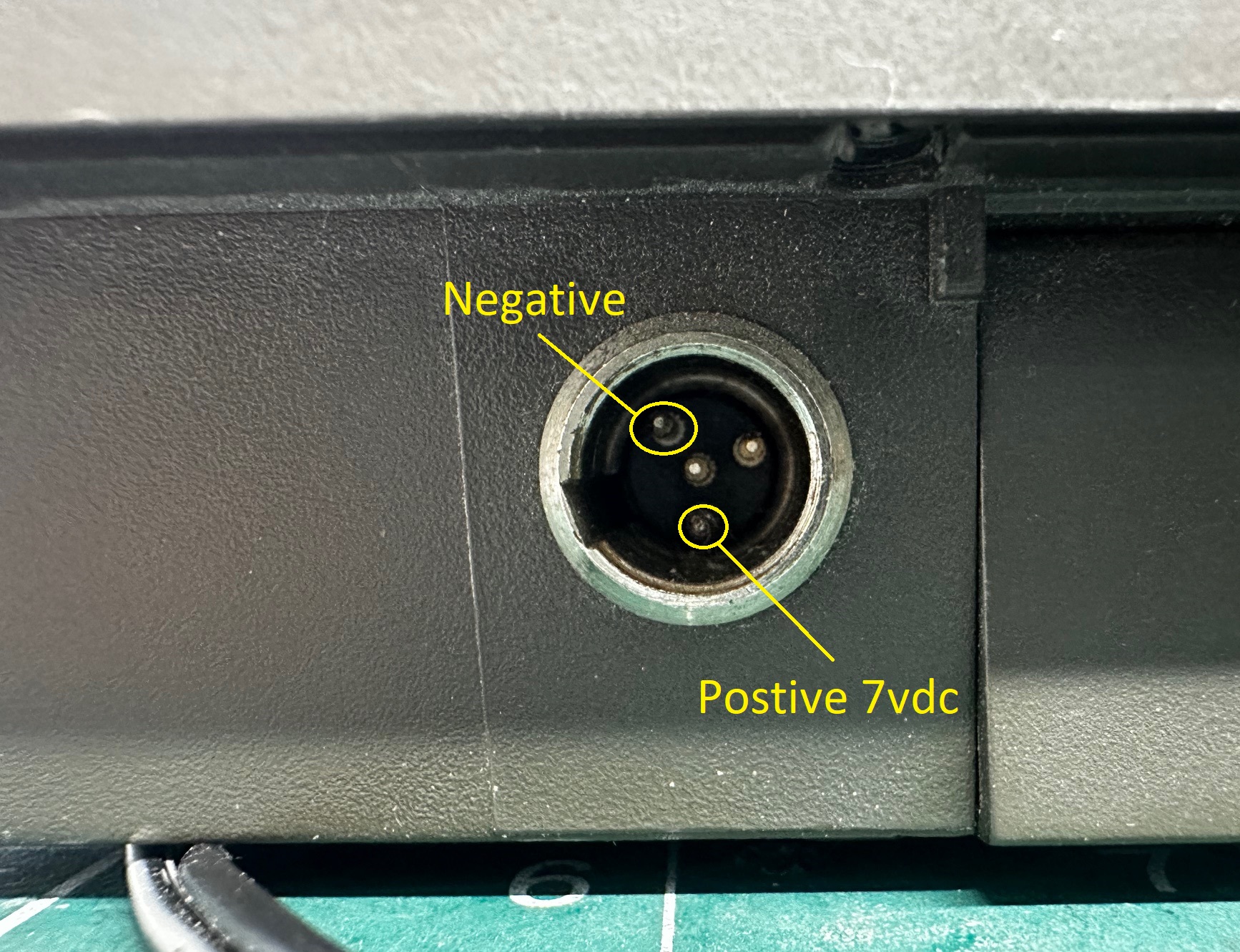
I built my own power supply, using a Bambu H2D 3D printer and some connectors I had in a spare parts drawer. The first job was to estabish the pinout for the unique 4-pin, male power connector:
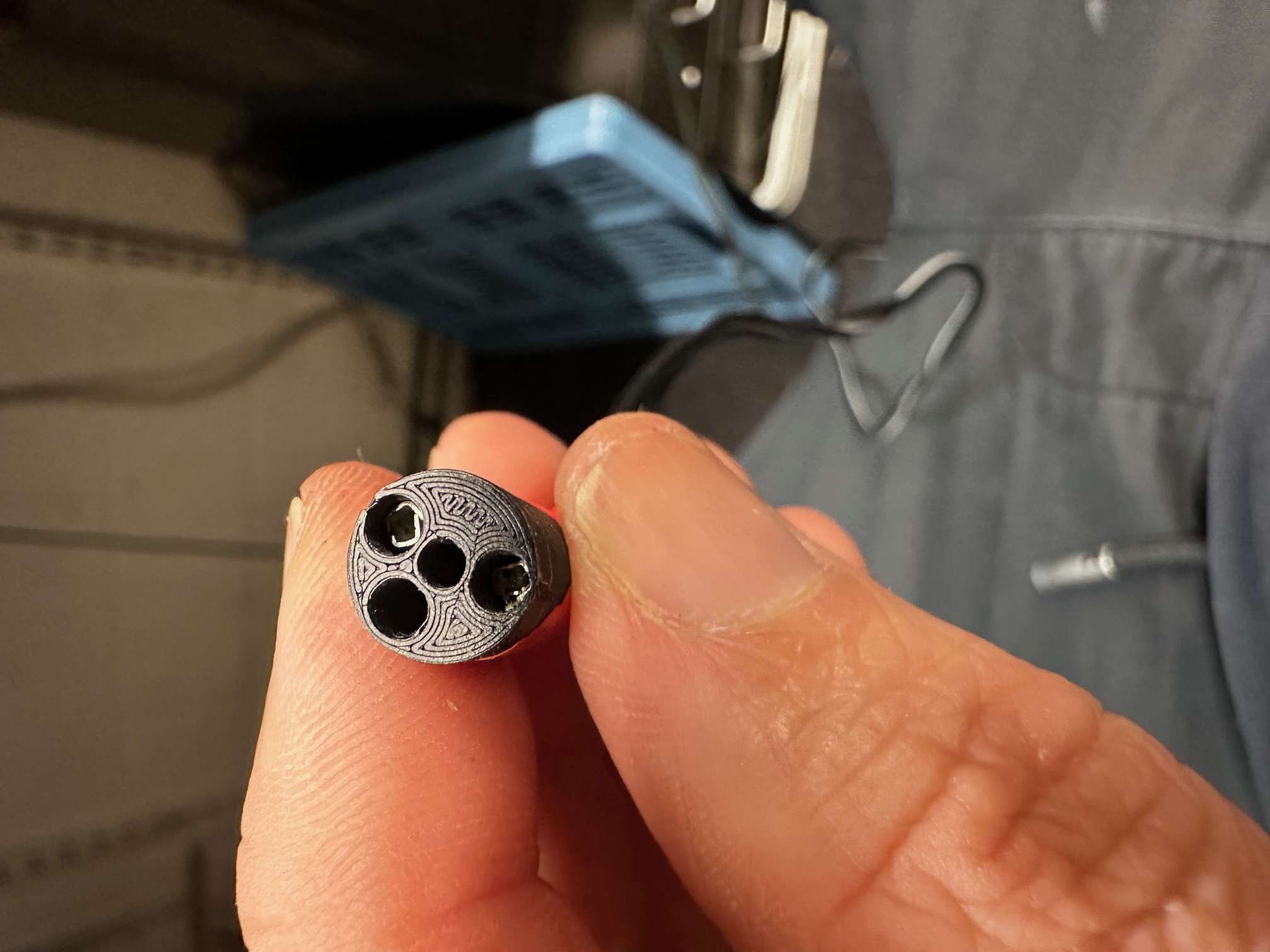
I 3D printed the female barrel connector. The STL file for it is here:
Fixing The Display
Both my machines had the same fault on the display - which showed the whole left-side covered in horizontal bars. At first I thought there was a deterioration in the connectors for the display but thought I'd try recapping and so glad that I did. Here is what we started with:
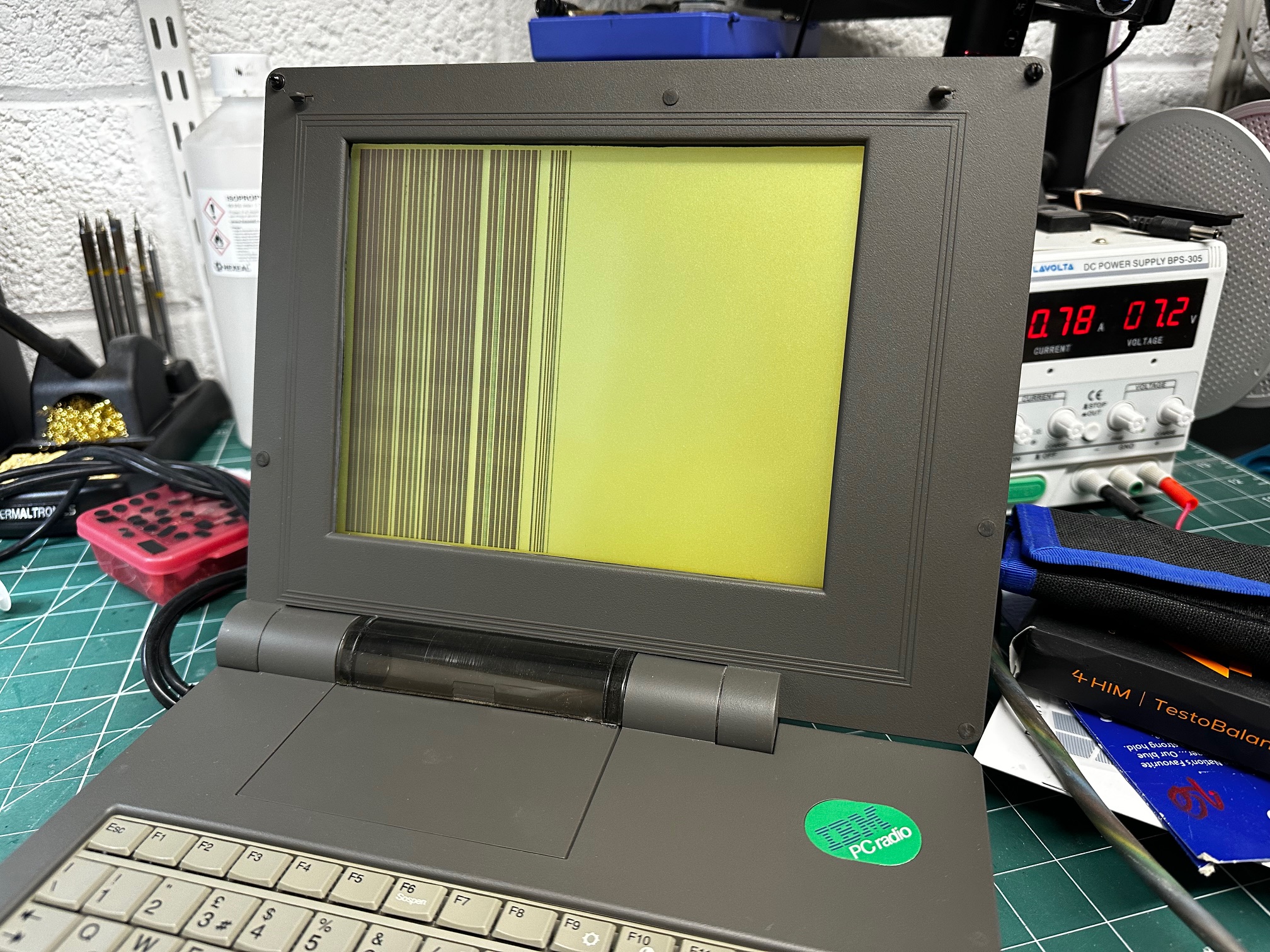
Upon close inspection, I could tell the machine was definitely working because you could make out the odd half-character and the display would change based on keyboard commands. Also I was able to use the printer to PRINTSCREEN!

To remove the lid, there are two flat-headed ''beads' at the top of the LCD bezel to remove and some philips screws underneath. Then there are a few rubber bumpers to remove around the bezel and finally behind the printer cover are two more Philips screws. 8 in total. The lid has a sticky 'gasket' around the outide. Loosens easily if the machine is warm but also just stick a spudger behind where the hinges are and it will prize apart.
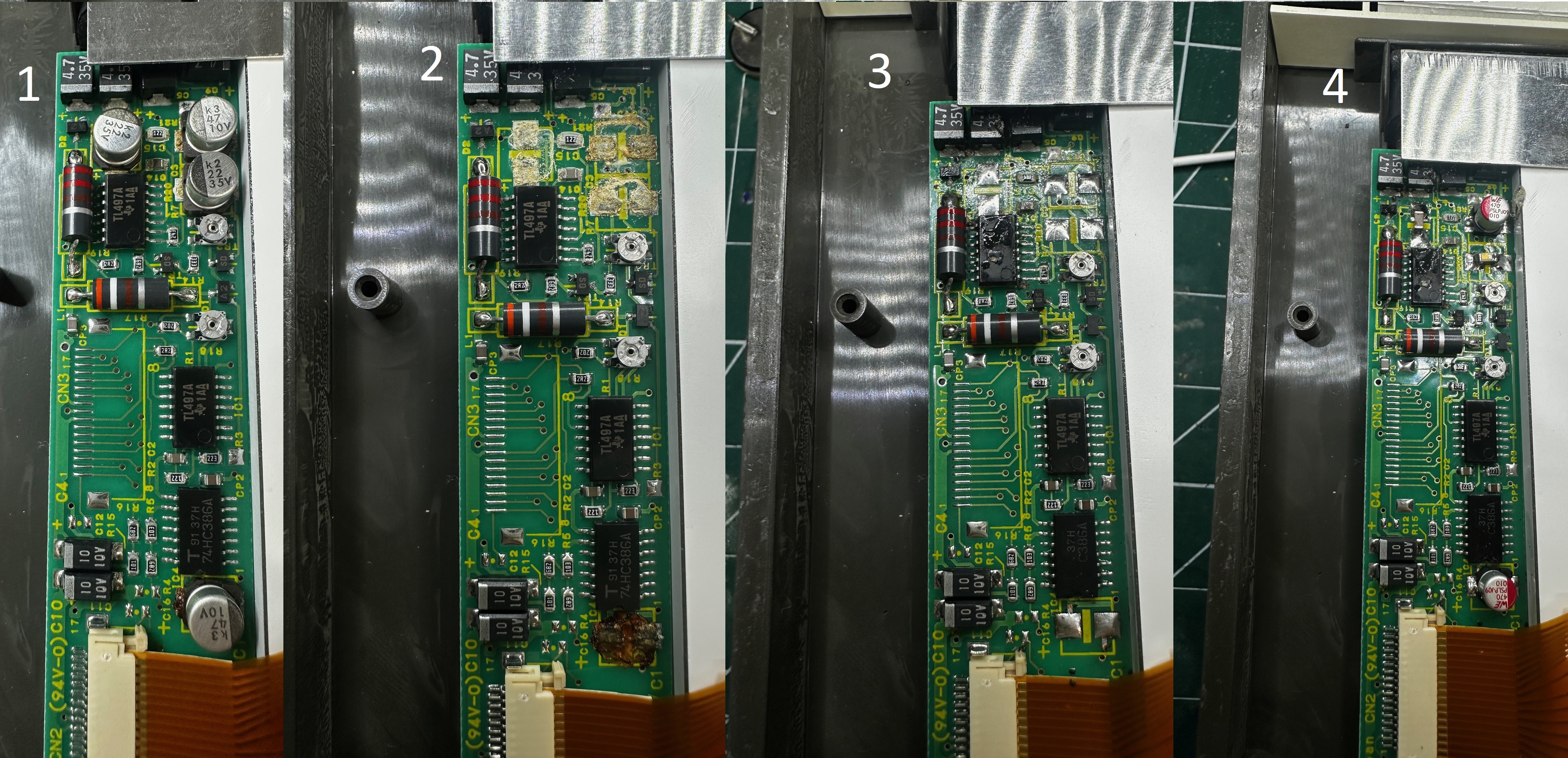
Once the back of the lid was removed, there was a small PCB along the side of the LCD which had 4 very degraded surface-mounted capacitors. 3 had leaked very slowly and left a white crust underneath each one and the other had leaked in a very wet way, leaving a wet, brown sludge underneath. Luckily a sympathetic removal, cleaning and reapplication of a couple of Polymer capacitors and a couple of ceramic capacitors (both solid and will never leak) managed to recover this board back into working condition. Below is the 4-step process in 1) OEM, 2) Caps removed, 3) Cleaned and re-tinned and 4) Caps replaced:
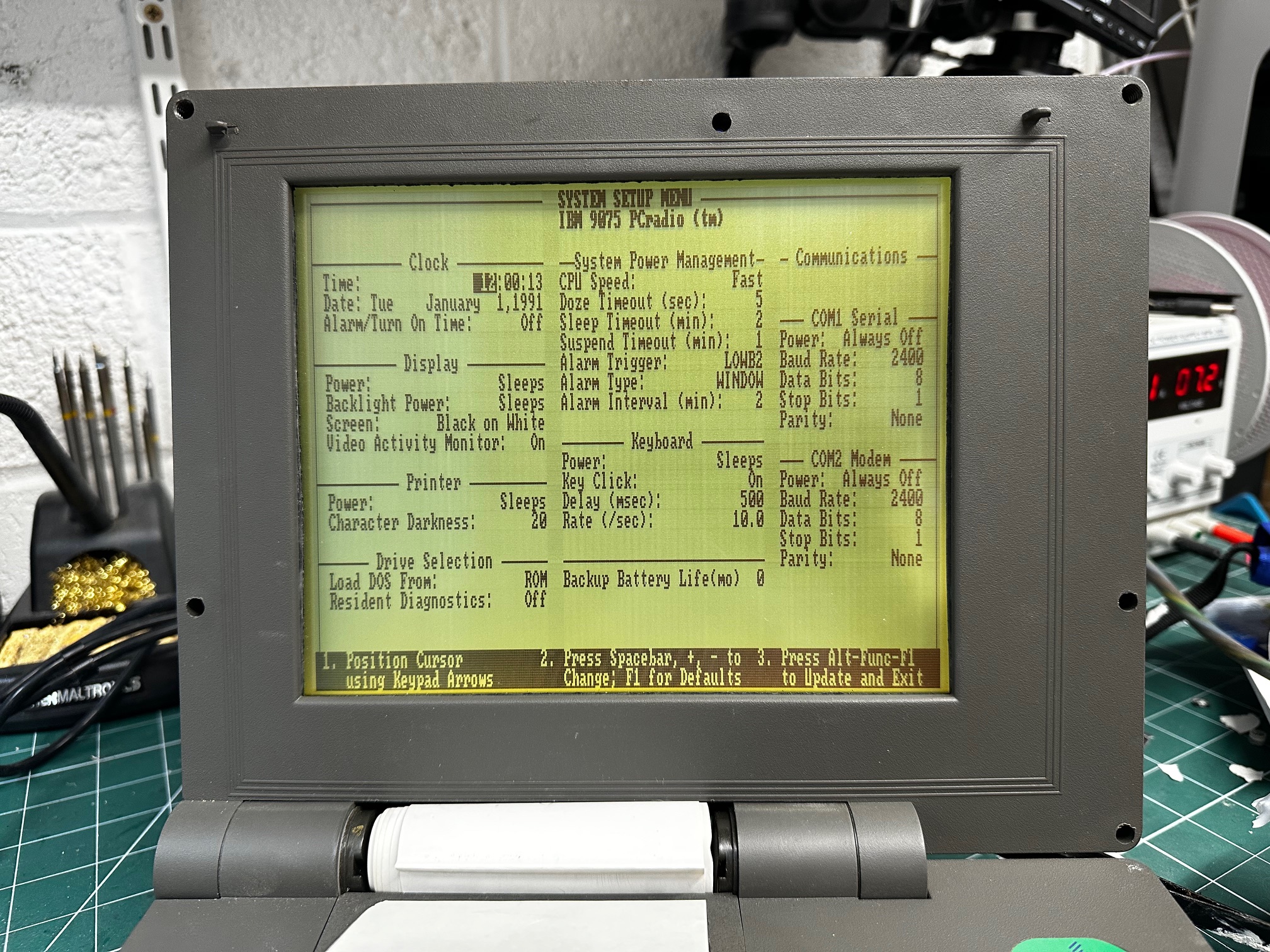
And voila! The LCD came back to life!
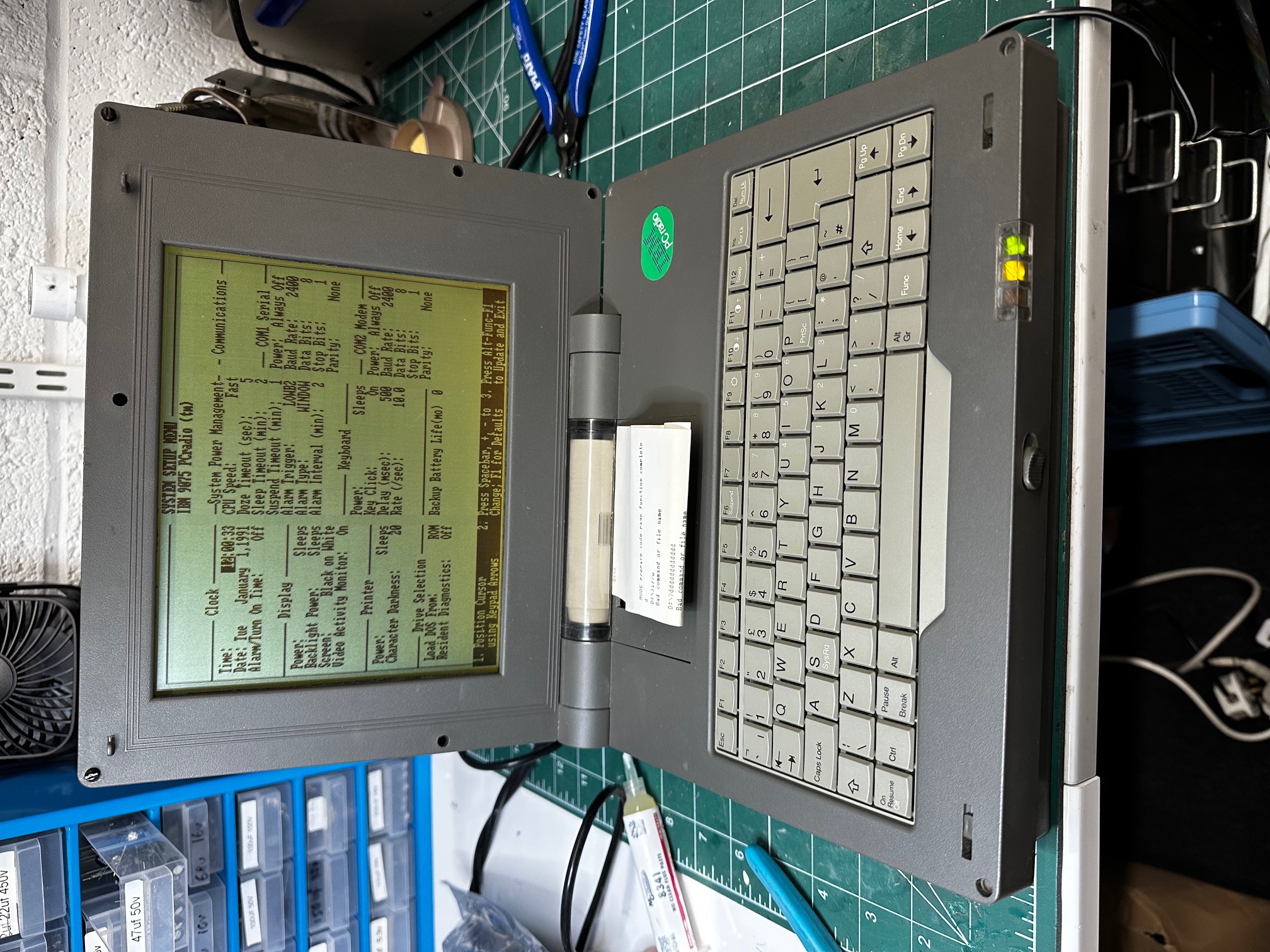
Here is a dir /w of the ROM in drive D:

And here are two small programs which I don't know what they do - PC Hardfile Access and Radio TSR:
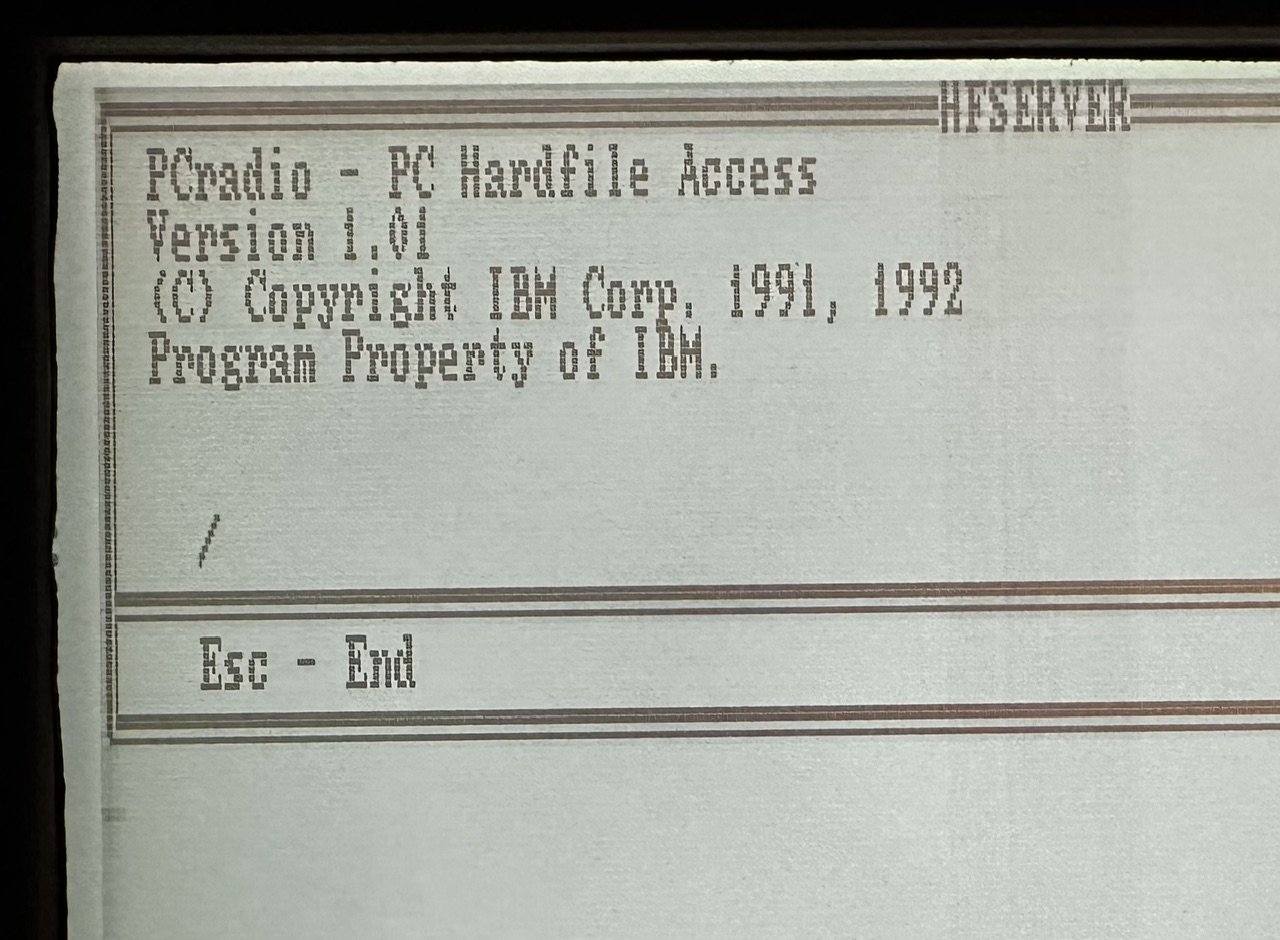
Hardfile Access seems to be a phrase IBM used at the time to read or write to a local internal storage device. This would be opposed to 'Soft' files on a floppy diskette.
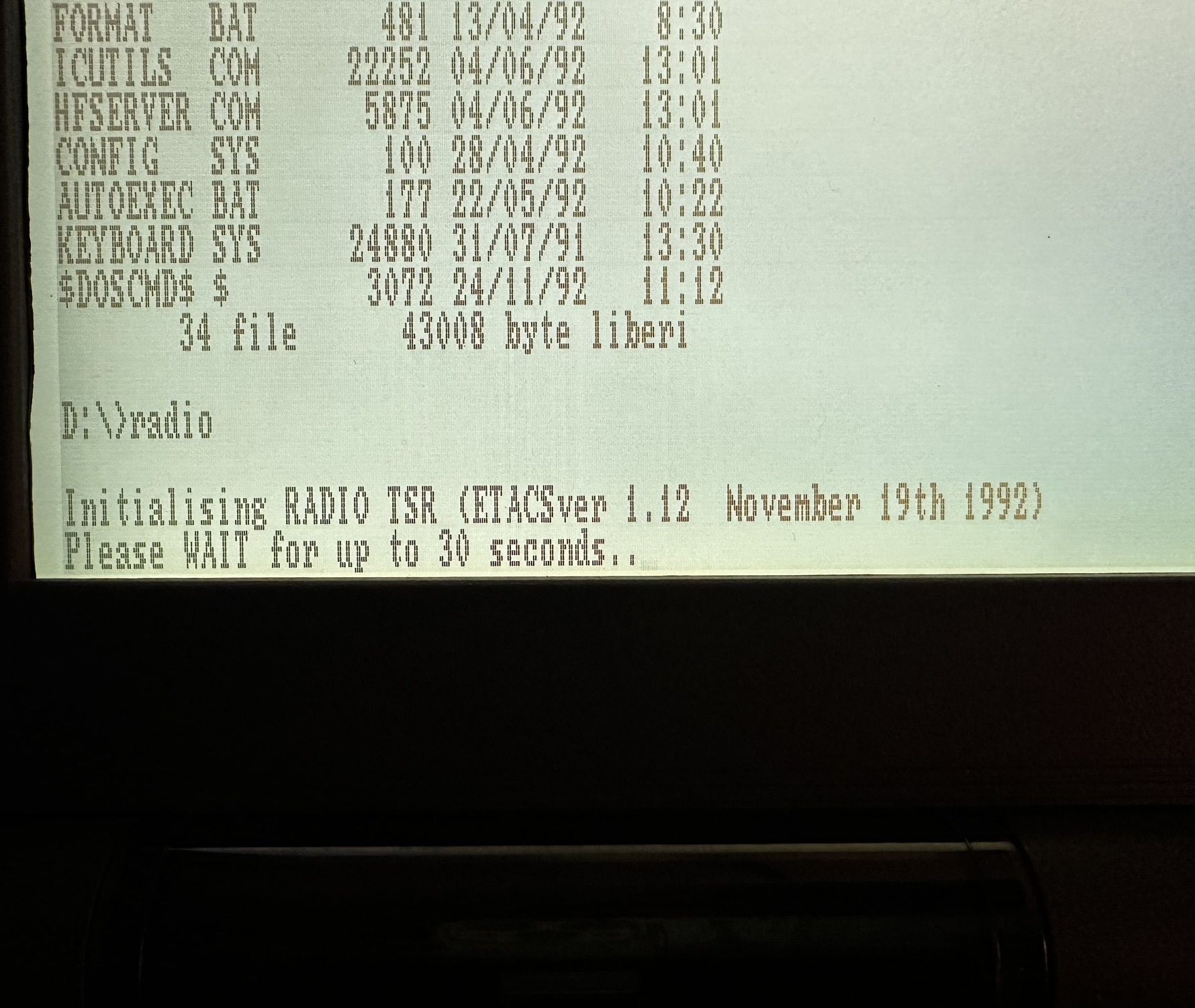
"A TSR (Terminate and Stay Resident) is a program in DOS that, after being executed, returns control to the operating system but remains in memory (RAM). This allowed DOS to perform pseudo-multitasking or provide "pop-up" functionality—like calculators or utilities—that could be activated while running another program via hotkeys."
Storage
The machine is PCMCIA 1.0/JEIDA 4.0 compatible. On the built-in DOS 4.0 ROM you'll find a program called ICUTILS.COM which has is a small memory management program and makes it easy to manage a compatible card.
Now we have to go down a wormhole of re-familiarising ourselves with how a machine like this was trying to work, back in the early 1990s. This was a time when many machines had less than 1Mb of RAM, no hard disk, and a 1.44Mb floppy was considered fast and plentiful!
IC Cards, their Standards, SRAM & Linear Flash
In the context of the 9075 PCradio, we're talking about one method of removable storage - the IC Card slot. This machine exists in a world of very early days where there was an emerging PCMCIA 1.0 standard (derived from an earlier Japanese standard of JEIDA 4.0) which went through 3 large generations, and so we're going to call this a 'Type 1' device. Type 1 was (obviously) the first iteration of PCMCIA cards and ran at 5v (whereas later cards ran at 5v). The cards were 3.3mm thick which are perfectly flat, whereas the later Type II and III cards were a little fatter - with an obvious bulge in the casing. The cards tended to be I/O devices - like SCSI or Modem and also provide RAM in the form of SRAM, DRAM and Linear Flash (which is different to the later, and much more familiar ATA flash used by Compact Flash cards etc.
SRAM - acts like both RAM and storage - it's faster than Linear Flash, requires battery support to retain data after being powered off, unlike DRAM which constantly needs to be refreshed, the latching circuitry means whilst the chips retain power, the stored data does not decay. SRAM was also often used for CPU cache due to it's speed, whereas DRAM was used for a computer's main RAM - always cleared on a reset/power cycle.
Linear Flash "ROM" - slower than SRAM, requires no battery support, much faster than a floppy. Data does not degrade over time. Typically cannot be larger than about 40Mb due to cost - ATA Flash cards came later and were much cheaper and therefore larger-capacity. Linear Flash requires a file management software program to provide disk emulation because unlike ATA flash it doesn't have a MBR or FAT. Linear Flash tends to develop issues after 100k r/w cycles. Often found in early Cisco routers, Apple's Newton, Windows CE PDAs. I've found this is frequently referred to (including within IBM literature) as "Flash ROM" - which seems odd as it's not Read Only Memory - the whole point is that you can read AND write to it. I think this name was adopted to signify at the time, people trusted ROM as non-volatile.
Both support 'execute in place' applications, which can be ran from their storage location rather than being loaded into RAM. The program consumes no RAM.
Why am I going into so much detail? Well it's because the PCradio relies on a lot of these terms in it's storage management, each managed by different programs and accessible in DOS under different drives. I think when the designers were building the PCradio, they decided that a hard drive and a floppy drive were unsuitable for the machine's intended ruggedised use-case, so what were the options for running software and for storage? The brochure quickly establishes that the 9075 relies on IC memory cards as both removable SRAM and flash storage. It even mentions SRAM's positive latching internal connectors!
1) The brochure confirms the machine has 640KB of RAM built-in. I'm supposing this is entirely seperate DRAM and completely seperate from the SRAM and ROM.
2) Next it states that the IC card slot shows as drives A and B. This might be for "Combo" cards which had both SRAM and Linear ROM storage on board....
3) Next it states the machine has it's own SRAM onboard, which is 124KB, as drive C. Initially, I thought this was provided by the IC Flash card I had inside the slot, but it's on-board the pcRadio. I was getting confused at this time because some of the IBM cards below are 'combo' cards with both SRAM and Flash ROM onboard.
4) 450Kb of ROM with DOS 4.01 and some tools to manage the IC cards on ROM, as drive D. This is real ROM - as in you can't write to it and you can't erase it, unlike the Flash ROM on the IC cards which can be!
So, in summary, that's 4.5 versions (SRAM could be onboard or on IC Card) of physical memory to think about using in this machine!
Looking back at the original IBM parts list, it seems you could get what it's called 'Flash ROM' (which I think it means Flash RAM) cards as well as combination SRAM / Flash RAM ones:
IC MEMORY CARDS NUMBER
SRAM .5MB 04G1470 2011 $ 500
Flash ROM .5MB 04G1472 2013 330
Flash ROM 2.0MB 04G1473 2014 700
Combo .5MB Flash/.5MB SRAM 04G1474 2015 665
Combo 1.0MB Flash/.5MB SRAM 04G1475 2016 810
So far, I have failed to get the PCradio to initialise any of the cards I have. The machine's "ICUtils" software built into it's ROM will recognise the name of the card, and it's advertised name (also in the title) but it won't 'manage' it - meaning it cannot understand how it's waiting to be managed. I believe that not only Flash cards likely to have mostly expired by now, but also whilst the machine was advertised as working to an 'industry standard' of PCMCIA cards, it only has the ROM software to recognise a small number of them. I can't confirm what exactly they are because the documentation where it might be listed is so far unavailable.
ICFormat and ICUtils
There appear to be two main programs installed on the PCradio which are fairly unique to the machine.
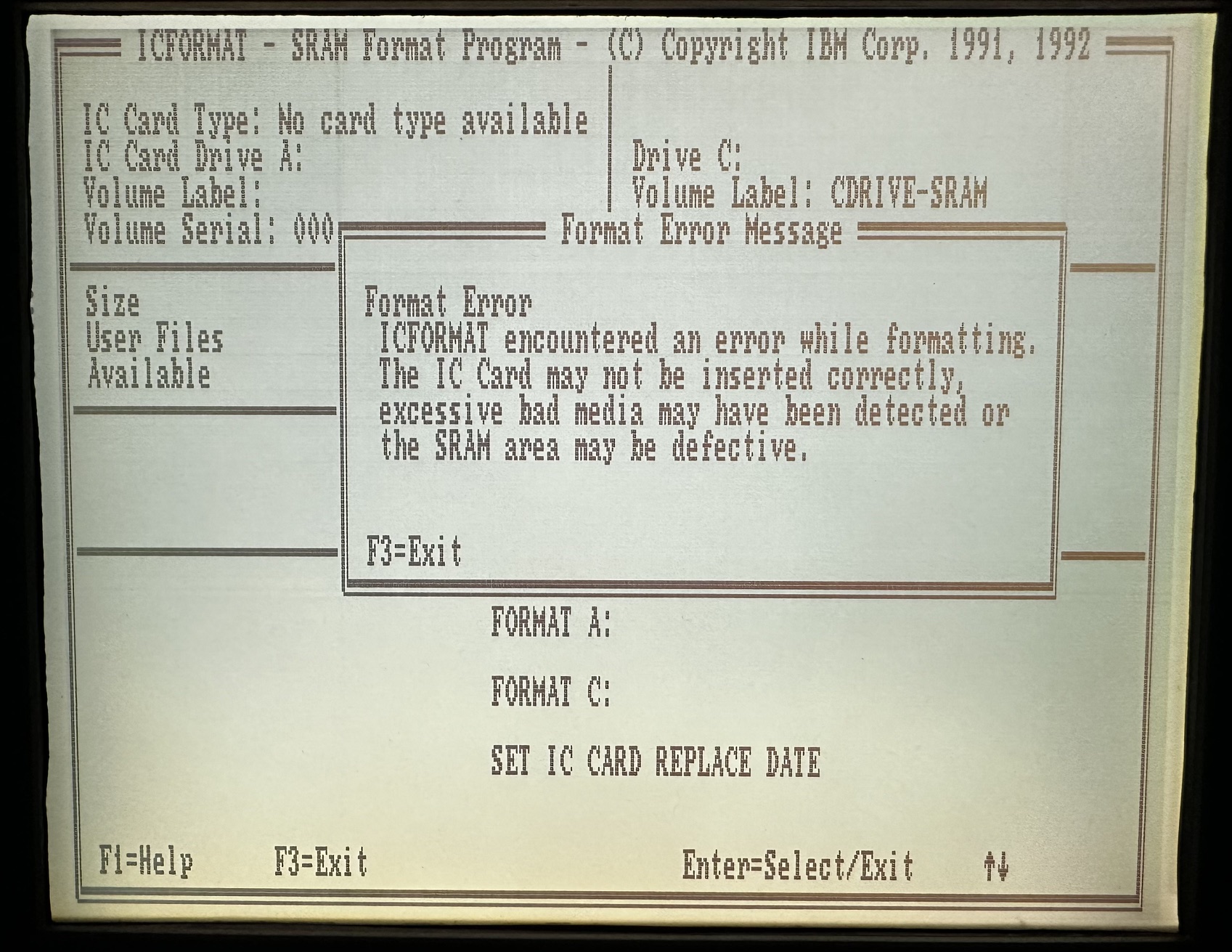
ICFormat seems to mostly manage any SRAM you have - always drive C: and sometimes drive A: (if it detects a card). You can also set the battery replace date on the card. In the shot above you can see it's trying to manage drive C: which it has named CDRIVE-SRAM and failing to manage drive A:, because my card isn't supported.
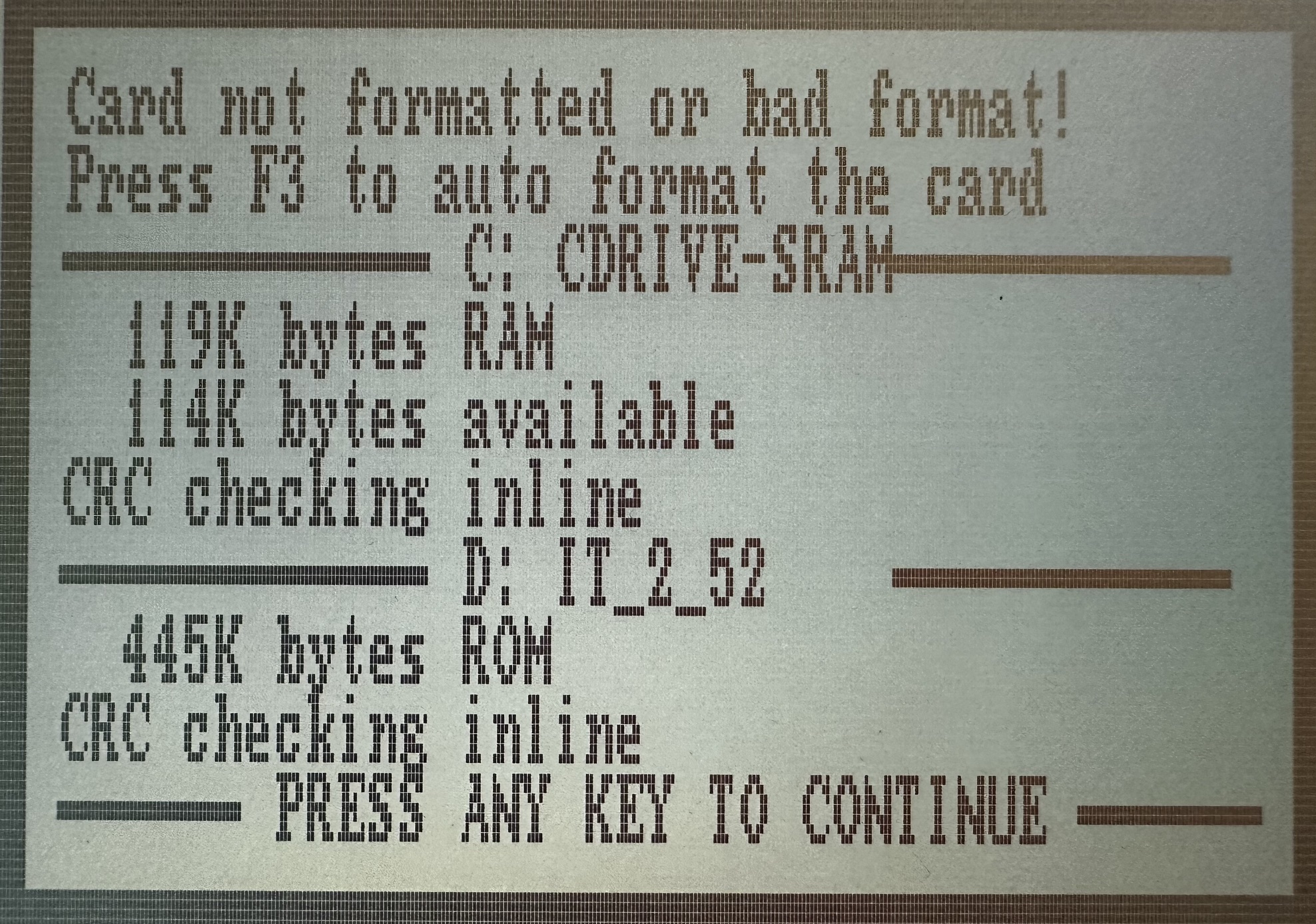
Here you get a bit of a clue backing up the specification on paper, where it shows the SRAM drive C: has 119Kb usable and the ROM has 445Kb, both with CRC.
Then we have the ICUtils programme....
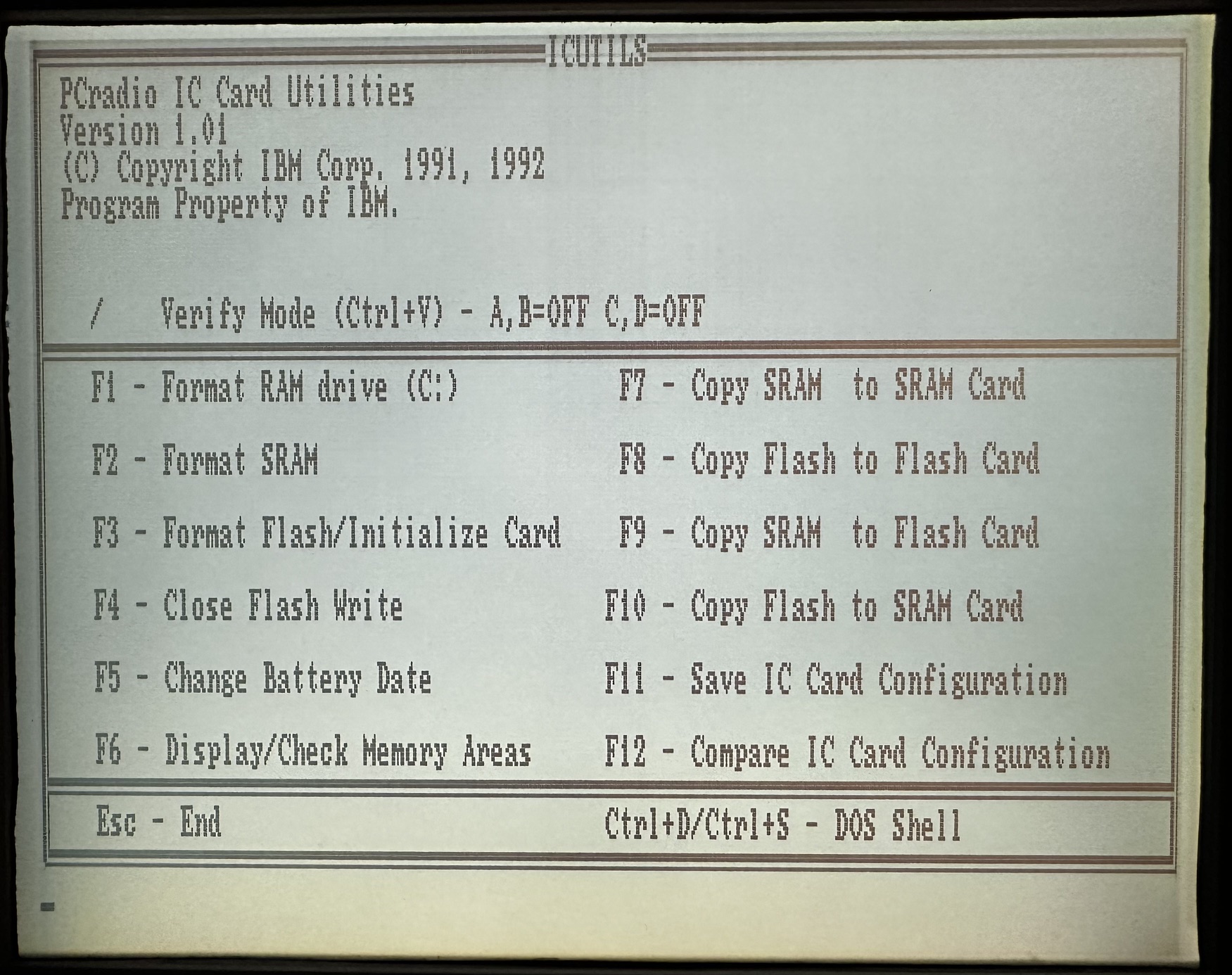
This program has many more options including a Verify switch which I don't understand! This is where it also seems to get a bit confusing.
F1 - I'm making a guess that it should be "Format OnBoard SRAM" instead of 'RAM drive C:, mainly because that makes F2 clearer.
F2 - I suspect this is IC CARD SRAM, because otherwise it's the same thing as F1.
F3 - Format Flash/Initialise Card, I believe is to make the machine recognise a compatible Linear Flash compatible IC card
F4 - Close Flash Write - I suspect if you don't do this, the data gets lost when you unplug the card? Or maybe it's just what you do 'to be safe' when removing the card....The PCradio was meant to be an 'always on' machine, so I'm guessing the IC Flash was generally regarded as 'semi removable'.
F5 - Change Battery Date is to make sure you don't get surprised SRAM data loss with the flat cell battery on your IC card.
F6 - Display/Check Memory areas - I don't know what this does and can't use it.
F7 - I presume this copies data from SRAM on the inserted card to another SRAM IC Card.
F8 - I presume this copies flash to another flash card?? This machine has 1 slot and I've never seen it refer to anything other than IC Card memory as 'flash', so this is also a guess.
F9 - Copy SRAM (on the Flash Card) to Linear Flash on the card
F10 - Copy Linear Flash on your IC Card to the SRAM portion of your IC Card (not onboard)
F11 - Save IC Card Configuration - to a file
F12 - Compare IC Card Configuration - unable to do this so far.
After trying you get my head around all these small chunks of storage, you can kinda see why it's a bit of a minefield. I wonder how many times something was lost because the person in charge copied, deleted or formatted the wrong space....
I was trying to find the PC-TASK Manager / Fixed Disk Application Manager shown on the promotional brochure but it looks like it never was officially available. There is some blurred out text in the picture so I suspect it was made specifically for one corporate customer. I found what I think is an older version here - the IBM Personal Computer Fixed Disk Organizer.